

In short
- A hardware wallet keeps the private key inside the device Not on your computer, not on your phone, and not on an exchange.
- The device signs the transaction and hands back only the signature The key never leaves it, even while it is plugged into a computer carrying malware.
- Every transaction has to be approved by hand on the device Malware cannot move funds on its own, because it has no way to press the button.
- What it cannot stop is you being talked into revealing the recovery phrase In practice that, and not a broken device, is where almost all real losses come from.
- Buy from an authorized distributor, and only a device that has never been set up A device that arrives already configured means somebody else has the recovery phrase.
A hardware wallet, which many people also call a cold wallet, is a small device with a single job: to hold the private key to your crypto inside itself.
This article covers how that works, what it genuinely protects against, what it does not, and what to check before deciding to buy one.
What a hardware wallet is
Crypto is not stored on any one device. It lives on the blockchain. What decides who owns it is the private key: whoever holds the key can move the coins.
So the question was never where to keep the coins. It is where to keep the key. A hardware wallet is one answer: keep it in a device built for that purpose and nothing else.
How it works
When you send coins, your computer or phone builds the transaction and passes it to the device. The device signs it internally and returns only the signature. The private key itself never comes out.
Before signing, the device shows the details on its own screen, and somebody has to press confirm on the device itself. That step matters more than it looks: malware sitting on a computer cannot press a button on a separate piece of hardware.
Access to the device is locked with a PIN, and many models support a passphrase, an extra layer on top of the recovery phrase. There is more on that in the passphrase article.
The recovery phrase is what matters, not the device
During first-time setup the device generates a recovery phrase, a list of words, usually 12 or 24 of them. That list can regenerate every key it holds.
That has two practical consequences. First, a broken or lost device does not mean lost coins: buy another one, enter the same words, and everything comes back. Second, whoever gets those words gets the coins, with no need for the device at all.
The words therefore matter more than the hardware, which is why they are kept somewhere other than with the device. More on that in the recovery phrase article.
What it protects against, and what it does not
What it does stop is malware on a computer or phone. Even if the machine you use is infected, an attacker cannot move funds, because the key sits in a separate device and every transaction needs a physical confirmation on it.
What it cannot stop is the owner being talked into revealing the recovery phrase, whether the story is a warranty claim, an identity check, a system update or an account recovery.
This has to be said plainly. No manufacturer and no shop asks a customer for their recovery phrase. Anyone who asks is a scammer, without exception, and in practice nearly every real loss comes through that door rather than through a compromised device.
How it differs from leaving coins on an exchange
Leave coins on an exchange and the keys belong to the platform, not to you. The upside is convenience, including password recovery. The downside is that access depends on that company continuing to exist and continuing to serve you.
Hold the key yourself and nobody can freeze or restrict access, but equally nobody can recover it for you if the recovery phrase is gone. Neither option wins on every count. The question is which risk you would rather carry.
There is a separate article comparing the two in more detail: hot wallets and cold wallets.
The three kinds, and how they differ
Grouped by how they connect, there are three kinds. The first is USB: plug it into a computer or an Android phone and it works. These are the most common and the cheapest. The limitation is that most of them do not work with an iPhone, because iOS does not open a wired path to this class of device.
The second is wireless, over Bluetooth or NFC. These do work with an iPhone, and they come both as conventional devices and as cards the thickness of a credit card. Some of the cards have no battery at all and draw power from the phone as you tap.
The third is fully offline, usually described as air-gapped: no cable and no wireless at all, signing instead by scanning a QR code with a camera or by passing a file on a microSD card. This is the safest in connection terms, but slower to use and usually more expensive.
What they cost
In Thailand prices start at around 2,000 baht for an entry-level USB model and run to the low tens of thousands for a flagship with a color touchscreen, Bluetooth and wireless charging.
Most of what the extra money buys is a bigger screen, a more convenient connection and better materials. A more expensive model is not automatically a safer one: some cheaper models carry a higher chip certification than models above them. Compare them one by one on the comparison page.
How to choose one that fits you
The question that narrows the field fastest is which phone you use. If an iPhone is your main device, you need a model that connects wirelessly or by QR code. A USB-only model will not work for you.
The second question is how often you move funds. If you transact often, convenience carries real weight. If you buy and hold and rarely touch it, the security of the connection matters more than convenience does.
The third question, for anyone who values being able to verify things, is whether the source code is open. Some brands publish both firmware and hardware design, some publish the app only, and some publish nothing.
The main brands sold in Thailand
Five brands turn up most often in Thailand, and each is strongest at something different. Below is one model from each, picked not for being the most expensive but for showing most clearly what that brand is about.
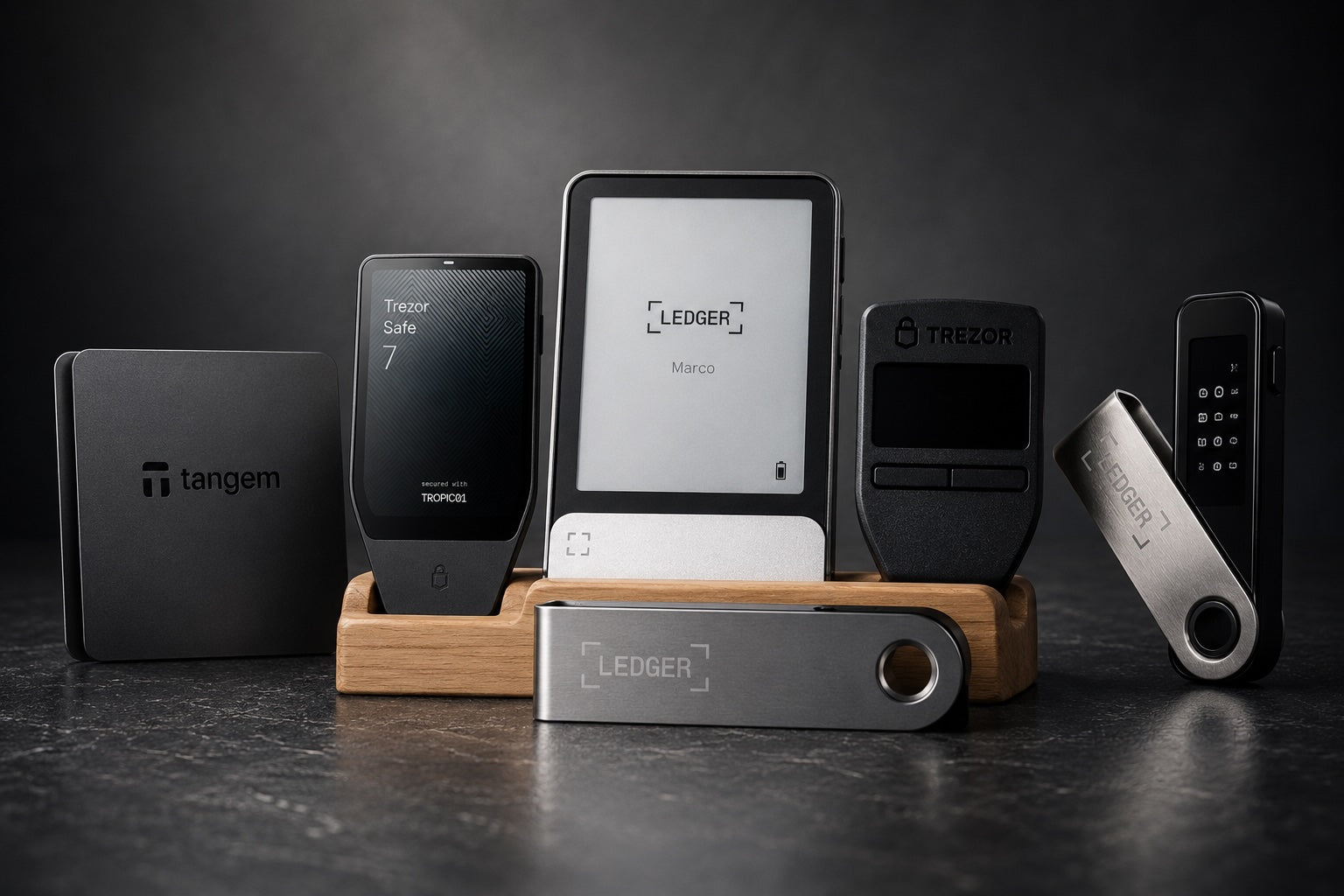
Ledger is the best known and has a model at every price level. Trezor publishes both firmware and hardware design as open source, which few makers go as far as doing. Tangem is a card you tap against a phone, with no battery and no cable, and is the easiest starting point for a beginner.
OneKey puts a certified chip and open firmware in the same device. SafePal stands out for offering a fully offline model at a price that is easy to reach.

Ledger
- Connects by USB-C to a computer or Android
- CC EAL6+ certified chip
- Does not work with iPhone
Adding Matte Black; other colors on the product page

Tangem
- Tap the card against a phone over NFC
- No battery, nothing to charge
- 25-year warranty
Adding the black set

Trezor
- Firmware and hardware design both open source
- CC EAL6+ certified chip
- On iPhone it can show balances only
Adding Cosmic Black

OneKey
- USB-C and Bluetooth, works with iPhone
- CC EAL6+ certified chip
- Open source firmware

SafePal
- Fully offline, signs by scanning QR codes
- Works with iPhone
- Cannot be used with a computer
These five are examples only. The shop carries more than thirty models. Compare the specifications line by line on the comparison page.
What first-time setup involves
The steps are much the same across brands. Check the box and the seal, connect to the manufacturer's app, set a PIN, and let the device generate a fresh recovery phrase.
The step that matters most is writing the phrase down. The device shows the words on its own screen one at a time, and they go onto the paper card or the metal plate supplied. Do not photograph them, do not type them into a computer, do not put them in a note on your phone, and do not send them to anyone.
The device then asks you to confirm the words to check you copied them correctly. Every button in this process is pressed by the owner. Nobody can do it for you, and nobody should.
The mistakes we see most often
Keeping the recovery phrase somewhere connected to the internet. Photographing it, typing it into a note, uploading it to cloud storage. All of these move words that belong offline into a place that can be breached.
Keeping the words in the same place as the device. A fire, a flood or a burglary then takes both at once. They belong in different places.
Buying second-hand, or a device that arrives already set up. This one cannot be fixed afterwards, because the recovery phrase was with the seller from the start.
Not testing recovery before moving a large amount. Plenty of people copy a word wrongly without realizing. Send a small amount first, confirm that recovery actually works, and only then move the rest.
If the device is lost or breaks
The coins are not in the device. They are on the blockchain, and the device only holds the key. As long as you still have the recovery phrase, buy a new device, enter the same words, and everything is back, even on a different brand.
If the device is lost and you are worried somebody will guess the PIN, the safe move is to restore from the phrase onto a new device and immediately send the coins to fresh addresses. But if the phrase is lost and the device is broken, nobody can recover it, the manufacturer included.
Who needs one
As a rule it starts to make sense once the value you hold is meaningfully more than the device costs, and once you intend to hold rather than trade day to day.
Anyone trading frequently and needing liquidity on demand may find keeping part of it on an exchange more practical. Plenty of people split the difference: a trading portion and a long-term portion.
What to check before buying
It must be a new device that has never been set up. If it arrives with a recovery phrase supplied, or already configured, somebody else holds those words and can move the coins whenever they choose.
Buy from an authorized distributor. Not second-hand, and not through a middleman of unknown origin, because that is the route by which a device can be tampered with before it reaches the buyer.
Check the packaging and look for signs of opening every time before use. What to look for is in the article on tampered devices.
Common questions
If the device breaks, are the coins gone? No. As long as you have the recovery phrase you can restore onto a new device straight away. The coins are on the blockchain, not inside the device.
Does it work with an iPhone? Some models do and some do not, depending on how they connect. The detail is in the article on models that work with iPhone.
Does it have to stay plugged in? No. Connect it only when you need to transact; the rest of the time it can simply sit somewhere.
Buying in Thailand
SIAMBC has been an authorized distributor in Thailand since 2016. Everything is new and factory sealed, sourced through official distribution, with free delivery nationwide.
There is a shop in Bangkok for anyone who wants to see a device before deciding, and every model can be compared on the comparison page.

Share:
Keystone 3 Pro review: fully air-gapped, 4-inch screen, fingerprint unlock
Trezor customer data leaked through a shipping provider: 13,689 people, keys unaffected