

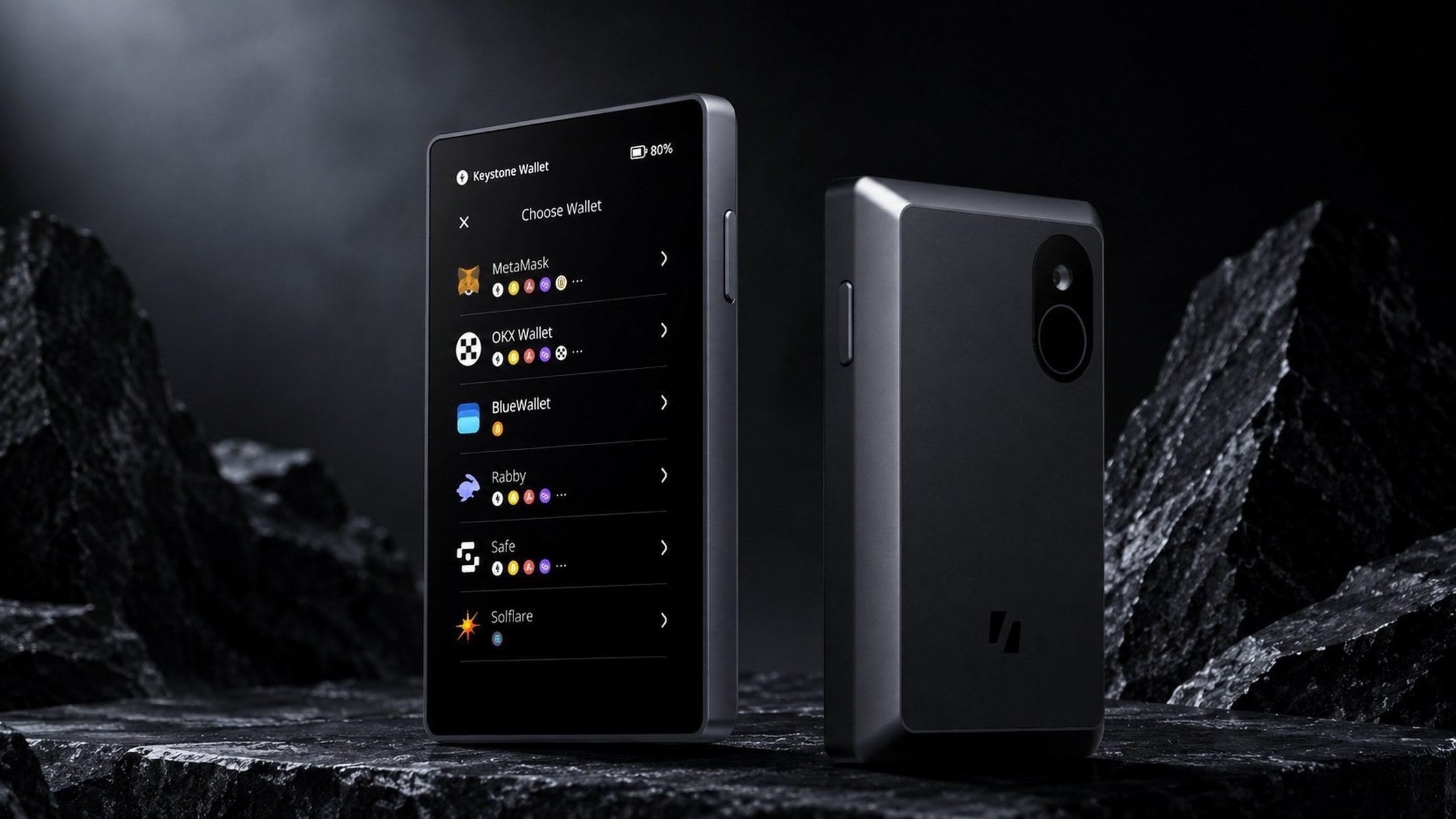
In short
- Signs entirely offline By QR code or microSD, and nothing else.
- The USB-C port is for charging only No data, no Bluetooth, no WiFi, no NFC.
- Three secure elements Two hold key material, one is dedicated to the fingerprint.
- A 4-inch color touchscreen at 480 x 800 The largest on any hardware wallet we stock.
- Open source in part, not in full Firmware is on GitHub, but pre-compiled libraries mean the build cannot be fully reproduced.
The Keystone 3 Pro sets itself apart by removing every data connection and putting a 4-inch touchscreen on the front, the largest on any hardware wallet in this range.
What follows are the specifications checked against the manufacturer's own site and an independent review, along with the limitations worth knowing before buying.
What fully air-gapped actually means
The Keystone 3 Pro signs transactions by scanning QR codes between the device and your phone, or by passing a file over microSD. There is no Bluetooth, no WiFi and no NFC at all.
There is a USB-C port, but it carries power only and moves no data. This is often misread as the device having no port at all, which is not correct — the port is there, it simply is not a communication path.
The consequence is that the private key never passes through anything connected to the internet. The trade is convenience: every transaction means holding the device up to scan, or pulling the microSD card out and plugging it in.
Three secure elements
The device carries three secure elements: two hold key material and one is dedicated to fingerprint data.
One point has to be stated precisely: neither the manufacturer nor the independent review states a certification level such as CC EAL for those chips. Anyone who wants a wallet with a named certificate should weigh that.
The 4-inch screen and the fingerprint
The 4-inch color touchscreen at 480 x 800 is far larger than most hardware wallets offer. The practical benefit is reading a long destination address before approving it, which is exactly the step that goes wrong on a small display.
Unlocking uses a PIN together with a fingerprint, and the manufacturer states there is anti-peeping protection. It supports more than 5,500 assets and works with over 45 software wallets.
The open source picture, in full
Keystone describes the product as open source, and the firmware genuinely is published on GitHub. But the independent review points out that some libraries ship pre-compiled, which means the build cannot be reproduced and verified in full.
In practice that is more open than a wallet whose code is closed entirely, but short of being verifiable line by line. Anyone who weights this heavily should know before deciding.
Limitations worth knowing
The operating system is built on Android, which is larger than a minimal firmware and in principle means a wider surface that could be attacked.
An audit also previously found one high-severity issue in the tamper-detection circuit, which is reported to have been fixed.
And because it works only over QR or microSD, it cannot be used with a computer directly. Anyone who transacts mainly from a desktop should factor that in.
Who it suits
It suits people holding for the long term who put staying disconnected first, and anyone who wants a large screen to check details before every confirmation.
People who want convenience day to day, or who transact mainly from a computer, will probably find a model with a cable or Bluetooth fits better.
Common questions
Does it work with an iPhone? Yes. It signs by scanning QR codes, so no cable to the phone is needed.
What certification do the secure elements carry? No certification level is stated by the manufacturer or by the independent review.
What is the USB-C port for? Charging only. It is not used for data or for signing transactions.
Buying in Thailand
SIAMBC has been an authorized distributor in Thailand since 2016. Everything is new and factory sealed, delivery is free nationwide, and there is a shop in Bangkok for anyone who wants to see a device before deciding.
Share:
Japan passes law treating crypto as a financial product, cutting tax to about 20%
What is a hardware wallet, how it works, and who needs one