

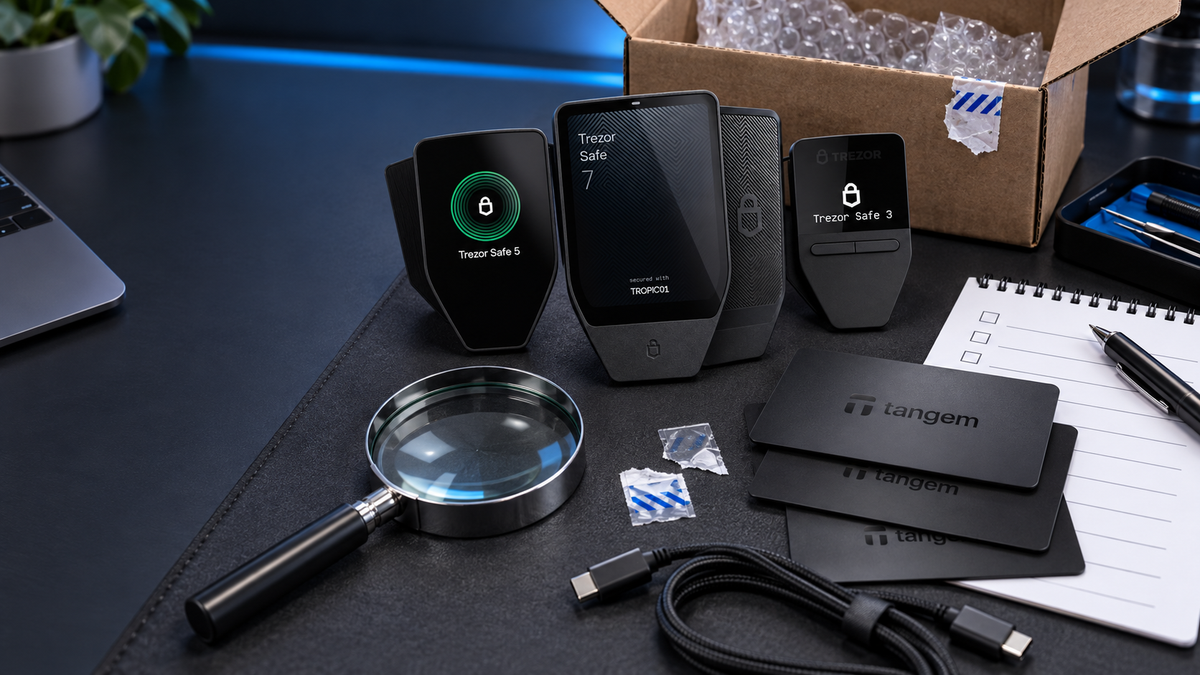
Quick take
- A used hardware wallet can sometimes be made ready for a new owner, but it carries risks that a factory-new device does not.
- Never keep a PIN, recovery phrase, backup or access code supplied by the seller. Wipe the device and create a completely new wallet yourself.
- Install only the manufacturer’s official app and complete its authenticity or firmware checks before depositing funds.
- Stop immediately if verification fails, the device appears modified, or any setup screen asks you to enter recovery words on a computer or phone.
- For a primary wallet or a meaningful balance, buying new from the manufacturer or an authorised reseller is usually the more sensible trade-off.
A hardware wallet is not just another second-hand gadget. Its purpose is to protect the private keys that control your crypto, so the history of the device matters. A scratched phone is inconvenient; a wallet prepared with a recovery phrase that somebody else already knows can put the entire balance at risk.
That does not mean every pre-owned wallet is compromised. Many models can be wiped, authenticated and set up with fresh keys. The difficulty is proving that the device, firmware and setup process are all trustworthy. A factory reset alone does not answer every question.
Can a used hardware wallet be safe?
Potentially, but it is not our first choice for storing a significant balance. A sensible assessment has three parts: confirm that the device is genuine, return it to a clean state, and create a brand-new wallet without using anything supplied by the previous owner.
Official software can check firmware signatures, device certificates or secure hardware, depending on the brand. It cannot tell you everything about the device’s past. Water damage, ageing batteries, poor repairs and subtle physical modifications may still be difficult to rule out.
The non-negotiable rule: never use a PIN, seed phrase, Secret Recovery Phrase or wallet backup that arrives with the device. If another person has a copy, they can recover the same wallet and move the assets without possessing the hardware.
Questions to ask before buying
- Where was the device purchased, and is the original receipt available?
- Has it already been initialised or used to hold funds?
- Has it been dropped, exposed to water, opened or repaired?
- Are all parts of the original set included, particularly with multi-card Tangem sets?
- Does any warranty remain, and does it transfer to a new owner?
- Will the seller allow verification through the official app before payment?
A seller who discourages a reset, refuses authenticity checks or insists that a preconfigured wallet is easier to use is giving you a reason to walk away.
Inspect the device
Look closely at seams, screws, ports and the display. Uneven gaps, adhesive residue, tool marks, a lifted screen or mismatched finishes can indicate that a device has been opened or repaired. Packaging and seals are useful clues, but neither is proof of authenticity.
Test the buttons, screen, USB port and charging behaviour without entering any secret information. On battery-powered models, watch for swelling, unusual heat or rapid shutdowns. A device that disconnects intermittently or has a loose port should not become your long-term vault.
Opening the enclosure yourself is rarely helpful and may cause damage. Manufacturer authentication and signed firmware checks are more meaningful than an amateur inspection of the circuit board.
Use official software only
Do not install software from a USB drive, QR code or download link provided by the seller. Navigate to the manufacturer’s website yourself, or verify the publisher in the official app store. A fake companion app can imitate an authenticity screen and then ask for recovery words.
Use Trezor Suite for Trezor, the official Ledger app for Ledger devices and the genuine Tangem App for Tangem. During setup, these apps perform the checks supported by each platform.
Checks for Trezor, Ledger and Tangem
Trezor
Trezor Suite verifies firmware signatures when the device connects. Safe 3, Safe 5 and Safe 7 also use a Secure Element to support device authentication. If firmware or authenticity verification fails, stop using the wallet and contact SIAMBC without sharing a seed phrase, PIN or passphrase.
A Trezor presented as brand new should not arrive with a wallet backup prepared for you. A genuinely unused device requires the owner to install firmware and create the backup during setup. A clearly disclosed second-hand device should be wiped and taken through the complete setup process again.
Ledger
Ledger’s official app includes a Genuine Check that uses the Secure Element to verify the device. Packaging alone is not enough. After resetting the unit, choose the option to set it up as a new device, select your own PIN and generate a new Secret Recovery Phrase on the hardware itself.
Tangem
The Tangem App checks the card or ring certificate and reports its activation status. If a wallet already exists, reset every device in the set to factory settings before creating a new wallet. Never inherit the seller’s access code or existing backup arrangement, and do not proceed if authenticity validation fails.
| Brand | What to verify | When to stop |
|---|---|---|
| Trezor | Verify the device and firmware in Trezor Suite, then wipe and set it up again | Authenticity or firmware checks fail; a backup is already supplied |
| Ledger | Reset, set up as new and complete Genuine Check in the official app | The seller supplies a PIN or recovery phrase; software asks for words on the computer |
| Tangem | Check the certificate and status in Tangem App, then reset every device in the set | Certificate validation fails, reset is unavailable or the set is unexpectedly incomplete |
Start with a clean setup
- Follow the manufacturer’s reset procedure. Do not preserve the previous owner’s accounts or addresses.
- Install the official application yourself. Complete all available authenticity and firmware checks.
- Create a new wallet. Let the hardware generate fresh private keys and a fresh backup.
- Record the backup offline. Read it from the device and never photograph it or type it into a website.
- Install official firmware updates when prompted, checking all messages shown on the hardware screen.
- Verify receiving addresses on the device, not only on the computer or phone.
- Send a small test amount and test an outgoing transaction before moving the main balance.
Red flags that mean stop
- A PIN, seed phrase, recovery phrase or access code is included.
- The seller supplies an installer, download link or QR code for an unofficial app.
- Software asks you to type recovery words into a phone or computer during inspection.
- Authenticity, certificate or firmware verification fails.
- The enclosure, screen or port shows signs of opening or modification.
- The device cannot be wiped or cannot begin a new-wallet setup.
- The seller will not allow official verification before handover.
A successful test transfer does not prove that nobody else has the keys. If one of these red flags appears, testing with a small amount is not an adequate safeguard.
Is the saving worth it?
The discount on a used wallet may be modest compared with the value it will protect. You also inherit uncertainty about physical wear, repairs, warranty and previous setup. For learning, development or an empty test wallet, a verified used device may be reasonable for an experienced user. For a primary wallet, the simpler decision is usually a new device from a verifiable source.
New-device alternatives

Trezor
- Device and firmware checks through Trezor Suite
- EAL6+ Secure Element
- Open-source design with on-device confirmation
Button selects Cosmic Black. Other colours and the Bitcoin-only edition are available on the product page.

Ledger
- Genuine Check through the official app
- EAL6+ Secure Element
- USB-C connection for computers and Android
Button selects Matte Black. This model does not connect to iPhone.

Tangem
- Certificate verification when scanned in Tangem App
- NFC connection for iPhone and Android
- Three cards for daily use and distributed backups
Button selects the black three-card set. Current pricing may vary with promotions.
Frequently asked questions
Does a factory reset make a used wallet completely safe?
No. A reset is essential, but it must be combined with authenticity checks, official firmware, trusted software and a physical inspection. It does not prove that the device was never modified or damaged.
Can I keep the previous owner’s recovery phrase?
No. Assume the previous owner retained a copy. A safe setup begins with a new backup generated by the reset device under your control.
Does an intact box seal prove the device is safe?
No. Seals can be copied or replaced. Treat packaging as one clue and rely on the manufacturer’s official verification process.
Can SIAMBC check my seed phrase?
No. SIAMBC will never ask for your seed phrase, passphrase, private key or PIN. We can explain the setup process and help identify the correct model while your secrets remain with you.
Conclusion
A used hardware wallet is not automatically unsafe, but its unknown history creates extra work and extra uncertainty. If you choose one, wipe it, authenticate it with official software, create completely new keys and test it with a small amount. Never accept credentials from the seller.
For long-term savings or a main wallet, a new device from the manufacturer or an authorised reseller is usually the better value. You gain control of the setup from the first moment and avoid relying on a history you cannot fully inspect.
Sources
- Trezor: Is my device safe to use?
- Trezor: Firmware authenticity check
- Ledger: Best practices when buying a device
- Ledger: Second-hand device scam warning
- Tangem: How to check wallet authenticity
- Tangem: Wallet reset
Information checked on 18 September 2026. App names and procedures may change, so consult the manufacturer before setup. Written by Bank for educational purposes; this is not investment advice.



Share:
Tangem vs Trezor: Which Hardware Wallet Is Right for You?
OneKey Classic 1S vs OneKey Pro: Which Hardware Wallet Should You Choose?