

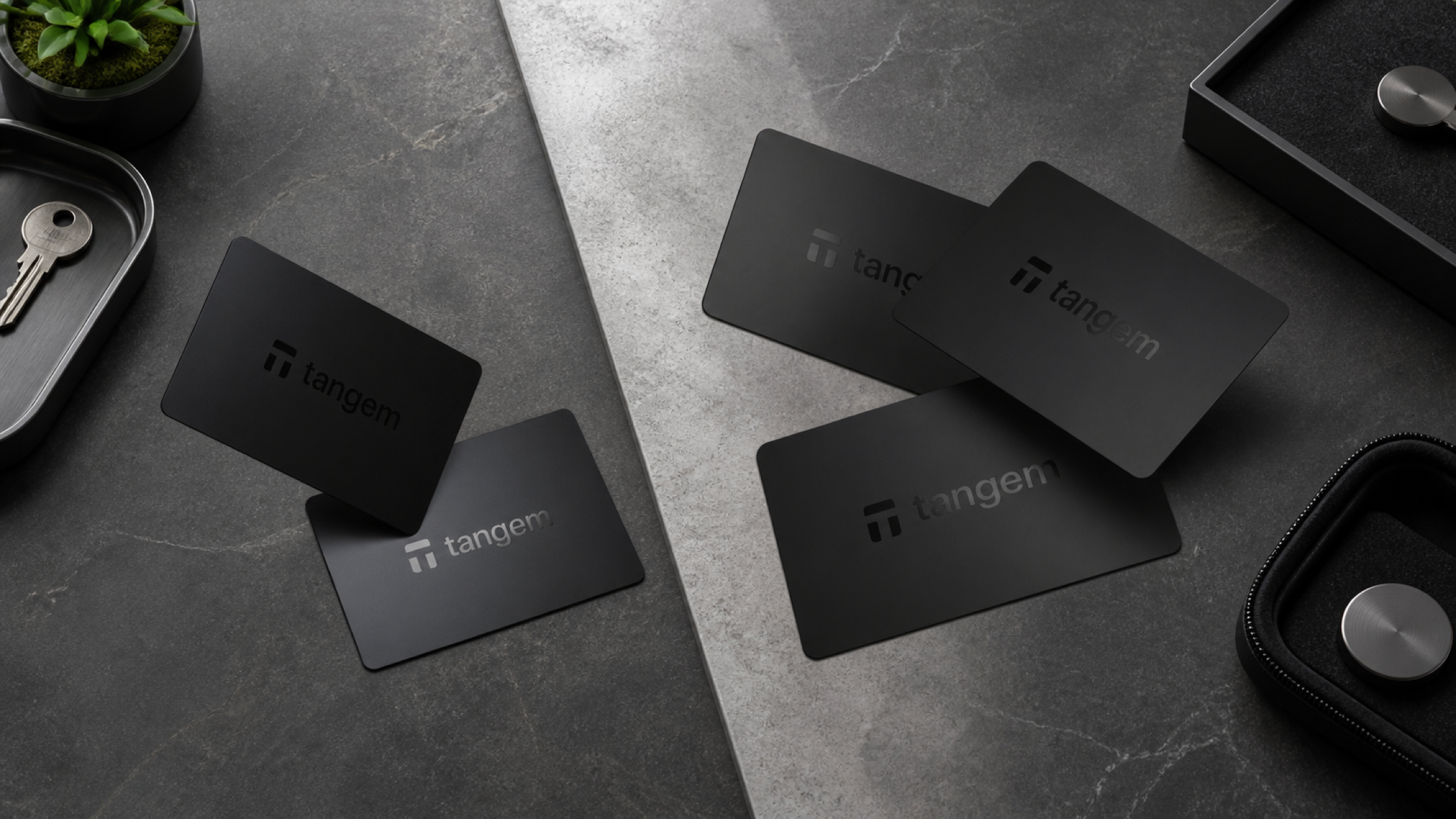
Quick answer
- The Tangem 2-card set is a practical choice if you want to keep the initial cost down, can store the cards in two reliable locations, and are confident you will not lose one card while also forgetting the Access Code for the other.
- The Tangem 3-card set offers more room for error, especially for a seedless wallet, frequent travellers, anyone who carries one card daily, or users who want an off-site copy.
- There is no permanent "main card" in a Tangem set. Once backup is complete, every linked card can access the same wallet and has the same technical capabilities.
- Resetting a forgotten Access Code requires the card being reset and a second card from the same wallet. With a 2-card set, losing one card and forgetting the code for the remaining card removes that reset path.
- The number of cards must be decided during initial backup. A third card cannot be added directly to an existing 2-card wallet later.
Choosing between a Tangem 2-card set and a 3-card set is less about everyday wallet features and more about how much recovery margin you want. The right choice depends on whether you use a seed phrase, whether a card leaves the house with you, how many genuinely separate storage locations you control, and how comfortable you are operating with only one card if another is lost.
For normal transactions, both sets work in the same way. One card and the correct Access Code are enough to open the wallet and approve a transaction. The difference becomes important when something goes wrong, such as a lost or damaged card, a forgotten Access Code, or an incident that makes a storage location inaccessible.
Adding a third card does not make the secure chip stronger. It gives the wallet one more copy of the private key and leaves the owner with more recovery options after a failure. The useful comparison is therefore not "two devices versus three devices", but how each setup preserves access under stress.
Tangem 2 cards vs 3 cards at a glance
| Consideration | Tangem 2-card set | Tangem 3-card set |
|---|---|---|
| Private key copies | 2 copies across 2 devices | 3 copies across 3 devices |
| After one card is lost | 1 card remains | 2 cards remain |
| Resetting a forgotten Access Code after one card is lost | Not possible with only one card remaining | Still possible with the two remaining cards if Access Code Recovery is enabled |
| Separate storage locations | 2 locations | 3 locations, including an off-site option |
| Emergency flexibility | Enough for a simple plan, but little margin after one loss | More options if a card is lost or one location becomes inaccessible |
| Best suited to | Budget-conscious users with two dependable storage locations | Long-term, seedless or frequently carried setups |
At the time of writing, the 3-card set costs ฿400 more than the 2-card set at SIAMBC. That difference buys one additional private-key copy and means two cards still remain after one is lost. Prices and availability can change, so check the product page before ordering.
Is there a main card and a backup card?
Not technically. Tangem states that all devices linked to the same wallet are equal. The first card used during setup does not retain higher privileges once the backup process has been completed.
Calling one card the "main card" and the others "backup cards" can still be useful as a storage convention. It describes which card you carry or use most often, not what the cards are capable of. Any linked card can open the wallet and approve transactions when used with its correct Access Code.
This distinction matters because a card kept in reserve is still a working key. Someone who obtains it would also need the Access Code to enter the wallet, but the code should never be written on the card or stored beside it.
SIAMBC View
- Use "everyday card" and "stored card" to describe where each card belongs, not to imply different permission levels.
- Do not place all cards in one wallet, box or safe. Three cards in one location can still be affected by the same fire, flood, theft or accidental loss.
- Periodically confirm that stored cards can still be read by NFC and that you remember how to access the wallet.
How Tangem backup works
During setup, the wallet is created on the first Tangem device. The user then links one or two additional devices as backups, leaving the same private key protected across either two or three devices.
Tangem describes the device-to-device transfer as an authenticated, secure process that uses key exchange to protect against interception. It takes place during backup setup. The private key is not sent over the internet or stored in a Tangem account.
Can a third card be added later?
Not directly to the existing wallet. The key is copied only during the initial backup process. If setup is finalised with two cards, a newly purchased third card cannot simply be tapped and added to that wallet.
Moving from two cards to three requires a new wallet. The assets must first be moved somewhere safe, the devices reset, and a new wallet created with all three devices before the assets are moved back. Resetting the cards before moving the assets can erase the keys and permanently remove access.
Can different Tangem generations form one backup set?
Tangem Wallet 1.0 and Tangem Wallet 2.0 cannot back up one another. Devices used in one set must be compatible, so check the generation rather than relying only on how the card looks.
How card count affects Access Code recovery
The Access Code protects entry to the wallet and transaction approval on each Tangem device. During backup setup, the same code is applied to all cards by default. Different codes can be assigned to individual cards afterwards.
After six incorrect attempts, the waiting period before the next attempt increases by one second at a time, up to 45 seconds. The delay returns to normal after the correct code is entered. This slows guessing, but it is not a substitute for a strong, difficult-to-predict Access Code.
What is required to reset a forgotten Access Code?
The reset process needs two devices from the same wallet:
- The card whose Access Code will be replaced
- A second card from the same wallet to confirm the reset
Access Codes are stored separately on each device. Resetting one card does not automatically change the code on the others. Each card must be handled separately if more than one code needs to be changed.
Why does the third card matter when two problems happen together?
Suppose one card from a 2-card set is lost. The remaining card still works if its Access Code is known. If that code is also forgotten, however, there is no second card available to confirm a reset. With a 3-card set, losing one card leaves two devices, which preserves the required two-card recovery path.
This advantage depends on Access Code Recovery being enabled on the relevant devices. A card with recovery disabled cannot have its code reset by another device and cannot help reset another card. If recovery is disabled on every stored card, owning three cards will not restore a forgotten code.
Should Access Code Recovery be enabled?
Keeping it enabled provides a recovery path if the owner forgets a code. Disabling it reduces the possibility that someone holding more than one card could use the reset process. The trade-off depends on how the cards are stored, the chance that several could be stolen together, and how confident the owner is that the codes will not be forgotten.
Whichever policy you choose, verify the setting on each card. Do not assume a change made on one device automatically applies to the rest.
Seedless or seed phrase: why it matters
Second-generation Tangem Wallets support both seedless setup and setup with a seed phrase. Both approaches protect each device with an Access Code, but they provide different recovery routes if every linked device is lost.
Seedless setup
The available private-key copies exist only inside the linked Tangem devices. If every card is lost or becomes unusable, there is no seed phrase to import into a new wallet. Card count and physical separation are therefore central to the recovery plan, and three cards provide more margin than two.
Setup with a seed phrase
If a seed phrase was created and stored correctly, the wallet can still be restored on a new Tangem set even after all original devices are lost. The seed phrase also becomes a separate high-value secret: anyone who obtains every word can restore and control the wallet.
The seed phrase is displayed only during wallet creation and cannot be viewed later from the device. A seedless wallet cannot have a seed phrase added afterwards. Changing the setup requires moving the assets, resetting the devices and creating a new wallet.
| Setup | If every device is lost | What must be protected |
|---|---|---|
| Seedless | No seed phrase is available for recovery | Linked cards and the Access Code |
| With a seed phrase | The wallet can be restored on a new Tangem set using the stored phrase | Cards, Access Codes and the seed phrase |
What happens in common loss scenarios
Scenario 1: One card is lost, but the Access Code is known
2-card set: The remaining card can still open the wallet and move the assets to a new wallet, but there is no spare device while that work is being completed.
3-card set: Two cards remain available. If the missing card may have been stolen rather than simply misplaced, use a remaining card to move the assets to a new wallet without delay.
Scenario 2: One card is lost and the Access Code for the remaining card is forgotten
2-card set: Only one device remains, so there is no second card to approve an Access Code reset. A seedless wallet cannot be opened with that card if the code is unknown. If the wallet was created with a seed phrase and that phrase is still stored safely, it can be restored on a new device set.
3-card set: Two devices remain. They can still be used for Access Code recovery if they belong to the same wallet and the required recovery settings are enabled.
Scenario 3: The home or primary storage location is inaccessible
2-card set: If both cards are kept in the same home, one incident can affect both even when they are placed in separate rooms.
3-card set: One card can be held at a controlled off-site location, reducing the chance that a fire, flood, theft or building-level incident makes all cards unavailable at once.
Scenario 4: The phone is lost, but the cards are safe
Card count is not the main issue in this situation. Tangem can be used with another NFC-capable phone running the official app, provided the user still has a card and the correct Access Code. Losing the phone is not the same as losing the private key held by the Tangem device.
How to store two or three Tangem cards
A practical 2-card plan
- Card 1: Use when needed or keep in a location that is reasonably accessible.
- Card 2: Store at a separate, secure location.
- If Card 1 is carried every day, the storage controls around Card 2 become more important because losing the first card leaves only one copy.
A practical 3-card plan
- Card 1: Use regularly or keep at an accessible location.
- Card 2: Place in a safe or another protected location inside the home.
- Card 3: Keep at a trusted off-site location with controlled access.
Off-site storage should not mean handing a card to someone without a plan. Consider who can enter the location, how the card will be checked over time, and whether you can retrieve it when an emergency actually occurs.
Storage mistakes to avoid
- Keeping every card in the same wallet, box or safe
- Writing the Access Code on a card or leaving it beside the card
- Giving someone a card together with information that makes the code easier to guess
- Disabling Access Code Recovery without understanding the effect on each device
- Starting with two cards on the assumption that a third can be added directly later
- Resetting the cards before the assets have been moved out of the old wallet
Who should choose each set?
The 2-card set is a good fit when
- You want a lower initial cost and accept less recovery margin.
- You control two separate, dependable storage locations.
- You do not carry one card every day, or you have a routine for checking the stored card.
- You understand that losing one card leaves a single device and plan to move the assets to a new wallet.
- If using a seed phrase, you can protect it separately from the cards.
The 3-card set is a better fit when
- You plan to use a seedless wallet and rely mainly on the key copies inside the devices.
- You regularly take one card outside the home.
- You want both an in-home and an off-site backup.
- You want two devices to remain available for Access Code Recovery after one loss.
- You are holding for the long term or would be seriously affected by an interruption in wallet access.
- You want to avoid rebuilding the wallet later simply to move from two cards to three.
Asset value is not the only deciding factor. A frequent traveller using a small seedless balance may benefit more from three cards than someone holding a larger amount with a carefully designed additional recovery layer. Focus on the impact of losing access and whether you can maintain each storage location properly.
Shop Tangem Wallet sets
Tangem Wallet 2 Cards Set: a simple starting point
A practical option for one wallet across two devices, provided you have two separate storage locations and understand the limitations of being left with one card.

Tangem
฿2,190
- 2 devices for one wallet
- Card format with NFC operation
- Suitable for a two-location backup plan
Tangem Wallet 3 Cards Set: more margin for long-term use
Designed for users who want three private-key copies across three locations and want two cards to remain available after one is lost.

Tangem
฿2,590
- 3 devices for one wallet
- Supports in-home and off-site storage
- Two cards remain after one is lost
Prices and stock were checked on 23 August 2026 and may change. Review the product page before ordering. Colour options depend on current availability.
Frequently asked questions
Is the Tangem 2-card set less secure than the 3-card set?
The chip and transaction-approval process are not weaker. The difference is redundancy. Losing one card from a 2-card set leaves one private-key copy, while a 3-card set still has two.
Can every card approve transactions?
Yes. All cards linked to the same wallet have equal technical capabilities when used with the correct Access Code. "Main" and "backup" are storage roles chosen by the owner.
Can I buy two cards now and add a third later?
Not directly to the existing wallet. You must move the assets out, reset the devices and create a new wallet with all three cards. Resetting before moving the assets can permanently remove access.
If one card is lost, are the funds lost?
No. If another card remains and its Access Code is known, the wallet can still be accessed. If theft is possible, move the assets to a new wallet because the person holding the missing card could attempt to guess its code.
Does the 3-card set help if I forget the Access Code?
It can, provided two cards from the same wallet remain and Access Code Recovery is enabled on the relevant devices. One card is reset and the other confirms the process. This route is unavailable if recovery has been disabled on all backup cards.
What should I do if only one card remains and I still know its Access Code?
The card can still access the wallet, but moving the assets to a new wallet with a complete backup is safer than continuing without a spare. The risk rises immediately if the final card is damaged or lost.
Do I still need three cards when using a seed phrase?
Not in every case. A correctly stored seed phrase can restore the wallet on a new Tangem set if all devices are lost. Three cards still let you continue without exposing the seed phrase and preserve more Access Code recovery flexibility after one card is lost.
Where should three cards be kept?
Use three distinct roles: an everyday card, a secure location at home and a controlled off-site location. Do not store the cards together or keep an Access Code beside any card.
Final recommendation
The Tangem 2-card set is fully usable and can suit someone with a clear two-location plan and a lower starting budget. Its limitation appears after one loss: only a single key copy remains, and a forgotten Access Code on that last card cannot be reset without another linked device.
The Tangem 3-card set is better suited to seedless use, frequent carrying and long-term backup planning. It allows storage across three locations and leaves two devices available after one card is lost, preserving the Access Code recovery route when the required settings are enabled.
Choose the number of cards before finalising backup, because a third device cannot be added directly to the existing wallet later. Whichever set you buy, separate the storage locations, use a strong Access Code, verify the Access Code Recovery setting on each device, and understand your own recovery procedure. Three cards stored together are less useful than two cards protected under a clear plan.
Conclusion
Compare Tangem 2-card and 3-card sets, including backup design, Access Code recovery, seedless use and storage planning, to choose the right setup.



Share:
How to Withdraw Bitcoin from Bitkub to a Hardware Wallet: Step by Step
Forgot Your YubiKey PIN? How to Reset FIDO2 and What You Lose