

Quick answer
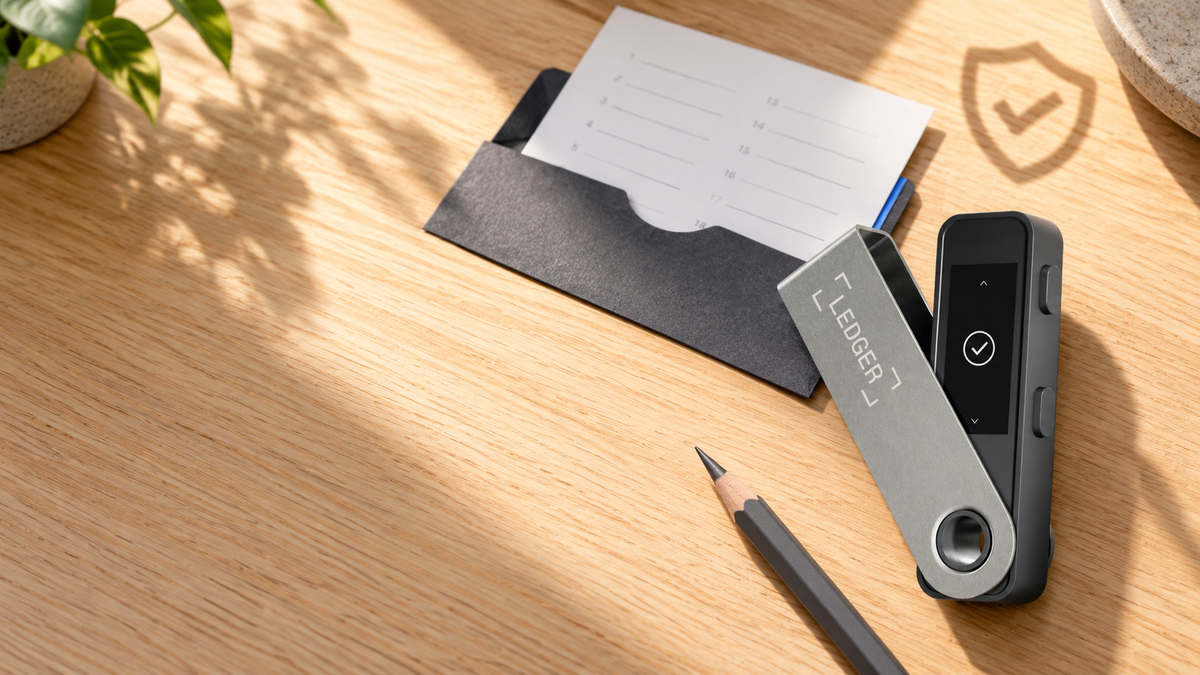
Ledger Recovery Check is an official app that confirms whether your written Seed Phrase matches the wallet secured by your current Ledger device. The check happens on the hardware wallet itself. It does not reset the device, move funds, or require you to type the 24 words into a computer or phone.
A backup that has never been tested is still an unknown. Recovery Check lets Ledger owners confirm their paper or metal backup before a lost, damaged or reset device turns a small uncertainty into a serious recovery problem.
What Ledger Recovery Check does
Recovery Check is installed from the My Ledger app catalog in Ledger Wallet. You then enter the Seed Phrase in order on the physical Ledger. The app compares that input with the wallet protected by the device and reports whether they match.
It is not a recovery, does not create a new Seed Phrase and cannot reveal the words stored by the device. If the written backup is missing, Recovery Check cannot reconstruct it for you.
Can it put your crypto at risk?
A normal Recovery Check does not wipe the device, alter private keys or sign a transaction. Assets remain on-chain. The app performs a comparison inside the Ledger Secure Element and returns a match or mismatch result.
The critical rule: enter the Seed Phrase only on the physical Ledger. A website, desktop form, mobile app or support agent asking for all 24 words is not part of Recovery Check.
What to prepare
- The configured Ledger device and its primary PIN.
- The offline Seed Phrase backup, without photographing or digitising it.
- The latest Ledger Wallet application on a computer.
- Current Ledger OS and a reliable data-capable USB cable.
- Enough device storage for the Recovery Check app.
If storage is tight, a coin app can be removed temporarily and reinstalled later. Removing an app does not remove the account or its assets; those remain tied to the same Seed Phrase on the blockchain.
How to check the 24 words safely
- Open Ledger Wallet, connect the Ledger and unlock it with the primary PIN.
- Open My Ledger and approve access on the device when prompted.
- Find Recovery Check in the app catalog and install it.
- Launch Recovery Check on the Ledger and start the check.
- Select the correct phrase length. A Seed Phrase created by a Ledger device is normally 24 words.
- Enter each word in order on the Ledger. Nano models narrow the list after the first letters are selected.
- Read the result on the hardware screen. Afterwards, Recovery Check can be removed and the required coin apps reinstalled.
Run the check in private, away from cameras or people who could see the backup, and return the Seed Phrase to secure offline storage as soon as the check is complete.
Understanding the result
Recovery phrase matches
The written phrase corresponds to the wallet on this Ledger and can serve as its recovery backup. Store it offline and separately from the hardware wallet.
Recovery phrase does not match
Do not reset the device and do not test the words in a software wallet. Check word order, spelling, phrase length and that the Ledger was unlocked with the primary PIN, then carefully repeat the check.
If repeated checks fail while the wallet still works: treat the backup as unverified. Create a new wallet on a second trusted device, verify its new Seed Phrase, transfer the assets to the new addresses, and only then reset or return the original Ledger.
Seed Phrase versus passphrase
Recovery Check verifies the Seed Phrase, not an optional passphrase or the hidden wallets derived from it. Use the primary PIN for the check and keep an accurate, separate record of any passphrase you rely on.
A matching Seed Phrase does not protect against a forgotten passphrase. Capitalisation, spaces and every character in a passphrase change the resulting wallet.
When to run the check
- After initial setup, before storing a significant balance.
- Before a Ledger OS update if the backup has never been verified.
- Before resetting, returning, repairing or replacing a device.
- After transferring the backup from paper to metal.
- When handwriting has faded or the word order is uncertain.
There is no benefit in exposing the backup repeatedly without a reason. Each physical handling adds risk, so perform the check privately and only when it serves a clear purpose.
Ledger models to consider

LEDGER
Ledger Nano S Plus
฿2,060
- USB-C connection for computer use
- Hardware screen and buttons for on-device entry
- Accessible starting point for desktop users
This button selects Matte Black. Check the product page for current pricing.

LEDGER
Ledger Nano X
฿4,200
- USB-C and Bluetooth connectivity
- Battery-powered mobile use
- More app storage than entry Nano models
This button selects Onyx Black. Other colours are available on the product page.
Frequently asked questions
Does Recovery Check send the 24 words to Ledger or the internet?
No. The phrase is entered and checked on the Ledger device. It should never be typed into Ledger Wallet on the computer or into any website.
Should funds be moved before a Recovery Check?
No. The check does not sign a transaction or change the wallet. With a functioning device and the official workflow, assets stay where they are.
Can Recovery Check show a forgotten Seed Phrase?
No. It only compares a phrase you already have with the wallet on the device; it cannot reveal the Seed Phrase held inside the Ledger.
Are funds safe after a mismatch?
If the Ledger still unlocks and signs, the original device can still access the assets, but there is no verified backup. Do not reset or surrender it. Move the assets to a new wallet with a newly created and verified Seed Phrase.
Can the check be performed with a phone?
The decisive rule is that the words are entered on the Ledger, never on the phone. Use the Recovery Check workflow shown in My Ledger for the specific device and operating system available to you.
Final checklist
Ledger Recovery Check confirms a written Seed Phrase without resetting the wallet or placing funds at risk through the checking process itself. Install it through My Ledger, enter every word only on the physical Ledger and never disclose the backup. If the result does not match, preserve access with the working device and move to a newly verified wallet before resetting anything.
Sources
Written by Bank · Updated October 1, 2026
Share:
How to Update Trezor Firmware Safely: Do You Need Your Seed Phrase?