

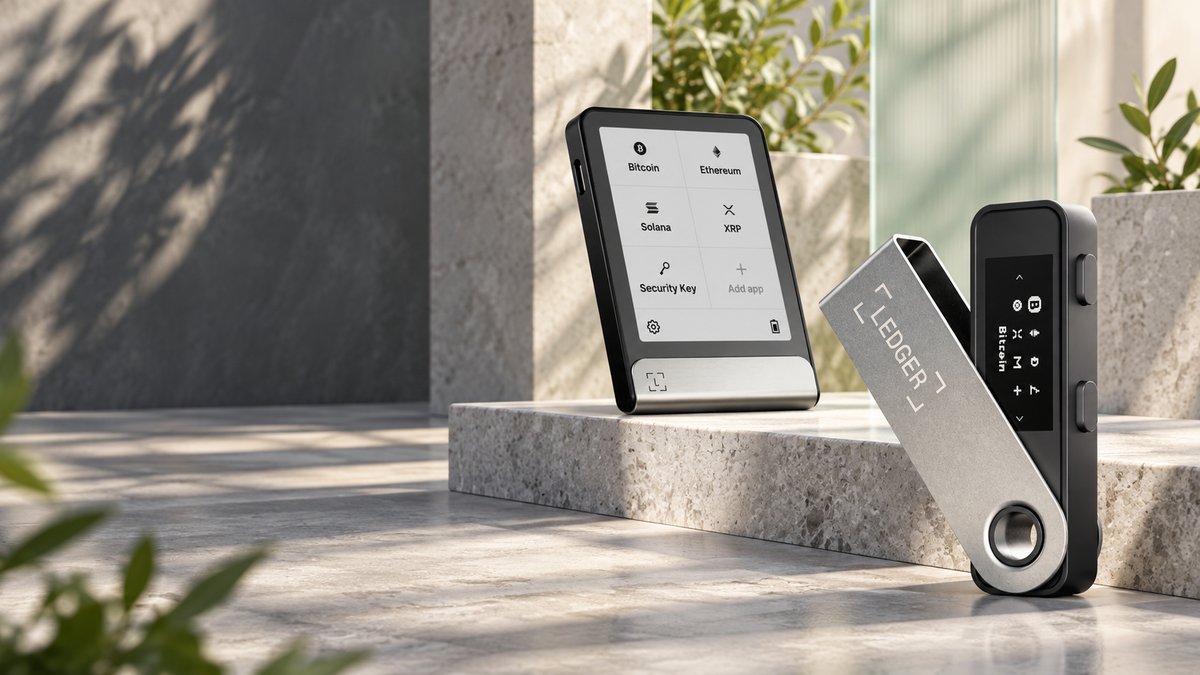
Quick answer
Ledger makes hardware wallets that keep your private keys away from internet-connected phones and computers. Your crypto remains on the blockchain. The Ledger device protects the keys that control it and lets you review and approve transactions on trusted hardware before they are broadcast.
Ledger devices range from compact button-operated models to E Ink touchscreens, but the purpose is the same: keep the authority to move your assets out of reach of an everyday computer, then make you verify each transaction before that authority is used.
What is Ledger?
Ledger is a hardware-wallet company focused on self-custody. Instead of leaving private keys with an exchange or custodian, a Ledger owner holds the keys and takes responsibility for access, backups and transaction approval.
The hardware works with Ledger Wallet on a computer or phone. The app displays accounts, builds transactions and communicates with blockchains; the hardware device protects the keys and performs the final signature.
Where your crypto actually lives
A Ledger does not contain Bitcoin, USDT or NFTs. Balances and transaction records live on their respective blockchains. The device stores the private keys that prove control of the associated addresses.
If the device is lost or damaged, the assets do not disappear with it. A correct Seed Phrase can restore the same wallet on compatible replacement hardware. That is why the backup is ultimately more important than the device itself.
How a Ledger works
- During a fresh setup, the owner chooses a PIN and records the Seed Phrase shown by the Ledger.
- The device generates and keeps private keys inside its Secure Element.
- Ledger Wallet or a compatible third-party interface prepares an unsigned transaction.
- The Ledger displays key details such as the destination, amount and fee.
- After physical approval, the device signs inside the secure chip.
- Only the signed transaction returns to the connected phone or computer for broadcast.
The connected computer never needs the private key. Even so, the owner must compare the details on the Ledger screen, because approving the wrong address or a malicious smart contract can still authorise a real loss.
Ledger's security model
Secure Element
Ledger devices generate, store and use private keys inside a Secure Element, a specialised chip designed to resist software and physical extraction attempts.
Ledger OS and isolated apps
Ledger's operating system separates blockchain apps from one another, helping prevent a problem in one app from becoming unrestricted access to the rest of the device.
Trusted display and physical approval
The device screen is the final place to review a transaction. Physical confirmation means an attacker cannot simply sign remotely through a compromised browser session.
PIN protection
The PIN protects the hardware from casual physical access. It is not a wallet backup and cannot replace the Seed Phrase.
What Ledger Wallet does
Ledger Wallet is the companion application for installing blockchain apps, adding accounts, checking balances, receiving and sending assets, updating device software and running authenticity checks. A Ledger can also connect to compatible third-party wallets for network-specific features while keeping signing authority inside the hardware.
Ledger Wallet should never ask you to type a Seed Phrase into a phone or computer. Setup, recovery and backup verification take place on the Ledger device. A website or support message requesting all 24 words is an attempt to take control of the wallet.
Why the Seed Phrase matters
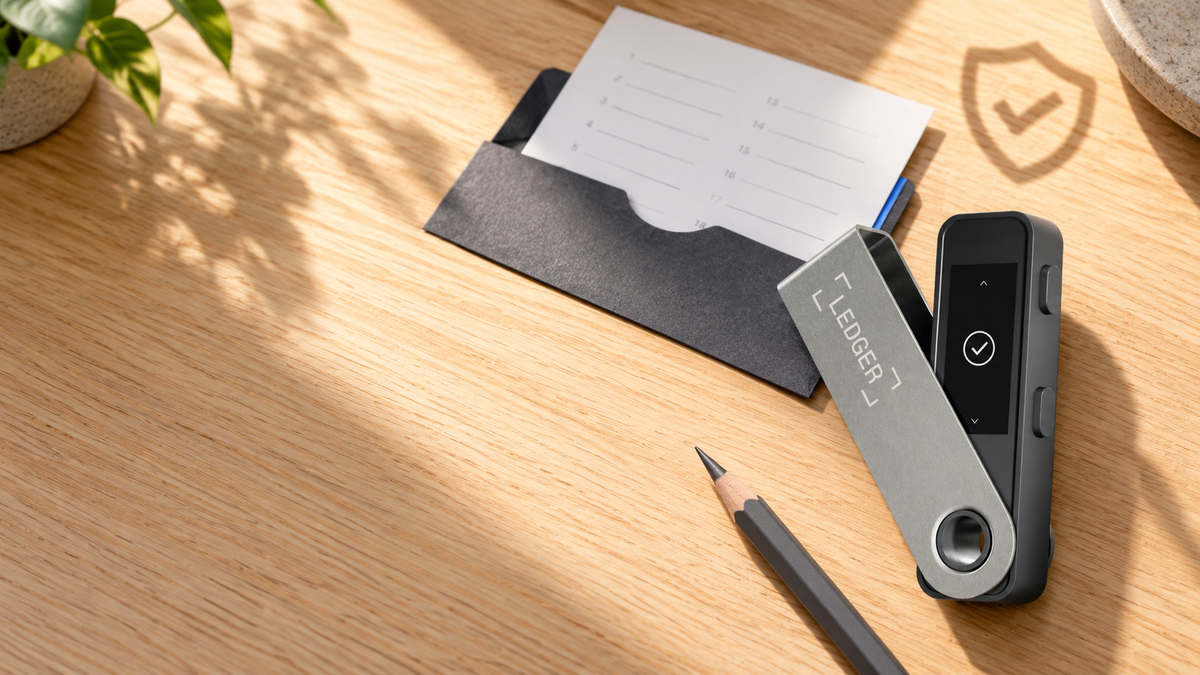
The Seed Phrase is the master recovery backup. Anyone who obtains it can reconstruct the wallet without possessing the Ledger. Keep it offline, separate from the device and protected against fire, water and unauthorised access.
- Never photograph it or save it in cloud storage.
- Do not keep the only copy beside the device.
- Consider a metal backup for long-term holdings.
- Verify the written backup before a real emergency.
- Never disclose it to support staff or anyone else.
What a Ledger cannot protect you from
- Entering the Seed Phrase into a phishing website or fake application.
- Approving a destination address without checking the device screen.
- Signing a malicious smart contract or granting excessive permissions.
- Using a device that arrived preconfigured or accepting a phrase supplied by a seller.
- Losing the only backup to fire, water, theft or simple misplacement.
Hardware strengthens the boundary around your keys; it does not replace careful transaction review and disciplined backup storage.
Who should use a Ledger?
Good fit
- Long-term Bitcoin and crypto holders.
- People who do not want an exchange holding all their assets.
- Multi-chain users who prefer one portfolio interface.
- DeFi users who want signing keys separated from the browser.
- Families or businesses building a recovery and inheritance process.
Possibly not yet
- Anyone unwilling to take responsibility for a Seed Phrase.
- Very small holders who knowingly accept the trade-offs of a software wallet.
- Users who cannot accommodate physical approval in their transaction workflow.
Which Ledger model should you choose?
| Model | Main difference | Best for |
|---|---|---|
| Ledger Nano S Plus | USB-C, buttons, no Bluetooth | Desktop and Android users starting with self-custody |
| Ledger Nano X | USB-C, Bluetooth and battery | iPhone users and mobile management |
| Ledger Nano Gen5 | E Ink touchscreen, Bluetooth and NFC | A compact modern touchscreen experience |
| Ledger Flex | Larger E Ink touchscreen | Frequent signing and easier transaction review |
| Ledger Stax | Curved E Ink display and wireless charging | A premium large-screen device |
The security foundation is consistent across the range; the practical differences are display, connectivity, battery and ease of review. For iPhone use, choose a Bluetooth model such as Nano X, Nano Gen5, Flex or Stax.
Recommended models

LEDGER
Ledger Nano S Plus
฿2,060
- Simple USB-C desktop setup
- Broad asset and third-party wallet support
- Strong value for desktop and Android users
This button selects Matte Black. Other colours are available on the product page.

LEDGER
Ledger Nano X
฿4,200
- Bluetooth connection for mobile devices
- Works with iPhone, Android and desktop
- Built-in battery for use away from a desk
This button selects Onyx Black. Check current availability on the product page.

LEDGER
Ledger Flex
฿10,480
- Clear E Ink touchscreen for transaction review
- USB-C, Bluetooth and NFC connectivity
- Comfortable for frequent signing
This button selects Black Graphite. Other colours are available on the product page.
Frequently asked questions
Is Ledger a cold wallet?
A Ledger can keep keys offline for long-term storage, but a hardware wallet can also connect to applications and sign smart-contract interactions. A strict cold wallet is typically kept away from those activities entirely.
Does Ledger store Bitcoin and USDT inside the device?
No. Assets remain on their blockchains. The Ledger secures the private keys controlling their addresses.
Do I lose my crypto if the Ledger is lost?
Not if the correct Seed Phrase remains secure. The wallet can be restored on compatible replacement hardware. If the backup is exposed, move the assets to a new wallet immediately.
Must the Ledger stay connected?
No. You can monitor balances and receive assets without it. The hardware is generally needed when adding accounts, verifying an address or signing an outbound transaction.
Does Ledger support every coin?
No wallet should be assumed to support everything. Compatibility can depend on the device, network app, Ledger Wallet and third-party interfaces. Check the asset and workflow before buying or transferring funds.
Conclusion
Ledger hardware wallets let crypto owners hold their own keys and approve transactions on trusted hardware. They reduce the exposure created by online key storage, but the owner must still protect the Seed Phrase and reject unclear transactions. For anyone moving beyond exchange custody or building a long-term storage plan, Ledger is a practical option with models for different budgets and workflows.
Sources
- Ledger Academy: What Is a Hardware Wallet?
- Ledger Academy: How Ledger Hardware Wallets Work
- Ledger Academy: The Secure Element
Written by Bank · Updated October 1, 2026

Share:
What Is Ledger Recovery Check? Verify Your Seed Phrase Without Risking Your Crypto
MetaMask Security Incident: What Happened to Its Validators, and Are Wallets at Risk?