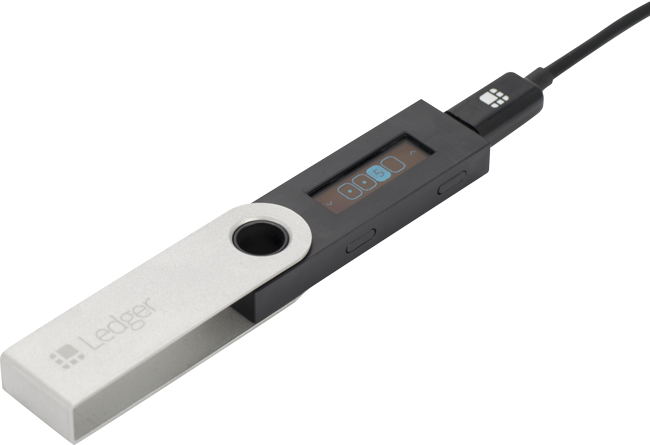
These version numbers are from May 2019. Ledger Live and Nano S firmware have both moved on considerably since, so this applies only to the versions named.

At the moment, updating Ledger Nano S firmware from 1.3.1 to 1.5.5 cannot be done using Ledger Live 1.8.0, because the Ledger gets stuck on the Update screen.

To update, you need to use Ledger Live 1.7.0, following these steps.

1. Check that you have your 24 words, so that if the update does not go as expected you have a backup of what is on the device.

2. Download Ledger Live 1.7.0.

  • For Windows, download the one named ledger-live-desktop-1.7.0-win.exe
  • For Mac, download the one named ledger-live-desktop-1.7.0-mac.dmg

3. Install Ledger Live 1.7.0 on your machine and update the Ledger Nano S by holding down the right button on the Nano S without releasing it and connecting it to the computer. Once connected, release the right button and wait for the Nano S to update.

That is all it takes for the Ledger Nano S to be updated. You can then update Ledger Live to 1.8.0 and carry on using it as normal.

If you have further questions, you can reach us at order@siambc.com.
Latest Stories

View all

Trezor logo and a Trezor Safe 5 device against red binary code

Trezor customer data leaked through a shipping provider: 13,689 people, keys unaffected

Trezor has disclosed that data on 13,689 customers leaked from an outside fulfilment provider. Names, shipping addresses, emails and phone numbers are out. Private keys and the devices themselves were not affected.

Read moreabout Trezor customer data leaked through a shipping provider: 13,689 people, keys unaffected

Tangem, Trezor and Ledger hardware wallets side by side on a dark surface

What is a hardware wallet, how it works, and who needs one

A hardware wallet is a device that holds your private keys inside itself. How it works, what it genuinely protects against, what it cannot protect against, and what to check before you buy.

Read moreabout What is a hardware wallet, how it works, and who needs one

Keystone 3 Pro hardware wallet, front screen and rear camera

Keystone 3 Pro review: fully air-gapped, 4-inch screen, fingerprint unlock

The Keystone 3 Pro signs only by QR code or microSD, its USB-C port carries power alone, and it has three secure elements behind a 4-inch touchscreen. What it does well and where it falls short.

Read moreabout Keystone 3 Pro review: fully air-gapped, 4-inch screen, fingerprint unlock