
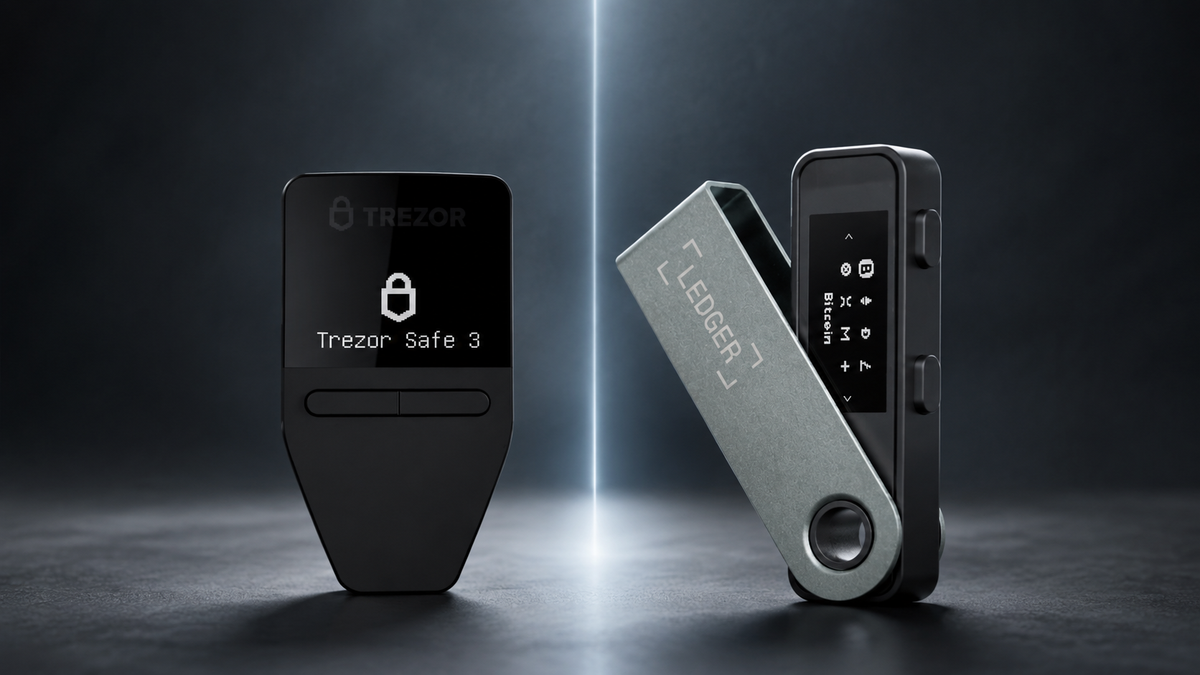
Trezor Safe 3 and Ledger Nano S Plus are two popular entry-level hardware wallets. Both keep signing keys away from an everyday computer, but they differ in software transparency, coin support and the way users verify transactions. For most beginners who value a clear setup and an open-source core, Trezor Safe 3 is the easier recommendation.
Quick verdict
- Choose Trezor Safe 3 for a straightforward interface, open-source firmware and Secure Element protection.
- Choose Ledger Nano S Plus when broad asset support through Ledger Wallet is the priority.
- Neither model is designed for iPhone transactions. Both fit desktop and Android workflows better.
- Security still depends on the recovery seed. Never enter it into a website, phone or computer.
The main difference is not simply security
Both devices are intended to isolate private keys and require physical confirmation. The practical choice is about which ecosystem you trust and understand. Trezor emphasizes inspectable software and a guided Trezor Suite experience. Ledger emphasizes a large asset catalogue and a compact app-based workflow.
Security architecture and transparency
Trezor Safe 3 combines an open-source core design with a certified Secure Element used for PIN protection and device authentication. Ledger Nano S Plus also uses a Secure Element, but key parts of Ledger's firmware remain proprietary. Closed source does not automatically mean insecure, but it gives independent reviewers less visibility.
For a beginner, transparency is valuable because the recovery and signing model is easier to study and explain. This is one reason SIAMBC generally recommends Trezor Safe 3 when the supported assets and connection method fit the customer.
Setup and everyday use
Trezor Suite presents the setup, backup check and account view in a direct sequence. Safe 3 uses two buttons and a small monochrome screen. Ledger Nano S Plus also uses two buttons, but users install individual coin apps and manage accounts through Ledger Wallet. Neither workflow is difficult after the first setup, though Trezor tends to feel more cohesive to a new self-custody user.
Coin and app support
Ledger generally supports a broader variety of assets and integrations. Trezor covers major networks and tokens, but buyers should check every asset they actually hold rather than relying on a headline number. USDT support, for example, depends on the network as well as the device and companion wallet.
Trezor Safe 3 vs Ledger Nano S Plus
| Area | Trezor Safe 3 | Ledger Nano S Plus |
|---|---|---|
| Core firmware | Open source | Partly proprietary |
| Secure Element | Yes | Yes |
| Connection | USB-C | USB-C |
| iPhone | No | No |
| Best strength | Clarity and transparency | Broad asset support |
Compare the two models

Trezor
- Open-source core design
- Secure Element protection
- Clear Trezor Suite workflow

Ledger
- Wide asset compatibility
- Secure Element architecture
- USB-C desktop and Android use
Which one should you buy?
Choose Trezor Safe 3 if you want the most understandable route into self-custody and value software that can be publicly reviewed. Choose Ledger Nano S Plus if a specific asset or application in the Ledger ecosystem is essential. Check compatibility before buying, then test recovery and a small transfer before moving a meaningful balance.
Frequently asked questions
Is Trezor Safe 3 safer?
Both use strong hardware protections. Trezor's open-source approach provides greater transparency, but safe use still depends on protecting the recovery seed and verifying transactions.
Which one supports more coins?
Ledger generally has broader coverage. Confirm the exact coin, network and required app before purchasing.
Can either model work with iPhone?
Not for normal transaction signing. Consider an explicitly iPhone-compatible model if mobile use is essential.



Share:
Tangem vs CoolWallet Pro: Which Card-Style Hardware Wallet Should You Choose?
What Is Tangem Ring? Who Is This Wearable Hardware Wallet For?