

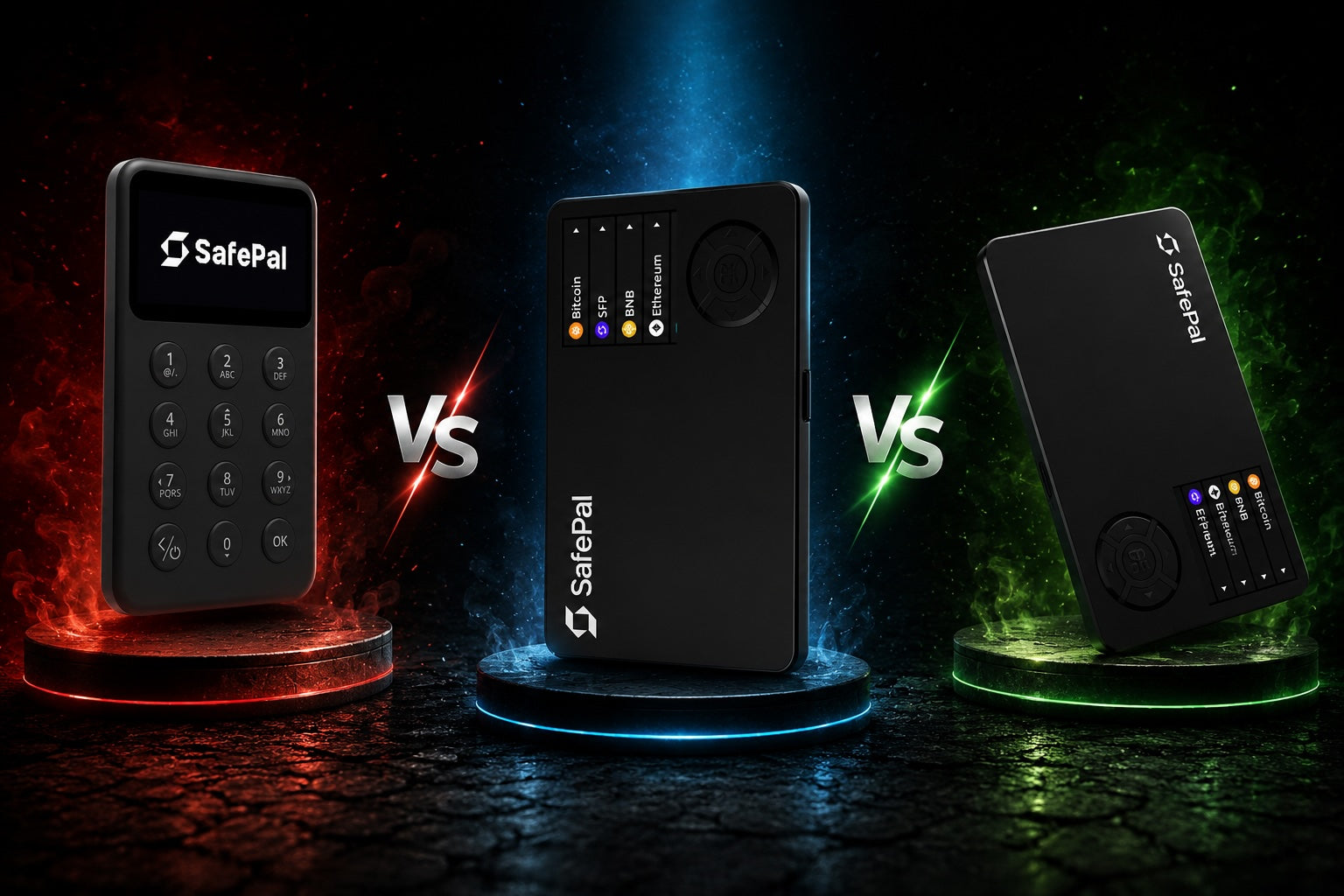
Quick answer
- Choose SafePal S1 for the lowest-cost QR-based option with a colour screen.
- Choose SafePal X1 if Bluetooth convenience matters more than display resolution or battery size.
- Choose SafePal S1 Pro for QR signing in a stronger aluminium-and-glass body with the largest battery.
SafePal S1, X1 and S1 Pro protect keys with the same stated CC EAL6+ Secure Element and support PIN and passphrase protection. The price difference is mainly about how you connect, what you see on screen, battery capacity and materials. A higher price does not automatically mean stronger core security.
SafePal S1, X1 and S1 Pro compared
| Feature | S1 | X1 | S1 Pro |
|---|---|---|---|
| Connection | QR scanning | Bluetooth | QR scanning |
| Display | 1.3-inch colour | 1.8-inch monochrome | 1.3-inch colour |
| Resolution | 320 x 320 | 128 x 64 | 320 x 320 |
| Battery | 400mAh | 200mAh | 500mAh |
| Body | ABS and PVC | ABS and tempered glass | Aluminium and tempered glass |
| Controls | D-pad | 12 keys and D-pad | D-pad |
| Secure Element | CC EAL6+ | CC EAL6+ | CC EAL6+ |
What you gain with the X1
The X1 is the outlier. It connects to the SafePal app over Bluetooth, so there is no need to point the wallet at a phone camera for every signed request. That can feel faster for frequent use. In exchange, its 128 x 64 monochrome screen is less detailed than the 320 x 320 colour display on the less expensive S1, and its 200mAh battery is the smallest of the three.
The X1 therefore makes sense for people who value wireless convenience. It is not simply an upgraded S1 in every specification.
Why choose S1 Pro?
S1 Pro keeps the QR workflow and colour display of the S1, then adds an aluminium body, tempered glass and a 500mAh battery. It is the strongest fit for someone who carries the device regularly or wants a more substantial build. If the wallet will stay in a safe and be used occasionally, the standard S1 may offer better value.
What all three models share
All three models include SafePal's stated CC EAL6+ Secure Element, PIN and passphrase support, device authentication and tamper-response measures. They work with the SafePal mobile app and browser extension. The meaningful buying differences are therefore usability, connection method, display, battery and materials.
Which SafePal should you buy?
- SafePal S1: best for occasional use, QR signing and value.
- SafePal X1: best for frequent mobile use and Bluetooth convenience.
- SafePal S1 Pro: best for QR signing with a tougher body and larger battery.
See current availability in the SafePal collection, or use the hardware wallet comparison to compare SafePal with other brands.
Frequently asked questions
Is SafePal X1 safer than S1?
SafePal lists the same Secure Element certification and core protections for both. The X1 mainly changes the connection method and controls.
Can S1 and S1 Pro connect by USB?
The USB cable is for charging. Their normal signing workflow uses QR codes with the SafePal app.
Does S1 Pro have a larger screen than S1?
No. Both use a 1.3-inch 320 x 320 colour display. The Pro model mainly improves materials and battery capacity.
Conclusion
SafePal's three wallets share the same core security features, but differ in connectivity, screen, battery and build. Here is how to choose the right one.

Share:
Trezor customer data leaked through a shipping provider: 13,689 people, keys unaffected
SafePal Customer Data Breach: What Happened and What Users Should Do