

The short answer
- Losing a Ledger does not erase your crypto. Your assets remain on their blockchains; the device protects the private keys used to control them.
- If your recovery phrase is intact and private, you can restore the same wallet on a replacement Ledger.
- A Ledger resets after three failed PIN attempts, but a strong, private PIN is still essential.
- If your recovery phrase, PIN or passphrase may have been exposed, create a new wallet with a new recovery phrase and move every asset.
- Never type your recovery phrase into a website, computer, phone or support chat. SIAMBC and Ledger do not need it to help you.
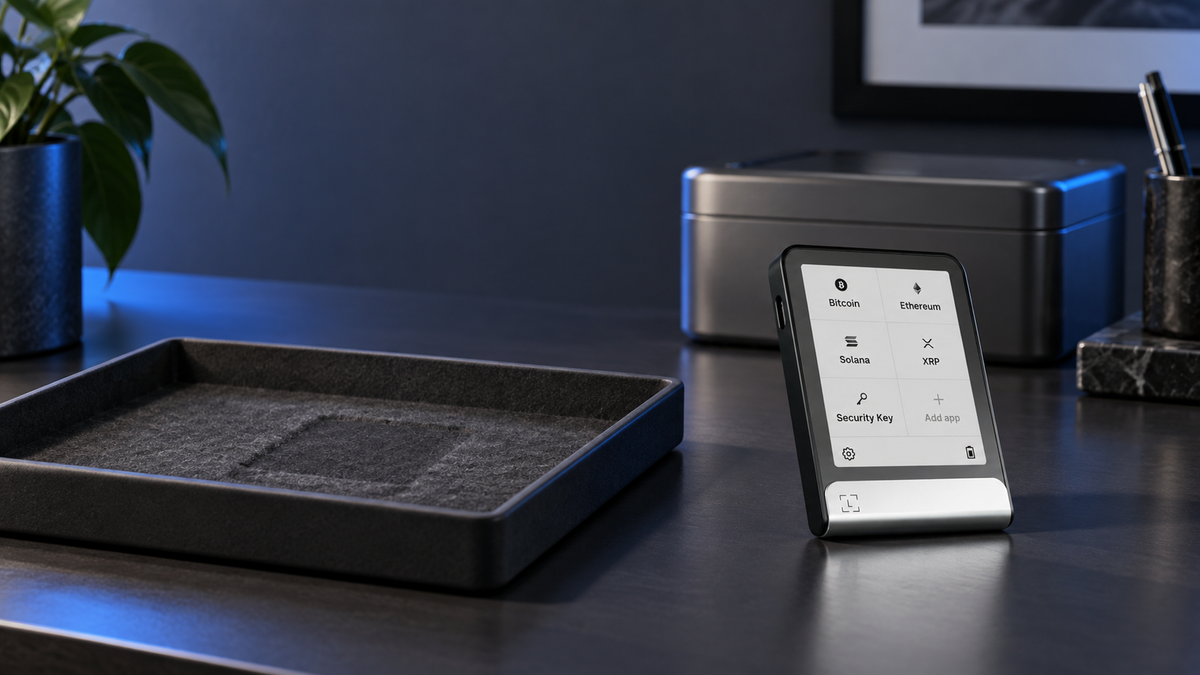
The most common reaction to a missing Ledger is to assume the coins were stored inside it. They were not. Bitcoin, Ethereum and other assets remain recorded on their respective blockchains. Your Ledger holds the private keys that authorise transactions.
That distinction changes the response. A device misplaced at home while its recovery phrase remains locked away is very different from a stolen bag containing the device, its PIN and the written backup. The right next step depends on which secrets might have been exposed.
Does losing a Ledger mean losing your crypto?
No. A missing device by itself does not move or delete assets. If you still have the correct recovery phrase, you can reconstruct the same wallet on a replacement Ledger and regain access to the same accounts.
A person who finds the device must first pass its PIN. After three incorrect attempts, the Ledger resets and removes the wallet data held on the device. This is useful protection, but it is not a reason to choose an obvious PIN or keep the PIN beside the wallet.
Keep the roles clear: the Ledger signs transactions; the blockchain records your balances; the recovery phrase recreates the wallet keys. Anyone with the correct recovery phrase can restore the wallet without the original device.
Assess the exposure first
| Situation | Urgency | Recommended response |
|---|---|---|
| Device misplaced in a trusted location | Moderate | Search carefully, watch public addresses and prepare a replacement if needed. |
| Device stolen; PIN and recovery phrase remain private | High | Restore promptly, review account activity and consider moving funds if the PIN could be guessed. |
| PIN may have been stored with the device | Urgent | Create a new wallet with a new recovery phrase and transfer all assets. |
| Recovery phrase or passphrase may have been seen | Critical | Treat the old wallet as compromised and move funds to newly generated addresses immediately. |
| Device works, but the recovery phrase is lost | Urgent | Create a properly backed-up wallet and transfer funds while the device can still sign. |
| Both device and recovery options are gone | Critical | Without a configured backup device or recovery service, the original keys cannot be recreated. |
What to do immediately
- Slow down and avoid recovery links. Panic makes fake wallet-recovery pages unusually effective.
- List what disappeared together. Check whether the bag also contained a PIN note, recovery sheet, passphrase hint or unlocked phone.
- Monitor your public addresses. A blockchain explorer can show activity without asking for your recovery phrase.
- Obtain a trusted replacement. Use a new Ledger from a verifiable source or another compatible hardware wallet.
- Choose between restoring and migrating. Restore only when the old wallet secrets remain private; otherwise generate a new wallet and transfer.
No legitimate support process requires your secrets. SIAMBC and Ledger will never ask for your recovery phrase, passphrase, private key or PIN. Product support and warranty checks can be handled without them.
How to restore on a new Ledger
Use this route only when you are confident that the original recovery phrase remains private and accurately recorded.
- Start the replacement Ledger as a clean device. Never use a PIN or recovery words supplied by another person.
- Select the option to restore an existing wallet from its recovery phrase.
- Create a fresh PIN that is unrelated to your phone code, birthday or other personal numbers.
- Enter the recovery words on the Ledger itself, in the correct order. Do not type them on a computer or website.
- Install the required coin apps and add your existing accounts in Ledger Wallet.
- Verify receiving addresses on the Ledger screen against the addresses you previously used.
- Review each account. If you find activity you did not authorise, stop using the old wallet and migrate the remaining funds.
Restoring does not transfer coins from one device to another. It reconstructs the same keys on the replacement device, so the same blockchain accounts become available again. If an account does not appear immediately, check its network, account type, address path and any third-party wallet you previously used before assuming funds are missing.
What to do if the recovery phrase or PIN may be exposed
Restoring the old wallet gives you access again, but it does not revoke anyone else's copy of the recovery phrase. A phrase that has been photographed, shared in a message, entered on a website or viewed by an untrusted person must be treated as compromised.
- Set up the replacement Ledger as a new wallet and let it generate a new recovery phrase.
- Record the new phrase offline and store it separately from the device.
- Create new accounts and verify every receiving address on the Ledger screen.
- Access the old wallet through a trusted device or an existing backup.
- Send a small test transaction to each new network address, then move the remaining balances.
- Transfer all relevant tokens and NFTs, and retire the old addresses for future deposits.
If the wallet also used a passphrase, the exact recovery phrase and passphrase are both required. A single different character opens a different wallet, and there is no central service capable of retrieving a forgotten passphrase.
What if you have no recovery phrase?
If the device is gone and you have no recovery phrase, Ledger Recovery Key, configured backup device, or Ledger Recover setup from before the loss, the original private keys cannot be recreated. That is the practical consequence of self-custody: no central operator keeps a universal spare key.
If the Ledger still works but its recovery phrase has been lost, act while the device can still sign. Create a new wallet with a complete backup and transfer the assets. Recovery Key and Ledger Recover users should follow the current process for their service and confirm that the replacement model is supported before starting.
Compatibility matters: optional recovery methods support specific Ledger models and may have regional or account requirements. Check current eligibility before buying a replacement solely for one recovery method.
Build a better recovery plan
- Separate the device and recovery phrase. Never keep them in the same bag, drawer or safe compartment.
- Choose a strong PIN. Avoid dates, repeated digits and codes reused elsewhere.
- Keep the recovery phrase offline. For long-term holdings, consider a fire- and water-resistant backup.
- Add a backup device when appropriate. Keep it in another secure location without relaxing protection of the recovery phrase.
- Maintain a non-secret account inventory. Record networks, account types and public addresses, never private keys.
- Plan for family access. Leave understandable instructions without placing every secret in one location.
Replacement Ledger options

Ledger
THB 2,060
- Entry model for desktop and Android over USB-C
- CC EAL6+ Secure Element
- Suitable for restoring an existing wallet and verifying transactions on-device
This button selects Matte Black. This model does not support iPhone use.

Ledger
THB 10,480
- E Ink touchscreen for reviewing and approving transactions
- Bluetooth connectivity for iPhone and Android
- Supports the compatible Ledger Recovery Key backup
This button selects Black Graphite. Other colours are available on the product page.
Frequently asked questions
Can someone who finds my Ledger transfer my crypto?
They must unlock the device with its PIN, and it resets after three failed attempts. However, if the PIN was stored with the Ledger or is known to the finder, they may be able to sign transactions. Migrate to a new wallet whenever that risk exists.
Can I restore onto a different Ledger model?
Usually, provided the model supports the recovery format and features used by the original wallet, including any passphrase and relevant networks. Check current compatibility first, particularly for optional backups such as Ledger Recovery Key.
Must I move my funds every time a Ledger is lost?
Not necessarily. If both the recovery phrase and PIN remain private, restoring the same wallet is normally sufficient. If the device was stolen or any secret may be exposed, creating a new wallet is the safer response.
Can I recover temporarily with a software wallet?
It may be technically compatible, but typing an offline recovery phrase into a phone or computer changes its security exposure. For significant holdings, wait for trusted hardware unless the situation is genuinely urgent and you understand the trade-off.
Can SIAMBC recover my phrase?
No. SIAMBC never asks for a recovery phrase, passphrase, private key or PIN. We can help identify a compatible replacement and explain the general process while your secrets remain solely with you.
Conclusion
A lost Ledger is an equipment problem, not automatically a loss of crypto. The deciding factor is whether the recovery phrase and other secrets remain available only to you. Restore the original wallet when they are private; create a new wallet and migrate when exposure is possible.
A readable offline recovery phrase, stored separately from the device, is more important than any one piece of hardware. Self-custody gives you direct control of your assets, and it also makes your recovery plan part of the security system.
Sources
- Ledger Academy: Lost and Stolen Ledger Devices
- Ledger Wallet Guide
- Ledger Crypto Wallet Security Checklist
- Ledger Recover by Coincover
Information checked on 19 September 2026. Features and model compatibility may change, so confirm the latest requirements before recovery. Written by Bank for security education; this is not investment advice.

Share:
OneKey Classic 1S vs OneKey Pro: Which Hardware Wallet Should You Choose?
Real Stocks Are Moving Onchain: How the SEC's New Framework Works