

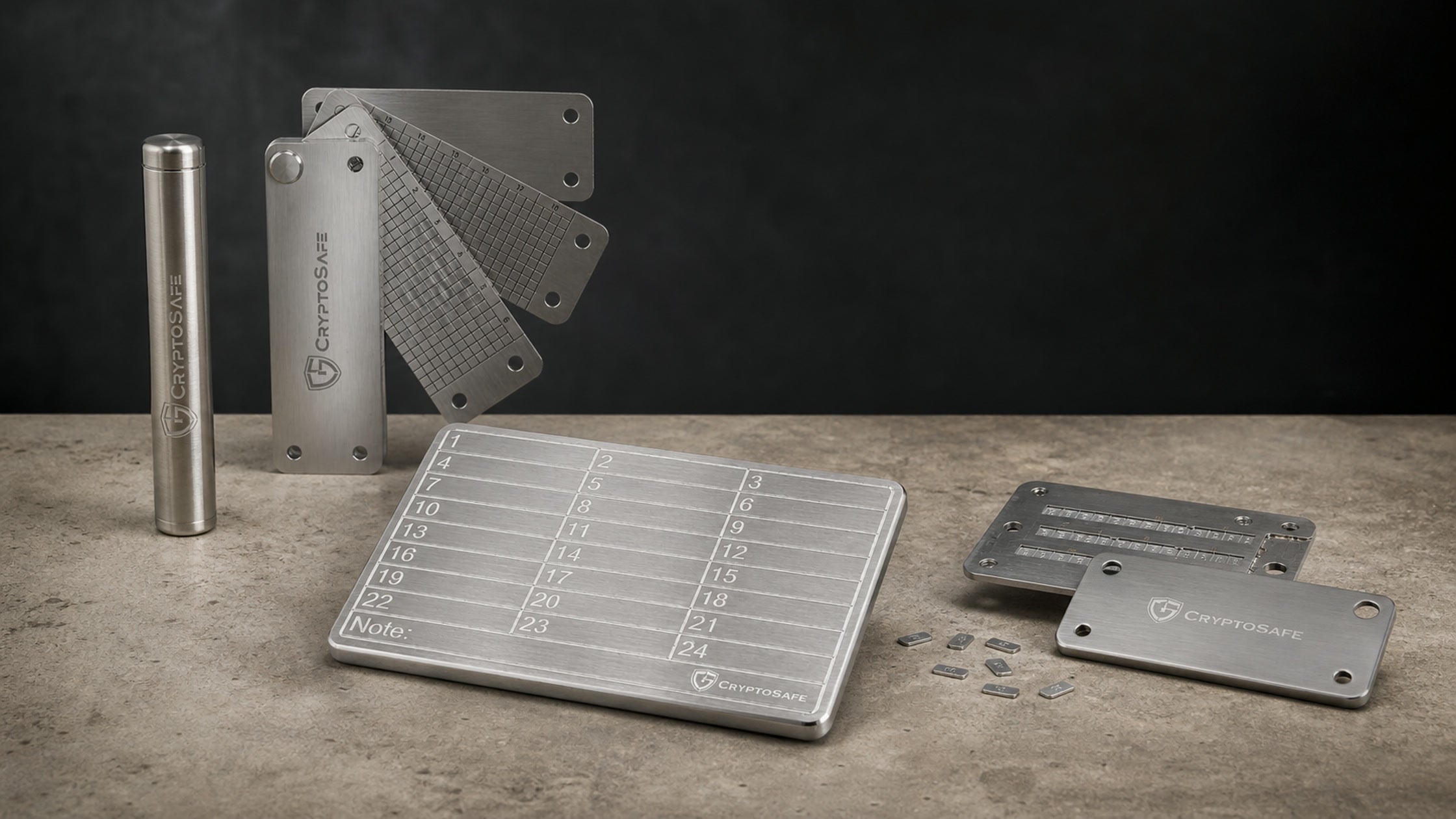
A recovery seed can restore an entire wallet, which makes it more important than the hardware wallet itself. Safe storage means protecting it from both physical damage and unauthorized access. Metal improves durability, but location, privacy and a tested recovery plan are equally important.
Key takeaways
- Never photograph, scan or upload a recovery seed.
- Keep the seed separate from the hardware wallet.
- Metal protects against fire, water and long-term deterioration—not theft.
- Verify every word or character before storing the backup.
- Choose the CryptoSafe format that matches how and where you will store it.
Why the recovery seed matters more than the device
The hardware wallet can fail or be replaced. The seed recreates the private keys and accounts on a compatible device. Anyone who sees the complete seed can potentially restore the same wallet, which is why backup durability must never come at the expense of secrecy.
What you should never do
- Do not take a photo or screenshot.
- Do not store it in email, cloud notes, chat or a password manager.
- Do not type it into a website or ordinary computer.
- Do not give it to SIAMBC, the manufacturer or anyone claiming to be support.
- Do not keep the only copy beside the hardware wallet.
How many backup copies should you keep?
One copy creates a single point of failure. Two controlled copies in separate locations are common for long-term storage. More copies improve resilience but increase the number of places that must be protected. Record how many copies exist without recording the words digitally.
Why metal is better suited to long-term storage
Paper is easy to write and read, but can burn, absorb water, fade or tear. Stainless-steel backups are designed for harsher conditions. They still need access control: a thief who can read the seed does not need the original hardware wallet.
CryptoSafe model comparison
| Model | Format | Best fit |
|---|---|---|
| CryptoSafe Lite | Flat marking plate | Simple, visible backup |
| CryptoSafe Bank | Layered plates | Enclosed organized storage |
| CryptoSafe Pro | Letter tiles in enclosure | Durable reusable assembly |
| CryptoSafe Capsule | Compact cylinder | Separate-location backup |
CryptoSafe products for recovery-seed storage


CryptoSafe
- Stainless enclosure with letter tiles
- Designed for a durable organized backup

Verify before storing
- Record the words in the exact order shown by the hardware wallet.
- Check every letter and position under good lighting.
- Use the wallet's built-in backup-check function.
- Confirm the finished metal backup remains readable after assembly.
- Store it separately and review the location periodically.
Never test a seed by entering it on a website. Use only the secure backup-check or recovery flow provided by trusted hardware.
Frequently asked questions
Does a metal backup replace a hardware wallet?
No. It preserves recovery information; the hardware wallet signs transactions conveniently and securely.
Should a passphrase be stored with the seed?
Usually not. Separating them can prevent one discovery from exposing the protected wallet, but the inheritance plan must still be workable.
Can I use only the first four letters of each BIP39 word?
BIP39 words are distinguishable by their first four letters, but follow the instructions and capacity of the specific backup product.
What if someone may have seen the backup?
Create a new wallet with a new seed and transfer assets. Moving the same seed to a new device does not remove exposure.



Share:
Hardware Wallet Lost, Broken or Stolen: Are Your Coins Gone?
Trezor: From Model One to the Foundation of Modern Hardware Wallets