

Quick answer
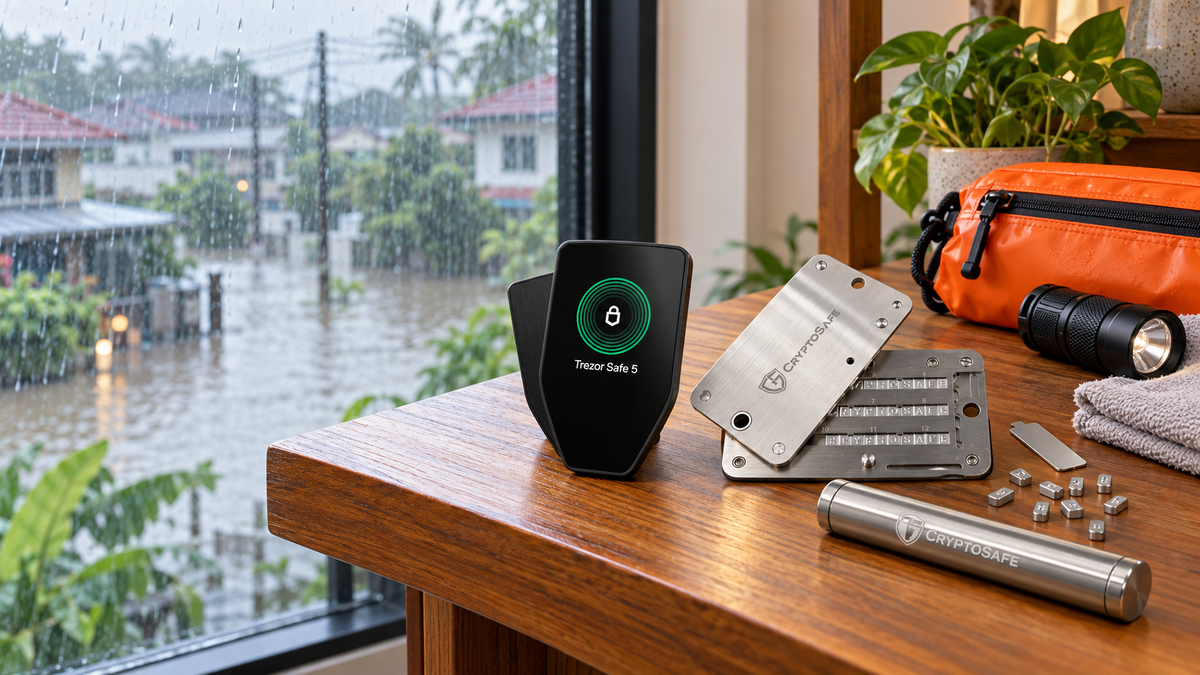
During a flood, people come first. Never re-enter an unsafe building for a hardware wallet. Your crypto is recorded on the blockchain, not stored inside the device, so an intact and private Seed Phrase can restore the wallet on trusted replacement hardware. Do not power, charge or connect a wet device. If the Seed Phrase is missing or may have been seen, treat the old wallet as compromised and move the assets to a newly created wallet.
Late September and early October have brought persistent rain and flooding to many parts of Thailand. Bangkok has also experienced intense downpours and temporary street flooding at some monitoring points. Conditions can change quickly, and even a home that has never flooded may still face water intrusion, overwhelmed drainage or a power cut. This is the right time to check whether the hardware wallet and Seed Phrase are stored high enough, kept apart and accessible without delaying an evacuation.
Flood preparation for self-custody is less about rescuing a gadget at the last minute and more about building a recovery plan while conditions are normal. The plan should protect the people in the home first, then make it possible to recover the wallet without exposing its secrets.
Put personal safety first
Follow evacuation notices and avoid flooded roads, low-lying routes and fast-moving water. If retrieving a wallet would delay your departure or require entering an unsafe area, leave it behind. A device can be replaced; personal safety cannot.
Do not take a physical risk for a hardware wallet. With a valid Seed Phrase and any required passphrase, the wallet can be restored on compatible replacement hardware.
Where the crypto actually is
Bitcoin and other crypto assets remain on their respective blockchains. A hardware wallet protects the private keys and approves transactions without exposing those keys to an everyday computer or phone. Water damage can destroy the device, but it does not erase the blockchain balance.
The recovery material is what matters. The Seed Phrase, plus a passphrase if one was used, must reproduce the original wallet exactly. Neither the manufacturer nor SIAMBC keeps a copy and neither can recreate missing words.
Prepare before water arrives
- Move devices above the expected water line. Avoid ground-floor drawers, under-stair cupboards and areas near plumbing.
- Separate the hardware wallet from its Seed Phrase. One flood or theft should not compromise both.
- Keep the Seed Phrase offline. Protect paper from moisture and consider a purpose-built metal backup for long-term resilience.
- Use geographic separation. A second copy in the same room faces the same flood risk.
- Verify the backup in advance. Use the manufacturer’s on-device recovery-check feature when there is no emergency.
- Document the recovery process without recording secrets. Note the model, official app and trusted contact, but never include the Seed Phrase, passphrase, PIN or private key.
A passphrase needs its own recovery plan. Keeping it beside the Seed Phrase may reduce the chance of forgetting it, but it also gives a finder everything needed to reach the hidden wallet. Store it according to your household’s threat model.
What to do while evacuating
If the hardware wallet and backup are already accessible and taking them will not slow the evacuation, place them in sealed protection and keep them separate. Otherwise, leave immediately. Do not photograph the Seed Phrase, email it to yourself, upload it to cloud storage or send it through chat.
Disasters create ideal conditions for social engineering. No legitimate support agent needs your Seed Phrase. Anyone asking for it, even while offering urgent recovery assistance, should be treated as a threat.
If the hardware wallet gets wet
- Do not switch it on, charge it or connect a cable. Water and sediment can cause a short circuit and corrosion.
- Do not shake it or press the controls repeatedly. This can move water deeper into openings.
- Dry only the exterior gently. Leave the device in a ventilated, dry place. Avoid hair dryers, ovens, direct heat and repeated power-on tests.
- Retire a device exposed to floodwater, mud or salt water. Even if it starts, delayed corrosion can make it unreliable.
- Recover on trusted replacement hardware. Restore through the manufacturer’s official procedure, then verify addresses and balances before retiring the damaged unit.
Never type the Seed Phrase into a website, chat window or support form. Enter it only through the trusted device recovery flow, following what the hardware wallet itself displays.
If the Seed Phrase is damaged
All words remain readable and private
Move the sheet to a secure dry area, lay it flat and allow it to air-dry. Rubbing can smear ink or tear weakened paper. Once dry, create a fresh offline copy and verify the order with the manufacturer’s recovery-check process.
Some words are missing or illegible
Do not guess and do not submit the remaining words to an online recovery service. If the original hardware wallet is still accessible, create a new wallet with a verified new Seed Phrase and transfer every asset to the new addresses. Official support can explain device procedures, but it cannot reconstruct missing recovery words.
The Seed Phrase is lost or may have been seen
Assume the old wallet is at risk. Create a fresh wallet on trusted hardware, generate a new Seed Phrase and move the assets promptly. Check every network, token account and passphrase wallet before abandoning the old setup.
Metal backups after a flood
Metal avoids problems such as running ink and disintegrating paper, but products differ in their resistance to salt, chemicals, sediment and corrosion. After the flood, check that every character and its order remain unambiguous. Follow the maker’s cleaning instructions and dry the backup thoroughly. Never post a photo of the plate or send it to a shop for inspection.
Material strength is only half the plan. A hardware wallet and metal backup stored in the same container can still be lost together, so use separate locations and avoid placing every copy inside the same flood zone.
Flood response table
| Situation | Recommended action | Avoid |
|---|---|---|
| Device is dry, area is at risk | Move it higher or take it only when safe | Delaying an evacuation |
| Device is wet | Leave it off, disconnect it and keep it dry | Charging, connecting or heating it |
| Device failed, Seed Phrase is complete | Restore on trusted replacement hardware | Entering the words on a website |
| Paper is wet but readable | Air-dry, rewrite offline and verify | Taking a phone photo |
| Seed Phrase is lost or exposed | Create a new wallet and move all assets | Waiting for theft to occur |
| Some words cannot be read | Move funds from the working device to a new wallet | Using an online recovery service |
Useful backup tools
These products solve different parts of the problem. A hardware wallet manages keys and transaction approval; a metal backup records recovery information offline. One does not replace the other.

CryptoSafe
- Offline metal Seed Phrase storage
- Rearrangeable characters for careful checking
- Suitable for a separate long-term backup location
This button selects the standard CryptoSafe Pro set.

CryptoSafe
- Compact format for a separate backup site
- Records critical information without paper
- Offline storage with no power requirement
This button selects the standard CryptoSafe Capsule.

Trezor
- Touchscreen transaction review
- Restores compatible wallets from a Seed Phrase
- Trezor Suite includes an on-device backup check
This button selects Black Graphite. Other colours are available on the product page.

Tangem
- Three cards for separate storage locations
- NFC connection to a compatible phone
- Practical for users who want ready-to-use backups
This button selects the three-card set in black.
FAQ
Does water damage mean the crypto is gone?
No. The balance remains on the blockchain. A valid Seed Phrase and any required passphrase can restore the wallet on compatible replacement hardware.
Should I carry the Seed Phrase during an evacuation?
Only if it is already accessible without delaying your departure. Seal it, keep it separate from the device and make sure nobody can read it. Never go back into danger to retrieve it.
Can I photograph the Seed Phrase before a flood?
That creates a digital copy that may sync to the cloud, leak from an account or be stolen by malware. An offline backup in a separate location is safer.
Can rice dry a wet hardware wallet?
Do not rely on it. Dust and fragments can enter ports. Keep the device unpowered in a dry, ventilated place and replace it if it was exposed to contaminated or salt water.
Can the shop recover a lost Seed Phrase?
No. Self-custody means the manufacturer, retailer and support team do not hold a copy. A service asking for the words is a security risk.
Conclusion
A sound flood plan separates personal safety from asset recovery. Evacuate first, prepare offline backups in separate locations, never power a wet device and restore on new hardware when the old unit cannot be trusted. If the Seed Phrase may have been exposed, migrate to a new wallet immediately.

Share:
MetaMask Security Incident: What Happened to Its Validators, and Are Wallets at Risk?