

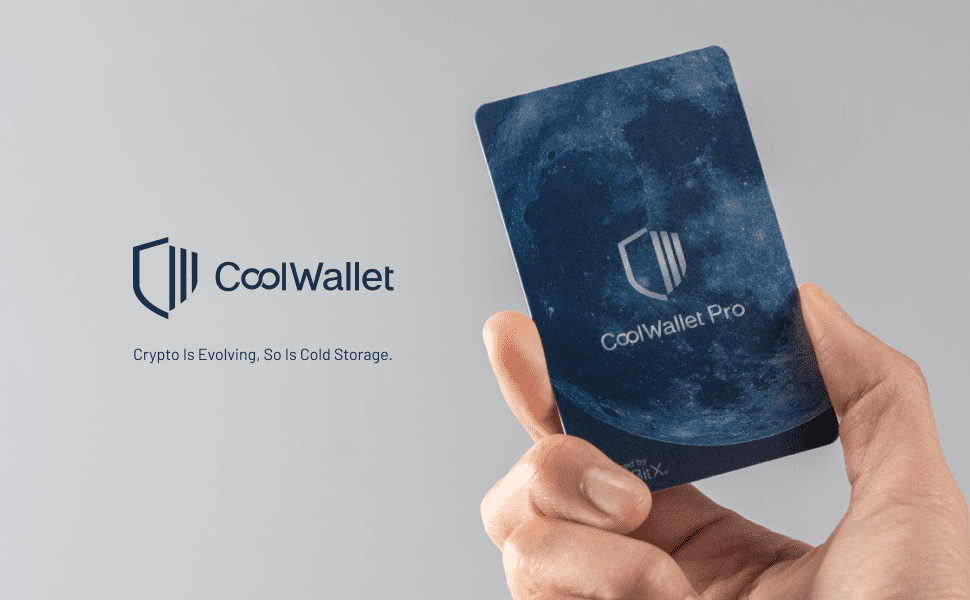
CoolWallet Pro is the very latest hardware wallet innovation, offering superior security and unmatched convenience for carrying around and for transacting on DeFi.
There are two main types of wallet for storing digital currency: hot wallets, which are connected to the internet all the time, and cold wallets — otherwise called hardware wallets — which take the form of a device and connect to the internet only when a transaction is to be made with the digital currency held in the wallet. Cold wallets count as the safest devices available today for protecting digital assets.
CoolWallet Pro is another wallet for storing digital currency in hardware wallet form, of the most secure kind, easy to carry, light and convenient to use — no different from depositing assets with a bank.
What is CoolWallet Pro? A new kind of hardware wallet
CoolWallet Pro is the newest crypto wallet, launched only in May 2021. The device lets users transfer, store and receive a great many digital assets, covering a wide range of digital currencies. It was developed by the Taiwanese technology company CoolBitX, which previously released the CoolWallet S, with over 200,000 units sold worldwide.
The wallet takes the form of a thin rectangle much like a credit card, which makes it easy to carry and to keep in an ordinary wallet. It is 0.8 mm thick and weighs just 6 grams.
What makes CoolWallet Pro different from other CoolWallets
For storing digital currency, CoolWallet Pro can hold BTC, ETH, LTC, XRP, XLM, BNB, USDT, TRX, ATOM, DOT, CHR, Tezos, Cardano, ETH 2.0 and ERC20 tokens. Users can connect CoolWallet Pro to the Binance exchange to buy and sell digital currency directly.
The device works with both Android and iOS smartphones over Bluetooth, and has an onboard CC EAL 6 chip — a secure, military-grade chip, above the CoolWallet S and the Ledger Nano X, which carry an EAL 5 security chip. The device is water resistant and tamper resistant.
Another interesting feature of CoolWallet Pro is that it lets users stake digital currency and receive free crypto when staking coins that run on a proof of stake consensus system — unlike other hardware wallets, which only let users store and trade crypto with the hardware wallet.
Using CoolWallet Pro to manage and transact digital assets
Using CoolWallet Pro breaks down into several parts. The first is looking after assets, by tapping 'wallet' in the smartphone application to see an overview of the assets held in the wallet. Users can check what the digital assets in the wallet are worth in ordinary money, in dollars or otherwise.
The next part is sending and receiving crypto. Users transact using the CoolWallet Pro application on a smartphone in the same way. Tap 'receive' to get a QR code or public address to give to whoever wants to transfer assets into your wallet. Likewise for sending: tap 'send' in the application to scan a QR code or enter the public address of the wallet you want to transfer assets to, easily, choosing the coin and the amount you want to send.
The last part is buying and selling digital currency, which can be done through the CoolBitX application, or traded directly on an exchange. We would suggest trading through an exchange with more than 100 coin pairs to choose from, such as Binance, where you can also use special features such as staking and Binance's other products. CoolWallet Pro also supports using WalletConnect for various DeFi applications.
The single most important device when buying crypto assets — whether holding to speculate over the short or long term, or for use on DeFi platforms — is the wallet. Choosing a high-quality, secure hardware wallet that suits how you use it is therefore a genuinely worthwhile investment.

Share:
Bitcoin's price falls on news of China's Evergrande sell-off
What is an NFT, and which NFTs are the most famous and most valuable?