SafePal S1 Pro
Couldn't load pickup availability
Pickup available at SIAMBC Bangkok (Mon-Sat 9:00-17:00)
Usually ready in 1 hour1-year warranty
100% genuine stock from authorized channels
Free express shipping nationwide, delivered in 1-2 days
Arrives faulty, we replace it straight away
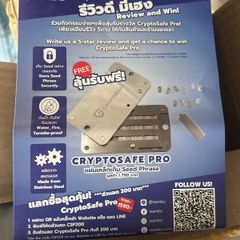
Add a steel backup, save 10%
Shipping information
Processing:
- Orders are processed and dispatched the same day.
Delivery:
- Free shipping nationwide. Estimated delivery 1-2 business days, faster in Bangkok.
- Same-day delivery in Bangkok by Grab or LINEMAN. Call or message us on LINE to arrange it and pay by bank transfer.
- Or collect from our Bangkok store, Monday to Saturday, 9:00 AM to 5:00 PM.
Tracking:
- Once your order ships you will receive a confirmation email with a tracking number.
Return and Exchange Policy
Faulty on arrival: if a device arrives defective — a broken screen, a connectivity fault — we replace it with a new one straight away. No forms, no waiting on the manufacturer.
Warranty: hardware wallets carry a 1-year warranty, and claims are handled by us rather than an overseas support queue. CryptoSafe steel backup products are sold without warranty, as stated on those product pages.
Change of mind or wrong model: we accept the return within 30 days of delivery, provided the box is unopened, the factory seal is intact and undamaged, and all accessories and included gifts are present. Post it to us at our expense, or bring it to our store in Thawi Watthana, Bangkok. Once we have confirmed the seal is intact, we refund the full amount to your original payment method within 7 business days.
Opened items: once the seal has been opened, we cannot accept a return or refund for any reason other than a defect, which we exchange within 30 days of delivery. This is a security limitation of these devices: once the seal is broken, the tamper-evident packaging can no longer assure the next customer that the device has not been interfered with.
How to arrange a return or exchange
- Message us on LINE at @siambc or email order@siambc.com before sending anything back.
- Include your order number and, for a faulty item, what is wrong with a photo or short video.
- We will arrange the refund or the replacement.
Refunds: unopened returns that meet the conditions above are refunded in full. Faulty items are exchanged rather than refunded.
Pairs well with
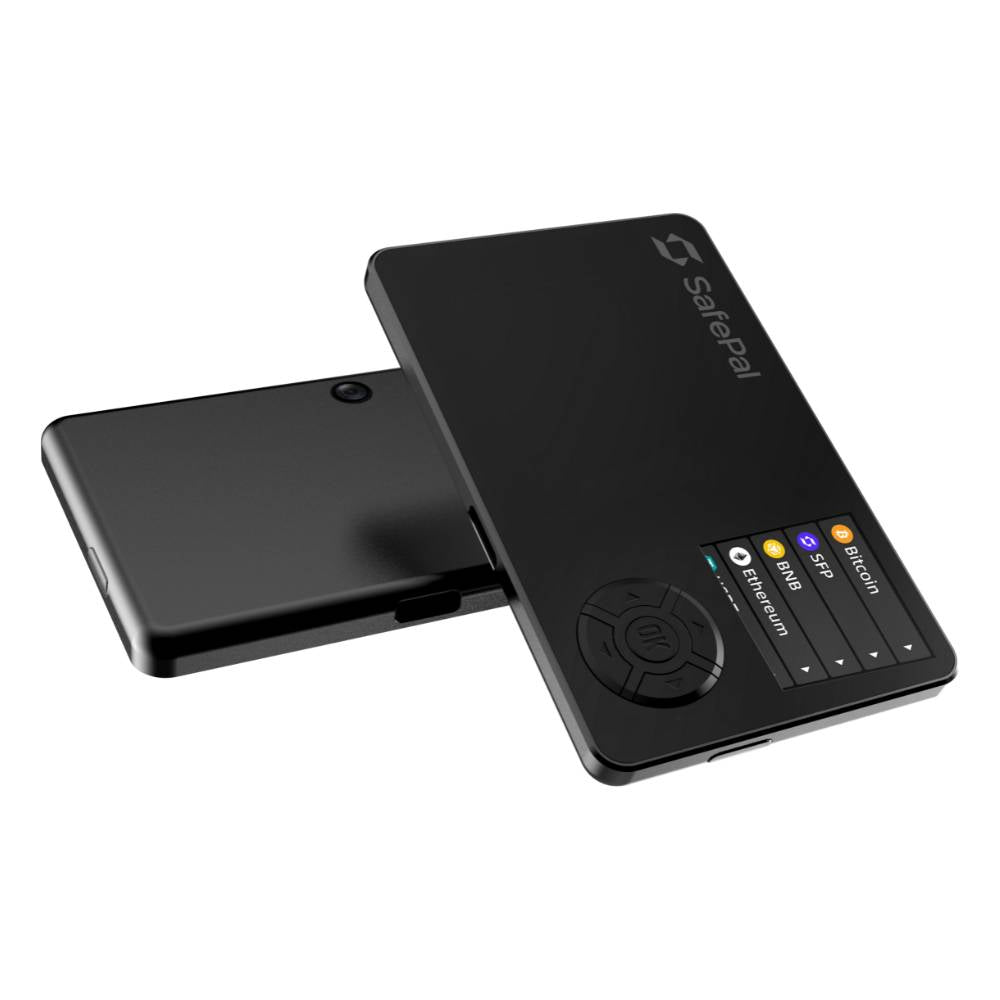
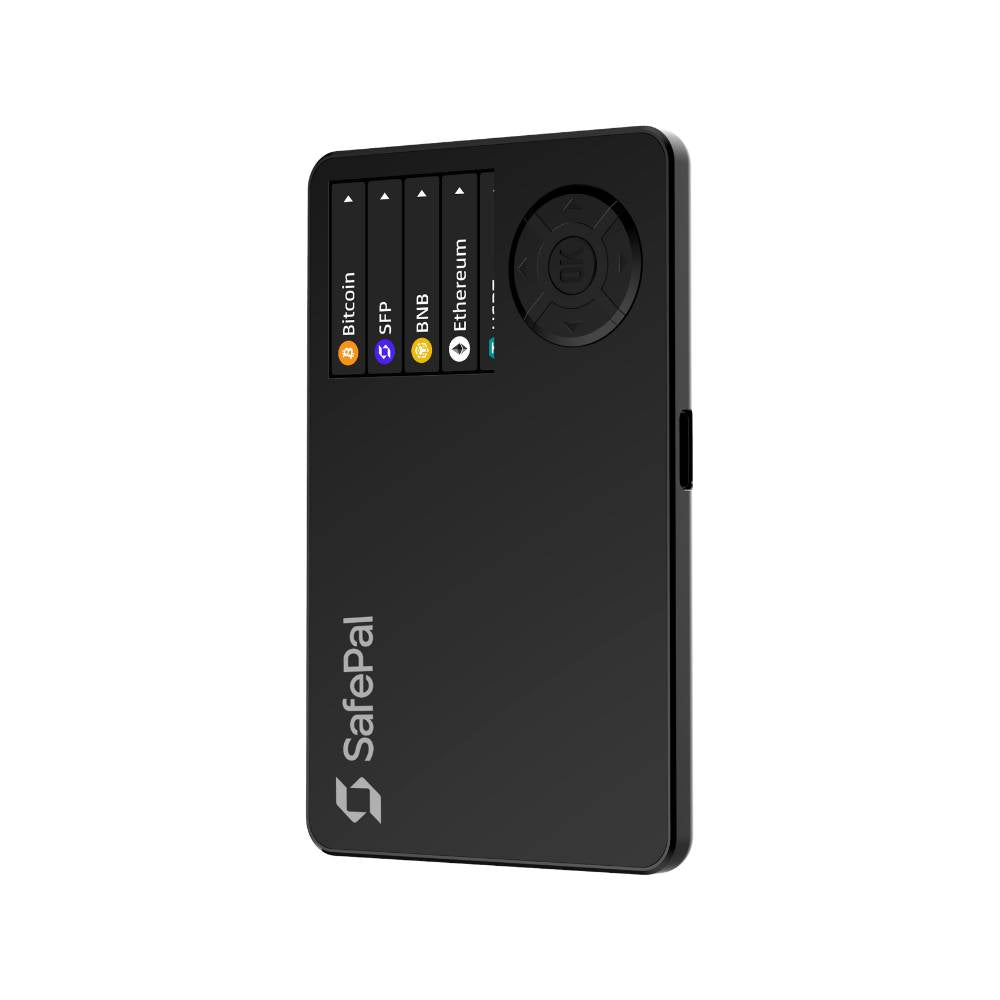
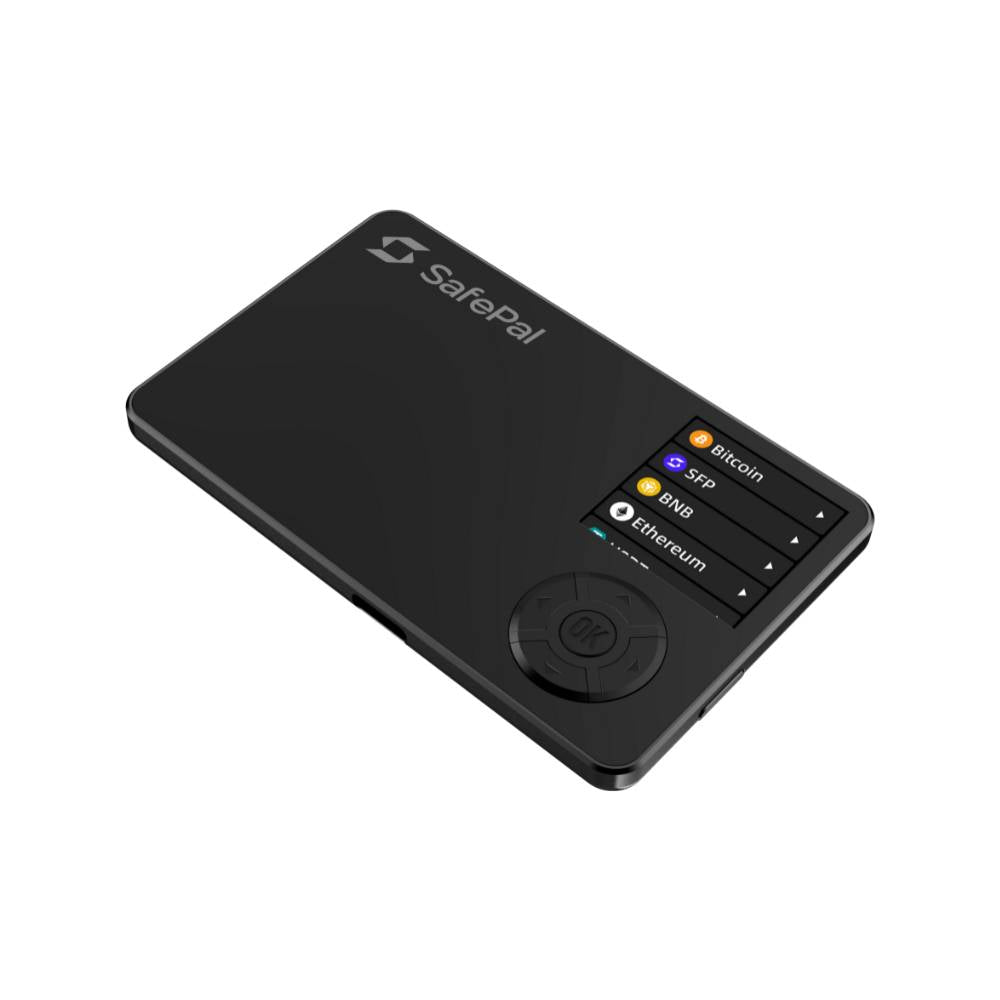
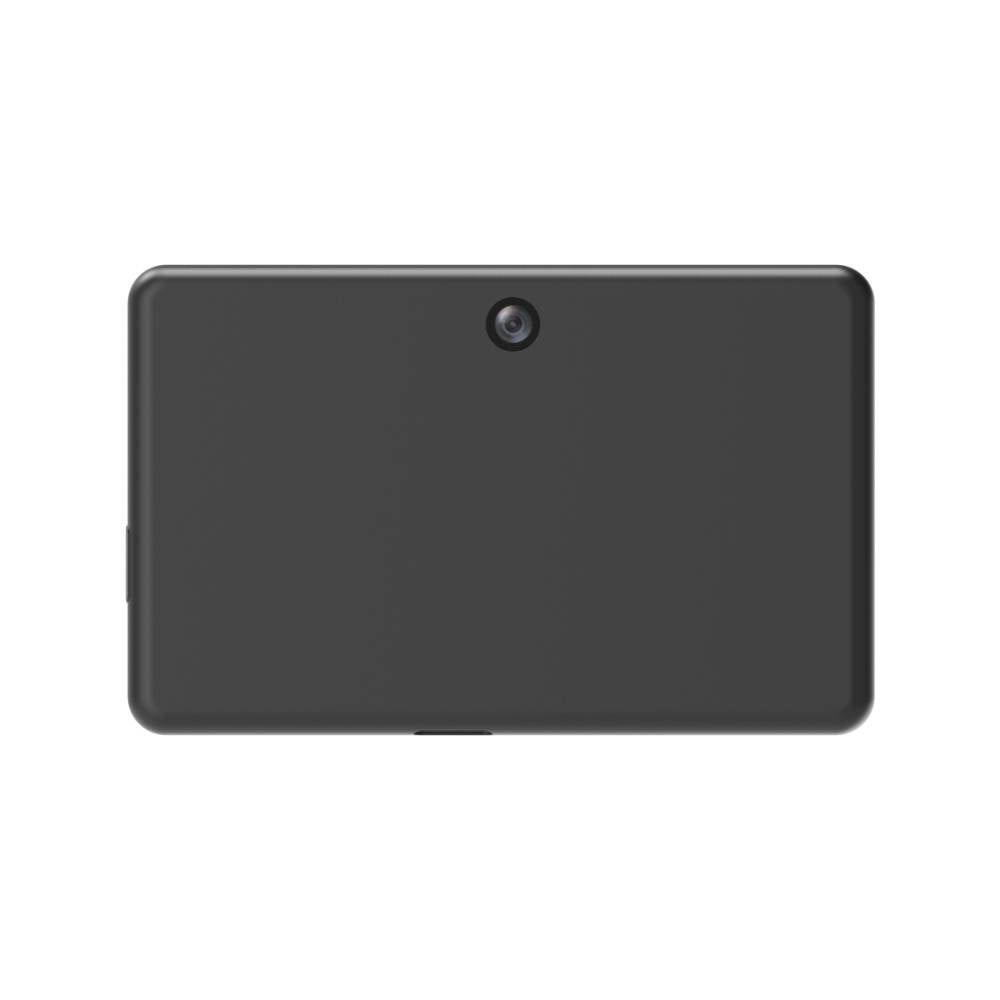
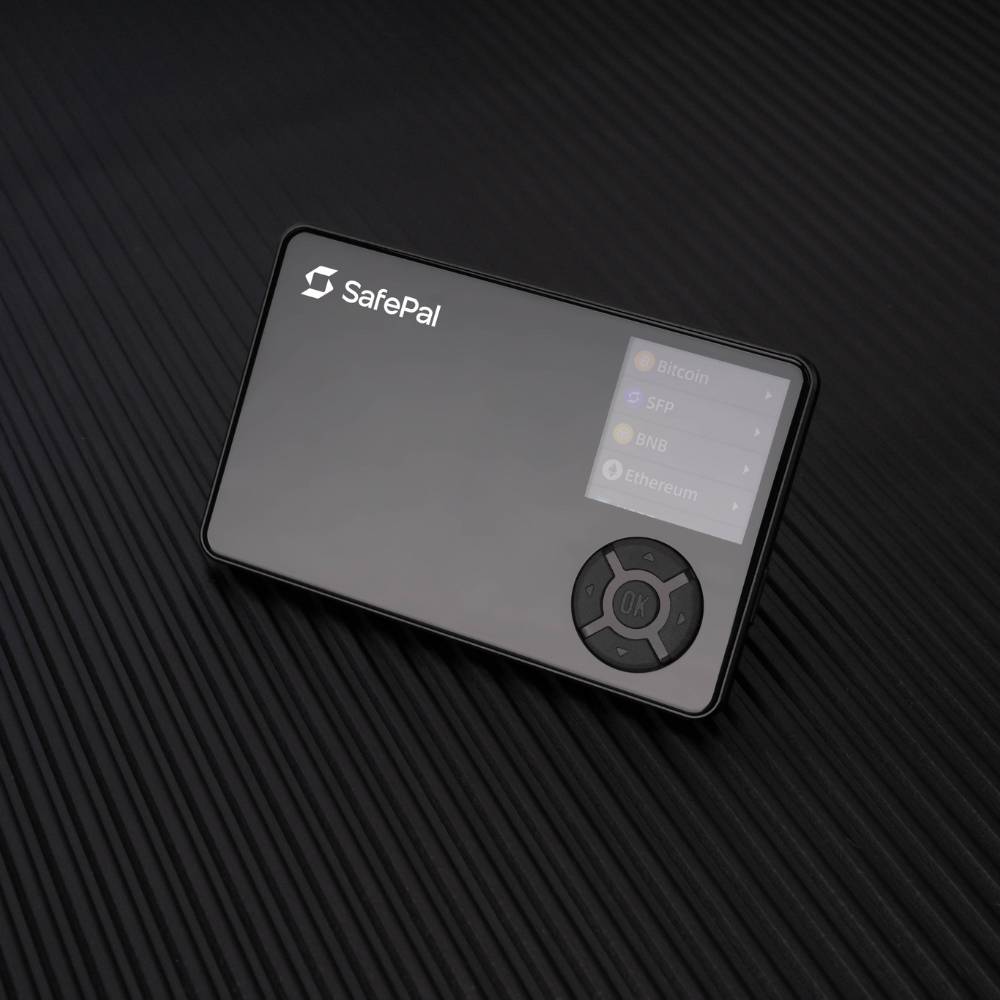
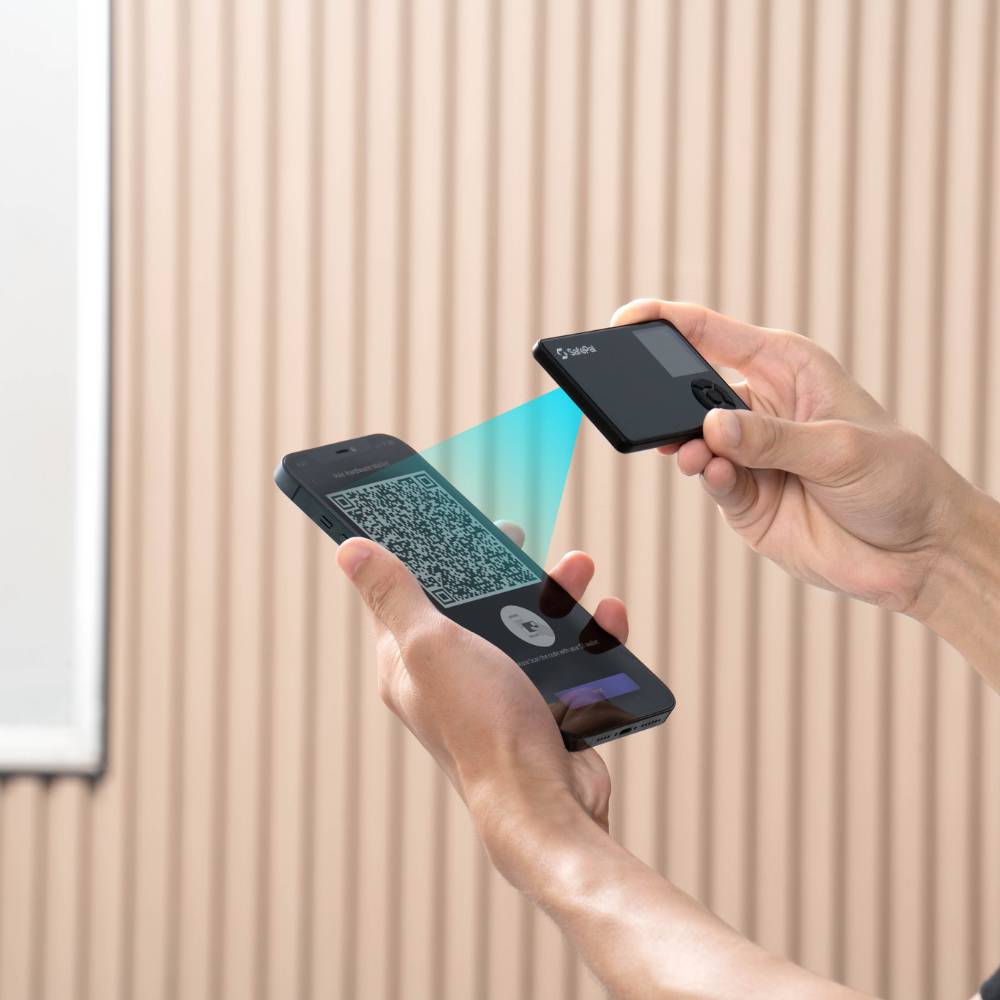
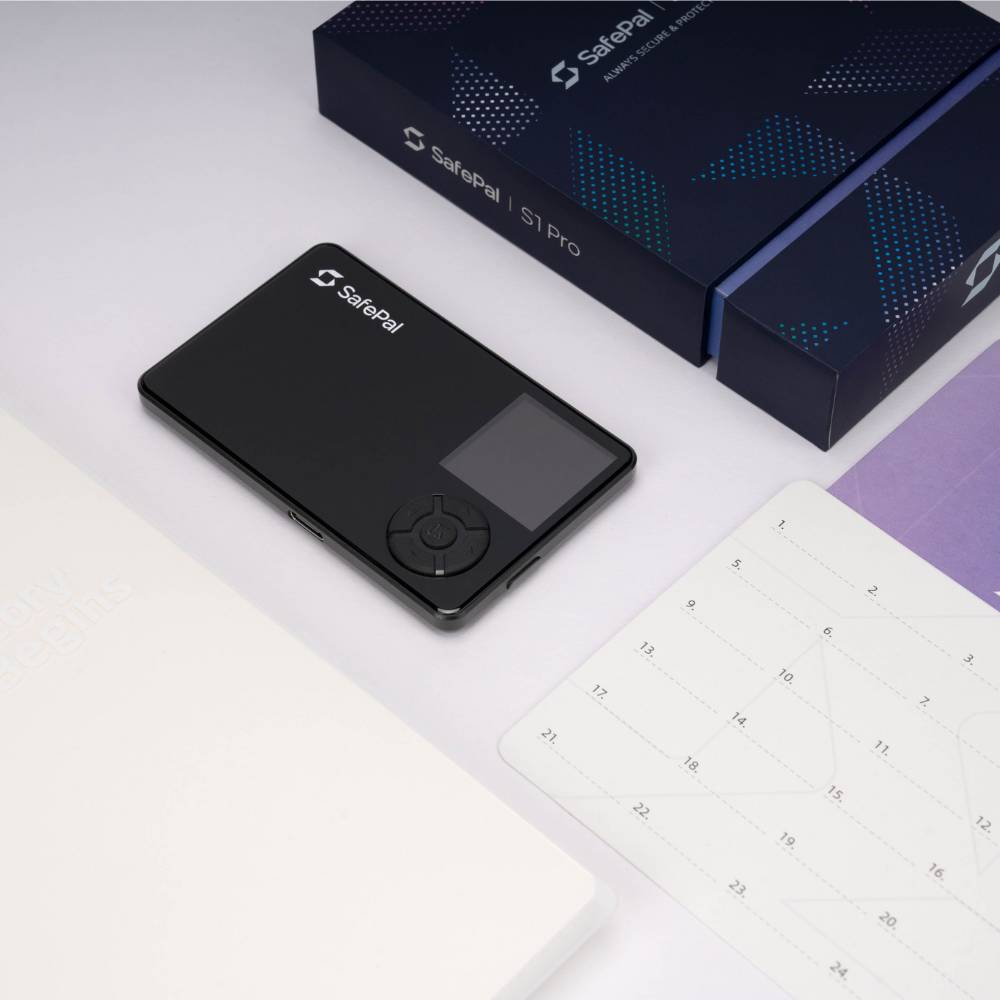
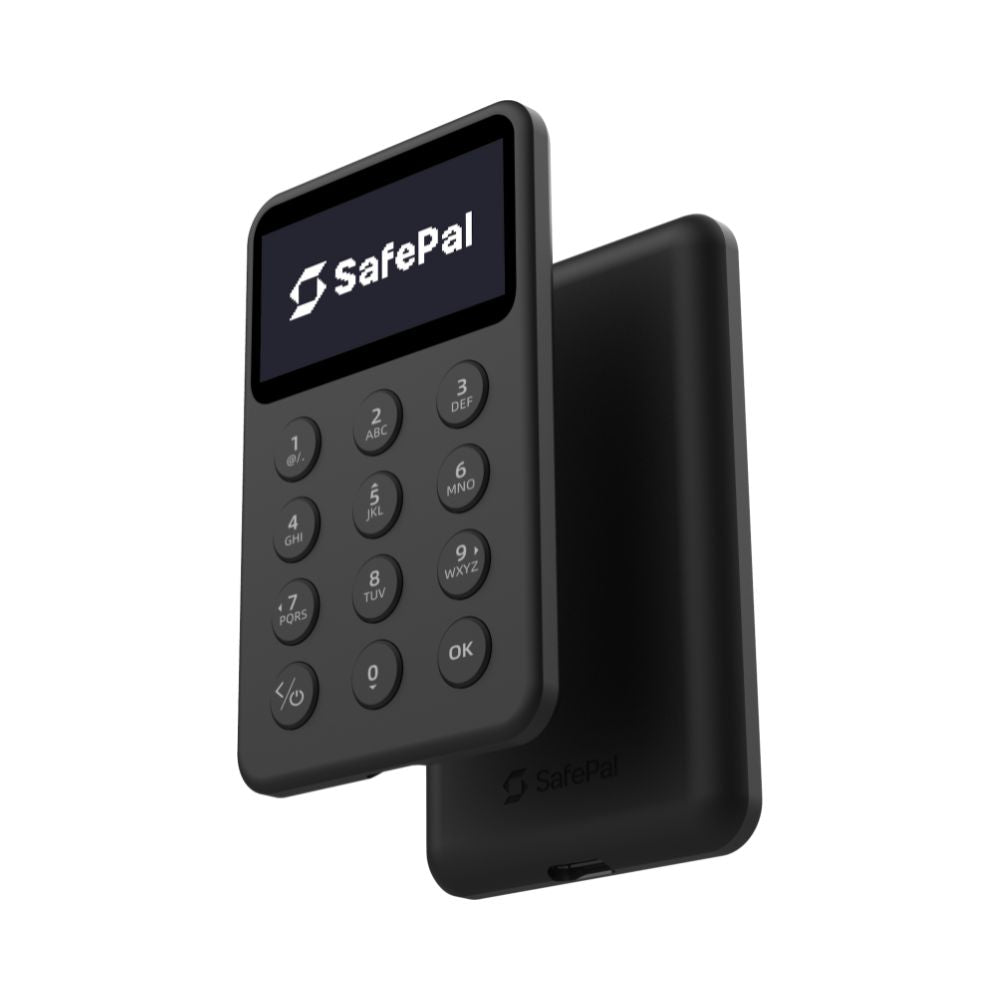
The SafePal S1 Pro is the premium version of SafePal's air-gapped wallet: an aluminum alloy and tempered glass body, a bigger battery, and a center-mounted camera that makes QR scanning easier.
Air-gapped: it never connects to anything
Most hardware wallets plug in or pair over Bluetooth. This one does neither. It has no Bluetooth, no WiFi, no NFC and no USB data connection — the USB port only charges it.
Transactions move between your phone and the wallet as QR codes, scanned by the built-in camera. There is no wire and no radio for an attacker to reach, because there is no connection at all.
What the Pro adds over the S1
- Aluminum alloy and tempered glass body, in place of the S1's ABS and PVC
- 500 mAh battery — up to 25 days on roughly 15 minutes of daily use
- Camera moved to the center of the device, so lining up a QR code is easier
- USB-C charging
Security
- Certified secure element, CC EAL6+
- Self-destruct mechanism on detected tampering
- Passphrase support for hidden wallets
- Open source
Specifications
- 1.3-inch full color IPS screen, 320 x 320 resolution
- High-speed QR code camera
- 500 mAh battery, charged with a USB-C cable (charging only, no data)
- Aluminum alloy and tempered glass, D-pad navigation
Coins and compatibility
- 200+ blockchains and unlimited tokens
- Works with the SafePal app on iOS and Android, and the SafePal browser extension on a computer
Common questions
Is it more secure than the S1?
The security model is the same: air-gapped, with the same certified secure element. The Pro upgrades the build, the battery and the camera position.
Why does the camera position matter?
A center-mounted camera lines up with the QR code on your phone more naturally, so scanning takes fewer attempts.
Does it connect by Bluetooth?
No. It is fully air-gapped. If you want a SafePal with Bluetooth, that is the X1.
How long does a charge last?
Up to 25 days on roughly 15 minutes of daily use.
Buying from SIAMBC
SIAMBC is Thailand's authorized SafePal distributor, with a physical store in Bangkok. Every unit is new, sealed and sourced directly. Support is available in Thai and English.
ONE RULE TO REMEMBER
Anyone who asks for your recovery phrase is a scammer. No exceptions.
Neither SIAMBC nor SafePal will ever ask for it, whatever reason is given — warranty claims, identity verification, system updates or account recovery. Those words are the key to your funds. Whoever has them owns your crypto, and it can never be recovered.
Register your warranty online in under a minute Register ›
SafePal S1 Pro
Keep your Seed Phrase on steel
A Seed Phrase written on paper is at risk from fire, flood and termites. Stainless steel keeps it safer. Buy it with this hardware wallet and save 10% instantly.
-
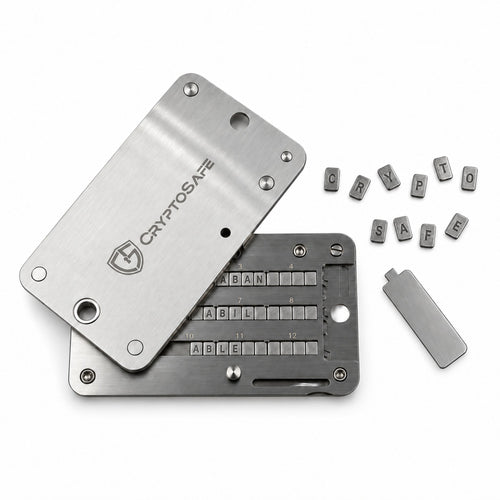 10% off togetherCryptoSafe ProReady-made steel letters slide in, no stamping needed1,611 ฿ with this wallet
Regular 1,790 ฿ -
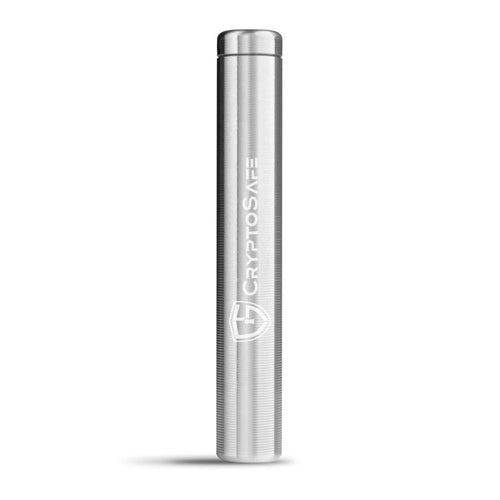 10% off togetherCryptoSafe CapsuleSealed stainless steel capsule1,791 ฿ with this wallet
Regular 1,990 ฿ -
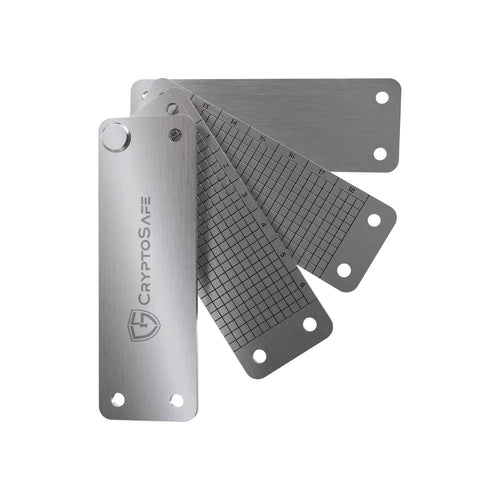 10% off togetherCryptoSafe BankThree plates inside, stamping tools included1,161 ฿ with this wallet
Regular 1,290 ฿ -
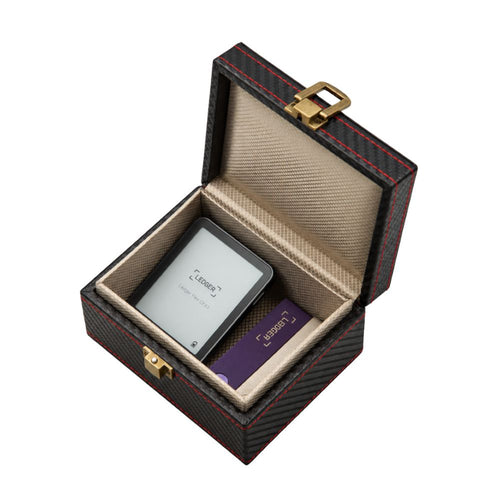 10% off togetherCryptoSafe VaultFaraday signal-blocking box that holds several hardware wallets711 ฿ with this wallet
Regular 790 ฿ -
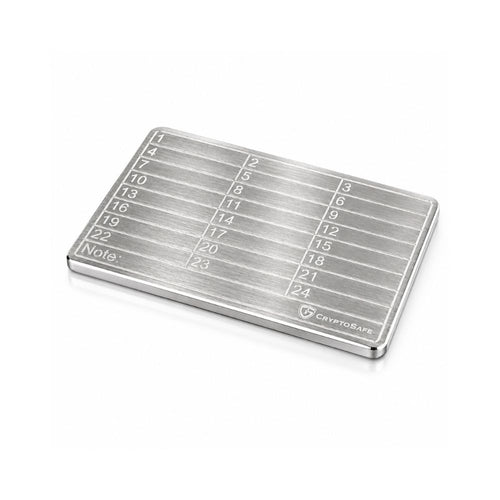 10% off togetherCryptoSafe LiteStamp or engrave the words yourself269 ฿ with this wallet
Regular 299 ฿
What's in the box
Swipe to see all 5 items
 SafePal S1 ProThe device
 USB cableFor charging
 3 Seed Phrase cards and 2 stickersEach card has room for 24 words
 Cleaning clothFor the screen and body
 User manual and app download cardScan the QR codes to open the manual and get the SafePal app
Technical specifications
Body and buttons
- Size
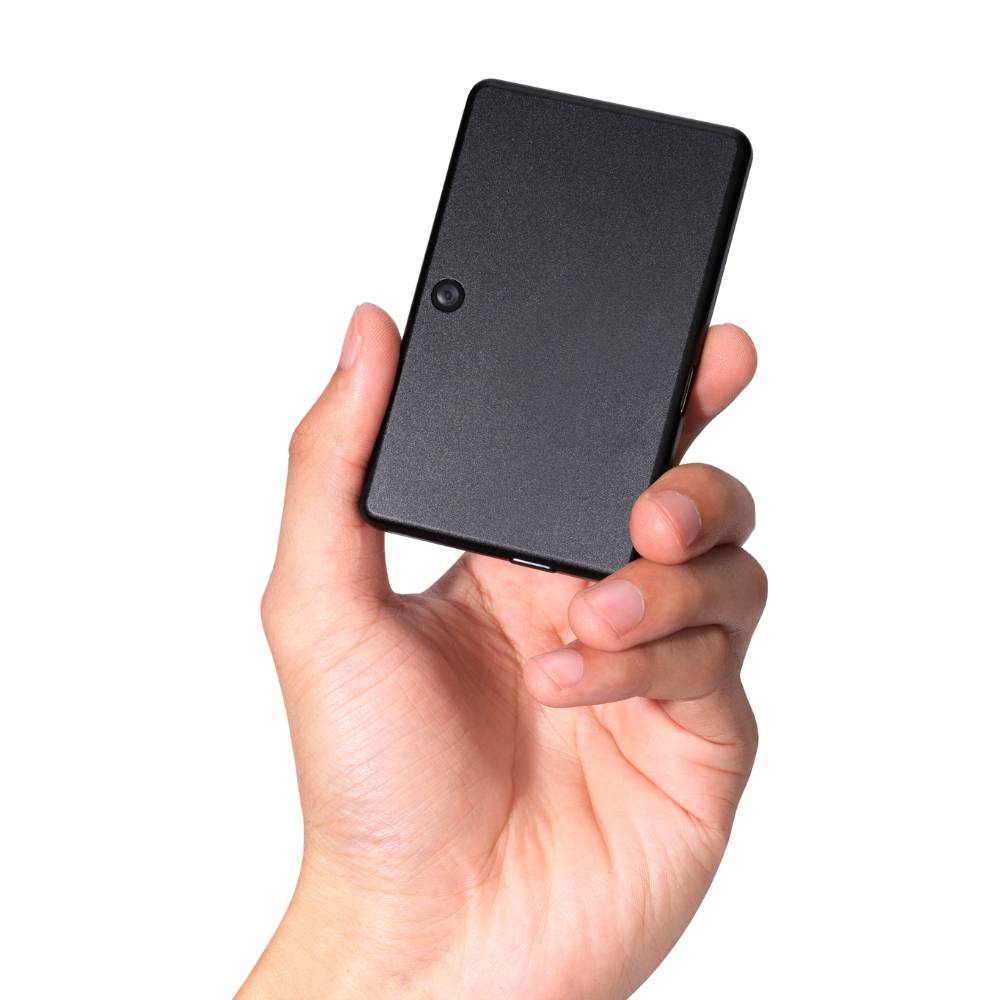
- Credit card size
- Materials
- Aluminum alloy body, tempered glass front
- Buttons
- 4-way direction pad with OK in the center
- Power button
- On the side edge
Display
- Screen
- 1.3-inch color IPS
- Resolution
- 320 × 320
Security
- Secure element
- Independent secure element, CC EAL6+
- Signing
- Air-gapped, by QR code only
- PIN
- 6 to 12 digits
- Tamper protection
- Multiple layers of sensors; if an attack on the chip is detected, the chip wipes the wallet data at once
- Passphrase
- Supported, for a hidden wallet
- Software
- Key parts of the code are open source
Connectivity
- Camera
- On the back, centered near the top edge, for scanning QR codes
- Wireless
- No Bluetooth, Wi-Fi or NFC
- USB-C
- For charging; never carries transactions
Battery and charging
- Battery
- 500 mAh
- Battery life
- About 25 days at 15 minutes a day
- Charging
- USB-C cable with a DC 5V phone charger; never a laptop charger
Backup and recovery
- Seed Phrase
- 12, 18 or 24 words
- Backup cards
- 3 in the box
Works with
- Phone
- SafePal app on iOS and Android
- Computer
- SafePal Extension in Chrome, Edge and Firefox
- Networks
- 200+ networks supported
Temperature
- In use
- 0 to 55°C
- Storage
- -20 to 60°C

Tap a part label on the photo to see its specs
Which SafePal is right for you
SafePal S1
2,190 ฿Air-gapped QR signing with no Bluetooth or Wi-Fi, a 1.3-inch color screen, credit card size, and an easy price
View SafePal S1- You're viewing
SafePal S1 Pro
2,890 ฿Air-gapped QR like the S1, with an aluminum and tempered glass body, a 500 mAh battery and USB-C charging
SafePal X1
2,490 ฿Connects to the app over Bluetooth, no QR scanning back and forth, 12 buttons, 1.8-inch monochrome screen
View SafePal X1
| SafePal S1 Pro | SafePal S1 | |
|---|---|---|
| Price | 2,890 ฿ | 2,190 ฿ |
| Materials | Aluminum alloy and tempered glass | ABS + PVC |
| Battery | 500 mAh | 400 mAh |
| Battery life | About 25 days (15 min a day) | About 20 days (10 min a day) |
| Display | 1.3-inch color IPS, 320 × 320 | 1.3-inch color IPS, 320 × 320 |
| Signing | Air-gapped QR | Air-gapped QR |
| Secure element | CC EAL6+ | CC EAL6+ |
How to check your device is genuine
- Everything in the box is thereCompare with "What's in the box" above. If anything is missing or something unexpected is in the box, do not use the device and contact us right away.
- The box is unopened and the anti-counterfeit sticker is intactSafePal boxes carry an anti-counterfeit sticker. If it is torn, looks peeled and stuck back, or the box looks opened, do not set up the device and contact us right away.
- No pry marks on the deviceCheck the body, edges, seams and charging port for pry marks, scratches, glue residue, or loose or badly fitted parts. If you find any of these, do not use the device and contact us right away.
- Every Seed Phrase card is blankIf any words are already written or printed on them, do not use the device at all.
- A new device starts at language selection and Device AuthenticationThe first start shows language selection, then Device Authentication. If you do not see that screen, the device may have been used before. If anyone gave you a PIN or Seed Phrase with the device, do not use it.
- Pass Device AuthenticationPress Next and the device shows a QR code. Scan it with your phone browser, then enter the 6-digit code the device shows on that web page. The result must say the device is genuine and has never been used. If it says anything else, stop and contact us right away.
- Get the app from official sources onlyInstall the SafePal app only from the App Store, Google Play or safepal.com. Never install from a link someone sends you in a chat.
- No need to open the deviceChecking authenticity never requires opening the device. Opening it can damage it and void the warranty.
SafePal S1 Pro FAQ
How much is the SafePal S1 Pro?
2,890 ฿ at SIAMBC, an official SafePal reseller in Thailand.
Does it work with iPhone?
Yes. It works with the SafePal app on iPhone and Android: the device camera and the phone camera scan each other's QR codes, with no cable or Bluetooth.
How is the SafePal S1 Pro different from the S1?
Security and use are the same: air-gapped QR signing and the same 1.3-inch color screen. The S1 Pro has an aluminum and tempered glass body, a larger 500 mAh battery and USB-C charging.
Does it connect by Bluetooth?
No. The S1 Pro has no Bluetooth, Wi-Fi or NFC and talks to the app by QR code only. If you want Bluetooth, see the SafePal X1.
How do I charge it, and how long does it last?
Charge it with the USB-C cable and a DC 5V phone charger, never a laptop charger. The 500 mAh battery lasts about 25 days at 15 minutes a day.
What if I forget my PIN?
The PIN cannot be recovered. Reset the device under Settings > Reset Wallet, then restore the wallet with your Seed Phrase and set a new PIN. If you set a Passphrase, enter it too.
Is it waterproof?
No water or dust rating is stated for this model, so keep it away from water.
Will SIAMBC or SafePal ever ask for my Seed Phrase?
Neither will, ever. Anyone who asks for your Seed Phrase or PIN, whether they claim to be SIAMBC staff, use the SafePal name, or say it is for a warranty claim, identity check or firmware update, is a scammer.
If you have any questions, you are always welcome to contact us. We'll get back to you as soon as possible, within 24 hours on weekdays.
-
Shipping Information
Free shipping nationwide. Orders normally arrive within 1 to 2 business days, faster if you are in Bangkok.
Need it today? We can send by Grab or LINEMAN for same-day delivery in Bangkok. Call or message us on LINE to arrange it and pay by bank transfer.
You can also collect from our Bangkok store.
-
Customer Support
We answer in Thai and English, usually within a few hours on weekdays.
You set up the device yourself: you press every button and write down the recovery phrase on your own. SIAMBC never sees it and will never ask for it. Our step-by-step guides walk you through setup.
Stuck on a step? Ask us on LINE or at the shop.
-
Common questions
Which model should I choose? It depends on your phone. The Ledger Nano S Plus does not work with iPhone, and most Trezor models are view-only on iOS. Compare every model side by side.
Are your products genuine? Yes — new, sealed, genuine stock from authorized channels, from a physical shop in Bangkok you can walk into.
Will anyone ask for my recovery phrase? Never. Anyone who does is a scammer.
-
Contact Us
LINE is the fastest way to reach us — and how most of our customers ask questions before buying.
Phone: +66 82 554 6950
Email: order@siambc.com110/2 Thawi Watthana-Kanchanaphisek 3 Rd, Bangkok 10170
Monday to Saturday, 9:00 AM to 5:00 PM
Fast & Free shipping ส่งฟรี ส่งเร็ว
Compare models
SafePal
SafePal X1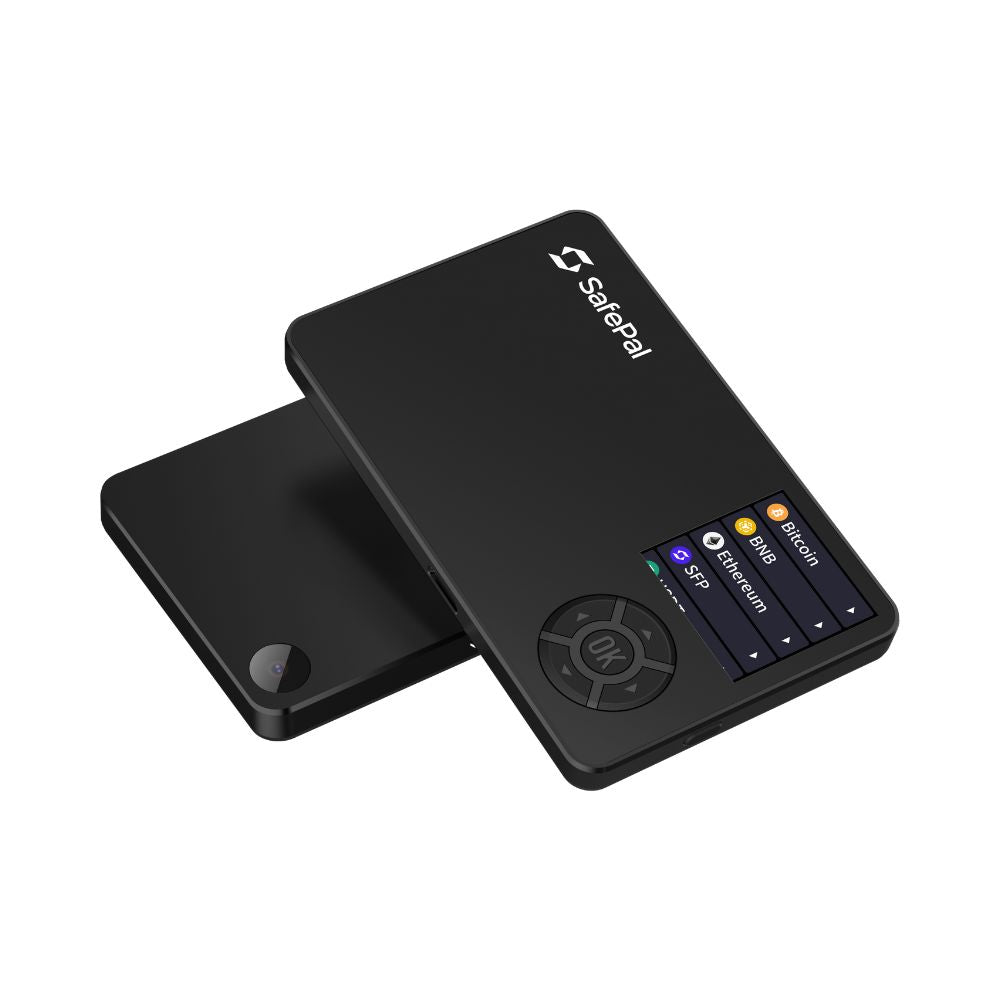
SafePal
SafePal S1
SafePal
SafePal S1 Pro
SafePal
SafePal X1
SafePal
SafePal S1
SafePal
SafePal S1 ProSecurity chip
CC EAL6+
Security chip
CC EAL6+
Security chip
CC EAL6+
Authentication
PIN + passphrase
Authentication
PIN + passphrase
Authentication
PIN + passphrase
Open source
No published firmware source
Open source
No published firmware source
Open source
No published firmware source
Passphrase support
Passphrase support
Passphrase support
1 year
1 year
1 year
Connects by
Bluetooth
Connects by
QR code
Connects by
QR code
Works with iPhone
Works with iPhone
Works with iPhone
Works with Android
Works with Android
Works with Android
Works with computer
Works with computer
Works with computer
Air-gapped signing
Air-gapped signing
Air-gapped signing
Screen
1.8-inch mono LCD, 128 x 64
Screen
1.3-inch color IPS, 320 x 320
Screen
1.3-inch color IPS, 320 x 320
Touchscreen
Touchscreen
Touchscreen
Battery
Yes. Built-in rechargeable battery
Battery
Yes. Built-in rechargeable battery
Battery
Yes. Built-in rechargeable battery
Wireless charging
Wireless charging
Wireless charging
Multi-chain
Multi-chain
Multi-chain
SafePal's Bluetooth model, the largest screen in their range
Fully air-gapped. Signs by QR code and never connects
Air-gapped, in aluminum and glass with a bigger battery
Before you buy
Are your products genuine?
Yes. Every device we sell is new, sealed, genuine stock from authorized channels. SIAMBC has been Thailand's hardware wallet specialist since 2016 and has a physical store in Bangkok you can walk into.
This matters more than it sounds. A hardware wallet bought from an unknown marketplace seller can arrive already set up by someone else, with a recovery phrase they know. It is the one purchase where the seller genuinely matters.
How long does delivery take?
Orders normally arrive within 1 to 2 business days, depending on where you are — faster if you are in Bangkok.
Need it today? We can send it by Grab or LINEMAN for same-day delivery. Call us or message us on LINE to arrange it, pay by bank transfer, and it goes out immediately.
You are also welcome to collect from our Bangkok store.
Can I collect from your store instead?
Yes. We are in Thawi Watthana, Bangkok, open Monday to Saturday, 9:00 AM to 5:00 PM. You are welcome to come in, see the devices in person and ask questions before you buy. We answer in Thai and English. Find us here.
What warranty do I get?
Hardware wallets carry a 1-year warranty, claimed directly through us, with no waiting in an overseas support queue.
If a device is faulty out of the box, we replace it with a new one straight away. No forms, no waiting on the manufacturer.
The exception is the CryptoSafe range of steel recovery phrase backups: these products carry no warranty and cannot be returned or exchanged, as stated on their product pages.
How can I pay?
Credit card, bank transfer, or cash on delivery. You can also pay in person at our Bangkok store.
Can I set it up myself?
Yes, and you should do every step yourself. It takes a few minutes: you press every button on the device, create the wallet and write down your recovery phrase on your own.
Our step-by-step guides walk you through each step. If you get stuck, our team can answer on LINE or by phone, without ever seeing or asking for your recovery phrase.
Which model should I choose?
It depends on the phone you use and what you are protecting. The most common mistake is buying a wallet that does not work with your phone — the Ledger Nano S Plus does not support iPhone at all, and most Trezor models are view-only on iOS.
Compare every model side by side, or ask us. We will tell you honestly which one fits.
What happens if I lose my hardware wallet?
Nothing, as long as you still have your recovery phrase. The device only holds the keys — buy any compatible wallet, enter your phrase, and your crypto is back.
The real risk is losing the phrase itself. That is why we suggest keeping it on steel rather than the paper card in the box. Paper burns, water ruins it, and in Thailand termites eat it.
Will anyone ever ask for my recovery phrase?
No. Anyone who asks for it is a scammer, without exception. Neither SIAMBC nor any manufacturer will ever ask for your recovery phrase — not for a warranty claim, not for identity verification, not for a firmware update. Whoever has those words owns your crypto, and it can never be recovered.
Latest Stories

Thai Supreme Court Treats Bitcoin as Property in Koh Samui Robbery Case
Read moreabout Thai Supreme Court Treats Bitcoin as Property in Koh Samui Robbery Case

- 0 commentson Thailand Joins BLOOM: What Cross-Border Stablecoins Could Mean for Thai Businesses
- by Bank
Thailand Joins BLOOM: What Cross-Border Stablecoins Could Mean for Thai Businesses
Thailand has joined BLOOM as a policymaker, not launched a new retail payment service. A Thailand-focused look at digital-money cooperation, business opportunities and the questions still unanswered.
Read moreabout Thailand Joins BLOOM: What Cross-Border Stablecoins Could Mean for Thai Businesses
What Is YubiKey 5.8? New Features, Firmware Limits and Whether You Need It
Understand YubiKey firmware 5.8, its new passkey capabilities, preview signing features, how to check your key and what to confirm before buying.
Read moreabout What Is YubiKey 5.8? New Features, Firmware Limits and Whether You Need It