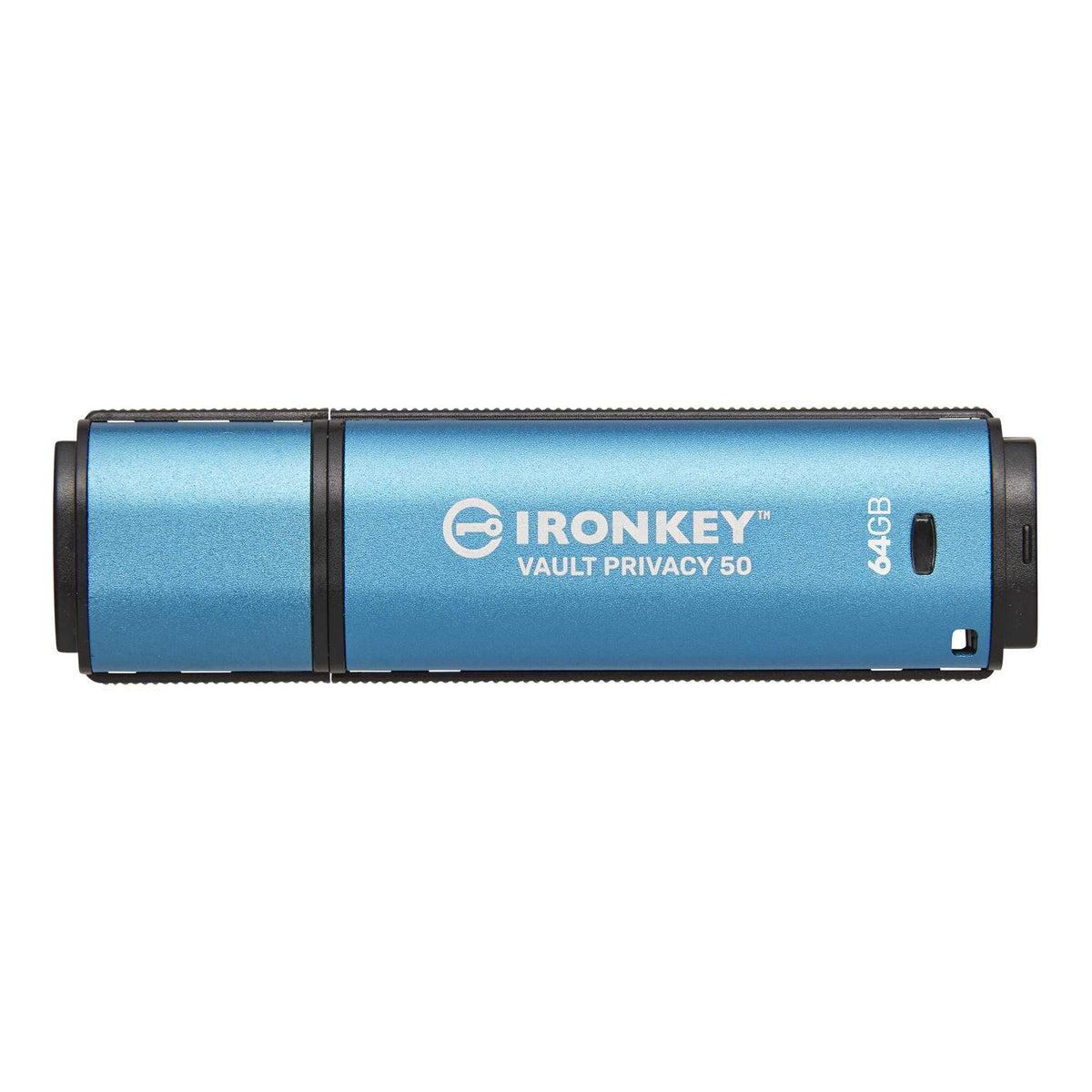
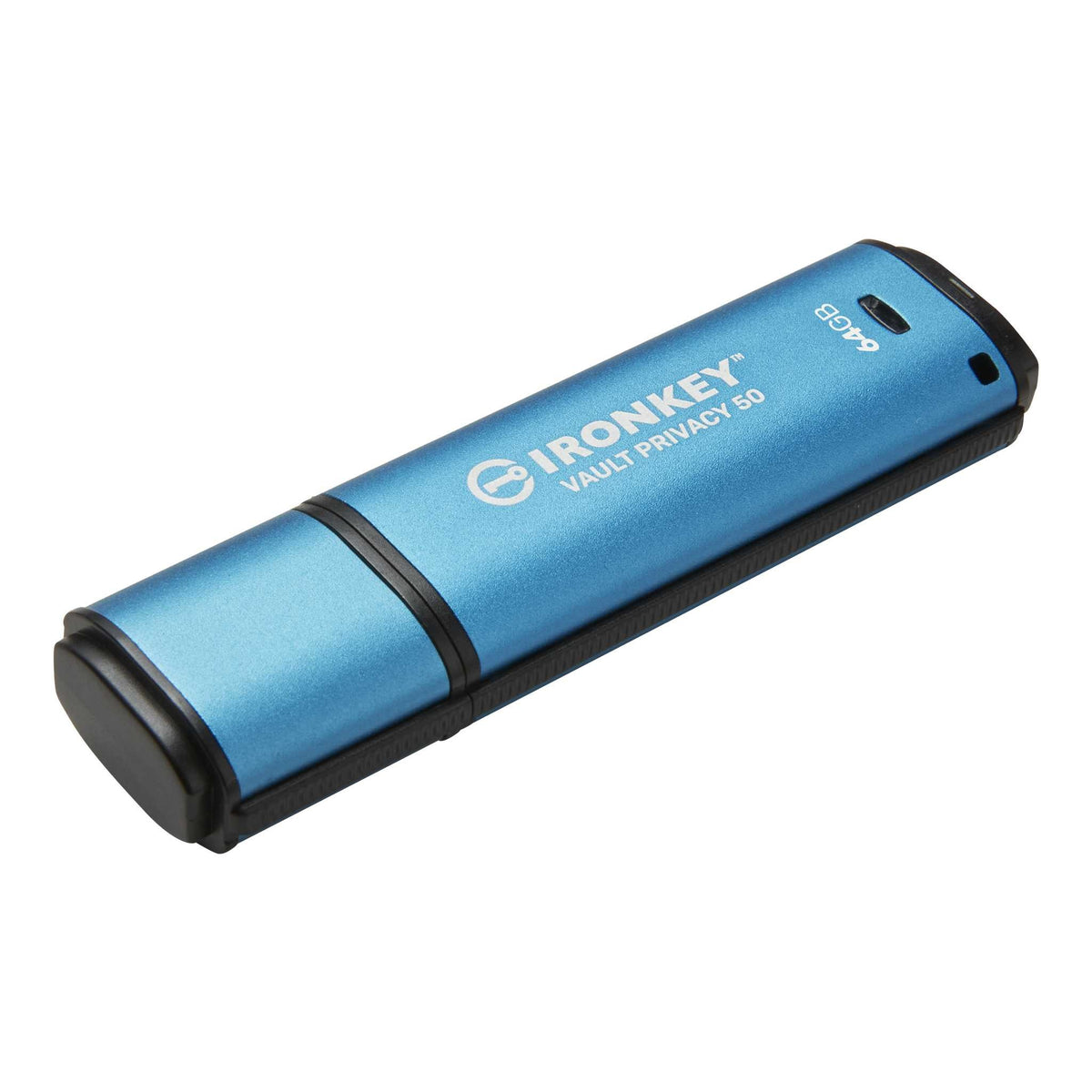
Kingston IronKey Vault Privacy 50
Price depends on the model, the options and import duty. Message us and we will send a quotation and a delivery date.
100% genuine stock from authorized channels
Free express shipping nationwide, delivered in 1-2 days
Arrives faulty, we replace it straight away
Pairs well with
Kingston IronKey Vault Privacy 50 is a USB-A (USB 3.2 Gen 1) flash drive with hardware encryption. It unlocks with a password typed on the computer and has an anodized aluminum housing.
Security
- Hardware encryption with XTS-AES 256-bit
- Digitally signed firmware protects against BadUSB firmware tampering.
- Separate Admin and User passwords, plus a One-Time Recovery password.
- Two password modes: Complex, 6 to 16 characters using at least 3 of 4 character types, or Passphrase, 10 to 64 characters.
- After 10 consecutive incorrect User or recovery password entries, that password is locked. After 10 consecutive incorrect Admin password entries, the drive deletes its encryption key and the existing data can no longer be read.
- An on-screen virtual keyboard helps guard against keyloggers, and an eye button lets you view the password as you type.
- Two Read-Only modes: enforced by the Admin, or selected for a single session.
Capacities
16GB, 32GB, 64GB, 128GB, 256GB and 512GB
Speed
| Capacity | Max Read / Write |
|---|---|
| 16GB to 128GB | 250 / 180 MB/s |
| 256GB | 230 / 150 MB/s |
| 512GB | 310 / 250 MB/s |
Specifications
- USB-A connector, USB 3.2 Gen 1
- IPX8 waterproof to a depth of 4 feet (about 1.2 meters) with the cap on
- Dimensions: 77.92 x 21.94 x 12.00 mm
- Operating temperature: 0°C to 50°C
- Compatible with Windows 11 and 10, and macOS 13 to 15
Frequently Asked Questions
How do I unlock it?
Plug it into a computer and type your password in the drive's unlock window. This model has no keypad on the device.
What happens after too many incorrect password attempts?
After 10 consecutive incorrect User password entries, the User password is locked. After 10 consecutive incorrect Admin password entries, the drive deletes its encryption key and the existing data can no longer be read. Always keep a backup of important files in another location.
How is it different from the Vault Privacy 50C?
Only the connector differs. This model uses USB-A, while the IronKey Vault Privacy 50C uses USB-C. Capacities, speeds and security features are identical.
Questions and Quotes
For model, capacity or corporate quotation questions, contact the SIAMBC team on LINE @siambc or call 082-554-6950.
Shipping information
Processing:
- Orders are processed and dispatched the same day.
Delivery:
- Free shipping nationwide. Estimated delivery 1-2 business days, faster in Bangkok.
- Same-day delivery in Bangkok by Grab or LINEMAN. Call or message us on LINE to arrange it and pay by bank transfer.
- Or collect from our Bangkok store, Monday to Saturday, 9:00 AM to 5:00 PM.
Tracking:
- Once your order ships you will receive a confirmation email with a tracking number.
Return and Exchange Policy
Faulty on arrival: if a device arrives defective — a broken screen, a connectivity fault — we replace it with a new one straight away. No forms, no waiting on the manufacturer.
Warranty: hardware wallets carry a 1-year warranty, and claims are handled by us rather than an overseas support queue. CryptoSafe steel backup products are sold without warranty, as stated on those product pages.
Change of mind or wrong model: we accept the return within 30 days of delivery, provided the box is unopened, the factory seal is intact and undamaged, and all accessories and included gifts are present. Post it to us at our expense, or bring it to our store in Thawi Watthana, Bangkok. Once we have confirmed the seal is intact, we refund the full amount to your original payment method within 7 business days.
Opened items: once the seal has been opened, we cannot accept a return or refund for any reason other than a defect, which we exchange within 30 days of delivery. This is a security limitation of these devices: once the seal is broken, the tamper-evident packaging can no longer assure the next customer that the device has not been interfered with.
How to arrange a return or exchange
- Message us on LINE at @siambc or email order@siambc.com before sending anything back.
- Include your order number and, for a faulty item, what is wrong with a photo or short video.
- We will arrange the refund or the replacement.
Refunds: unopened returns that meet the conditions above are refunded in full. Faulty items are exchanged rather than refunded.
If you have any questions, you are always welcome to contact us. We'll get back to you as soon as possible, within 24 hours on weekdays.
-
Shipping Information
Free shipping nationwide. Orders normally arrive within 1 to 2 business days, faster if you are in Bangkok.
Need it today? We can send by Grab or LINEMAN for same-day delivery in Bangkok. Call or message us on LINE to arrange it and pay by bank transfer.
You can also collect from our Bangkok store.
-
Customer Support
We answer in Thai and English, usually within a few hours on weekdays.
You set up the device yourself: you press every button and write down the recovery phrase on your own. SIAMBC never sees it and will never ask for it. Our step-by-step guides walk you through setup.
Stuck on a step? Ask us on LINE or at the shop.
-
Common questions
Which model should I choose? It depends on your phone. The Ledger Nano S Plus does not work with iPhone, and most Trezor models are view-only on iOS. Compare every model side by side.
Are your products genuine? Yes — new, sealed, genuine stock from authorized channels, from a physical shop in Bangkok you can walk into.
Will anyone ask for my recovery phrase? Never. Anyone who does is a scammer.
-
Contact Us
LINE is the fastest way to reach us — and how most of our customers ask questions before buying.
Phone: +66 82 554 6950
Email: order@siambc.com110/2 Thawi Watthana-Kanchanaphisek 3 Rd, Bangkok 10170
Monday to Saturday, 9:00 AM to 5:00 PM
Fast & Free shipping ส่งฟรี ส่งเร็ว
Before you buy
Are your products genuine?
Yes. Every device we sell is new, sealed, genuine stock from authorized channels. SIAMBC has been Thailand's hardware wallet specialist since 2016 and has a physical store in Bangkok you can walk into.
This matters more than it sounds. A hardware wallet bought from an unknown marketplace seller can arrive already set up by someone else, with a recovery phrase they know. It is the one purchase where the seller genuinely matters.
How long does delivery take?
Orders normally arrive within 1 to 2 business days, depending on where you are — faster if you are in Bangkok.
Need it today? We can send it by Grab or LINEMAN for same-day delivery. Call us or message us on LINE to arrange it, pay by bank transfer, and it goes out immediately.
You are also welcome to collect from our Bangkok store.
Can I collect from your store instead?
Yes. We are in Thawi Watthana, Bangkok, open Monday to Saturday, 9:00 AM to 5:00 PM. You are welcome to come in, see the devices in person and ask questions before you buy. We answer in Thai and English. Find us here.
What warranty do I get?
Hardware wallets carry a 1-year warranty, claimed directly through us, with no waiting in an overseas support queue.
If a device is faulty out of the box, we replace it with a new one straight away. No forms, no waiting on the manufacturer.
The exception is the CryptoSafe range of steel recovery phrase backups: these products carry no warranty and cannot be returned or exchanged, as stated on their product pages.
How can I pay?
Credit card, bank transfer, or cash on delivery. You can also pay in person at our Bangkok store.
Can I set it up myself?
Yes, and you should do every step yourself. It takes a few minutes: you press every button on the device, create the wallet and write down your recovery phrase on your own.
Our step-by-step guides walk you through each step. If you get stuck, our team can answer on LINE or by phone, without ever seeing or asking for your recovery phrase.
Which model should I choose?
It depends on the phone you use and what you are protecting. The most common mistake is buying a wallet that does not work with your phone — the Ledger Nano S Plus does not support iPhone at all, and most Trezor models are view-only on iOS.
Compare every model side by side, or ask us. We will tell you honestly which one fits.
What happens if I lose my hardware wallet?
Nothing, as long as you still have your recovery phrase. The device only holds the keys — buy any compatible wallet, enter your phrase, and your crypto is back.
The real risk is losing the phrase itself. That is why we suggest keeping it on steel rather than the paper card in the box. Paper burns, water ruins it, and in Thailand termites eat it.
Will anyone ever ask for my recovery phrase?
No. Anyone who asks for it is a scammer, without exception. Neither SIAMBC nor any manufacturer will ever ask for your recovery phrase — not for a warranty claim, not for identity verification, not for a firmware update. Whoever has those words owns your crypto, and it can never be recovered.
Latest Stories

JPM Coin Goes Live on Ethereum: What Tokenized Bank Deposits Actually Change
Read moreabout JPM Coin Goes Live on Ethereum: What Tokenized Bank Deposits Actually Change

- 0 commentson Bitget’s Planned Thailand Acquisition: What the GMO-Z.com Deal Means for Users
- by SIAMBC
Bitget’s Planned Thailand Acquisition: What the GMO-Z.com Deal Means for Users
Read moreabout Bitget’s Planned Thailand Acquisition: What the GMO-Z.com Deal Means for Users

What Is Unitree? A Guide to Its Quadruped and Humanoid Robots
Read moreabout What Is Unitree? A Guide to Its Quadruped and Humanoid Robots