

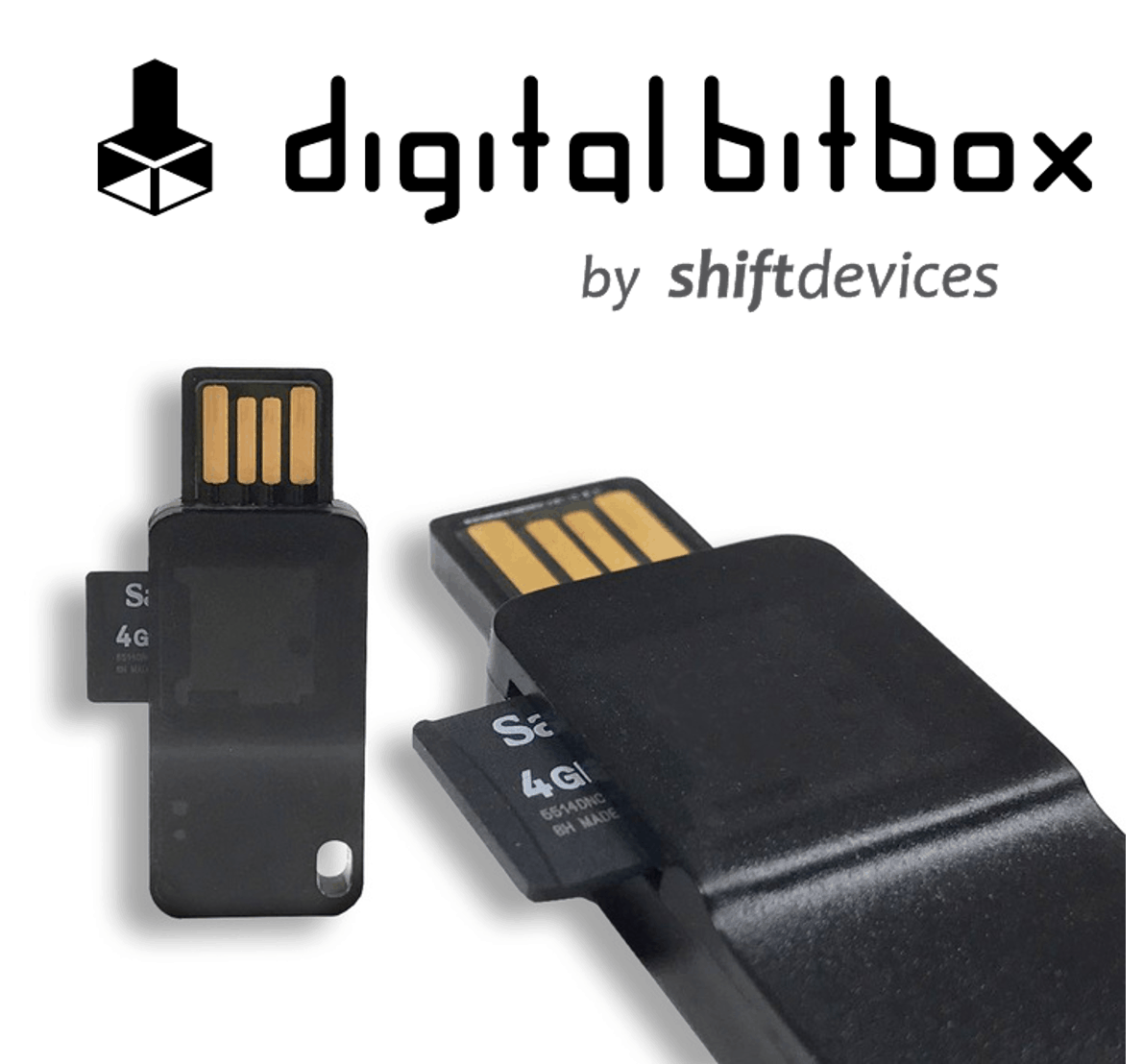
SIAMBC recently began carrying the Digital Bitbox, a hardware wallet developed and manufactured by a Swiss company, which many people will have come across through MyEtherWallet.com. What is it, and what are its strengths and weaknesses next to other hardware wallets?
How the Digital Bitbox works
In use it is much like any other hardware wallet: your private key is held on the device, and nobody can read it without the 24 English words.
Confirming a transaction is as simple as on any other hardware wallet — the device lights up and you hold the button for three seconds to confirm.
Where it differs is the screen: the Digital Bitbox does not have one to display transaction details. Normally that information is shown on the computer screen instead. The development team were well aware that anything displayed on a computer can be altered by an attacker, so the Digital Bitbox works around it by using the screen of the smartphone you paired during setup to display transaction details.
What the Digital Bitbox does well
It is one of the cheapest ways on the market to store digital currency. Despite its size, the body is made of epoxy, so it clips onto a keyring and stands up remarkably well to knocks and vibration. It plugs straight into USB with no micro-USB cable needed, which makes it genuinely portable.
Beyond price and portability, first-time setup is easier and quicker than any other hardware wallet on the market. That is because the Digital Bitbox uses a desktop application rather than the Google Chrome extension other wallets tend to rely on. The software runs on macOS, Windows and Linux, and it is open source, so anyone can inspect how it works.
It also ships with a 4 GB micro SD card used for backup, which happens automatically during first-time setup — which makes getting started faster and simpler than the alternatives. (Personally, setup took me under two minutes, with none of the anxiety about whether I had written a word down correctly.)
The manufacturer states that both the device and the micro SD card will hold that data for over 50 years, so there is no need to worry about losing anything important over a long period.
How secure is it?
Fast, easy setup has not come at the cost of security. Look inside and the design stands comparison with any other hardware wallet on the market — for instance, the storage chip is separate from the device's processing chip, and that processing chip has its own protection against attacks arriving over the computer. Getting at the data is close to impossible, and even if someone did get hold of your Digital Bitbox, the device still defends itself.
For generating the public and private keys, the Digital Bitbox has a chip dedicated to the job, so your private key exists only inside the device — and it is generated when you first set it up, not at the factory. You can therefore be confident that nobody has ever seen your private key, and nobody ever will.
It also supports two-factor authentication, which users can turn on as an option, on both iOS and Android.
A further option is multi-signature, available immediately through the Copay wallet.
The main drawback
The obvious limitation is which cryptocurrencies it can hold: the Digital Bitbox supports only Bitcoin, Ethereum, ERC20 tokens and Ethereum Classic.
If you want to hold Ripple, Litecoin, ARK or others, have a look at the other wallets we carry.
The other drawback is that the phone connection is only for viewing transaction details. The Digital Bitbox does not yet support being used from a phone directly, so you cannot send digital currency without a computer.
That is the Digital Bitbox. If you have further questions you can reach us at order@siambc.com.
Share:
Blockchain: the innovation reshaping finance
What is a BIP, and how does a hardware wallet back up from 24 words?