

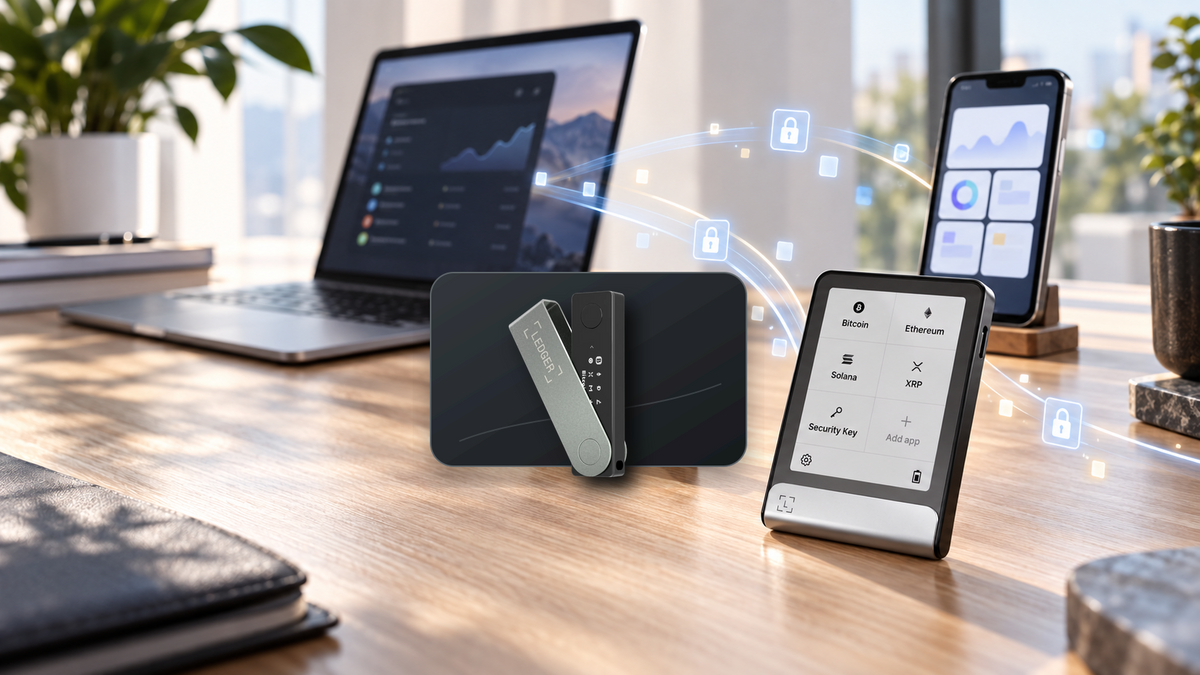
Managing Ledger Wallet on both a computer and a phone used to mean repeating the same account setup on each device. Ledger Sync is designed to remove that friction. It keeps selected wallet-app data consistent across devices without asking for an email address or password, and without uploading your Secret Recovery Phrase or private keys.
At a glance
- Ledger Sync keeps accounts, labels, balances, history and relevant Ledger Wallet settings aligned across supported devices.
- Ledger Key Ring Protocol encrypts the data before it leaves the app; Ledger does not hold the key needed to read it.
- It does not move crypto, copy private keys or replace a Secret Recovery Phrase backup.
- The feature is optional and encrypted cloud data can be deleted by disabling Sync.
- The original Nano S is not supported; Ledger lists Nano S Plus, Nano X, Flex and Stax as compatible.
What is Ledger Sync?
Ledger Sync is an optional feature in Ledger Wallet, formerly known as Ledger Live. It keeps app-level information consistent between desktop, mobile and tablet installations. Add an account, rename it or refresh your portfolio on one device, and the updated information becomes available to the other authorised installations.
Unlike a conventional cloud account, there is no username-and-password login. A Ledger device authorises access and helps derive the encryption keys that protect the data. The result is a more convenient multi-device experience without changing the fundamentals of self-custody.
What it syncs and what it never syncs
| Synced app information | Never synced |
|---|---|
| Accounts shown in Ledger Wallet | Secret Recovery Phrase |
| Account labels and relevant settings | Private keys |
| Balances and transaction history used by the app | Device PIN |
| Data that helps restore the app workspace | Authority to approve transactions |
Cryptoassets are recorded on their blockchains, not inside Ledger Wallet or the hardware itself. Ledger Wallet reads public chain data and prepares transactions; the Ledger device protects the private keys and authorises signing. “Syncing accounts” therefore means synchronising the app’s organised view of those accounts, not transferring ownership or secret material between devices.
Do not treat Sync as a wallet backup: it can restore your Ledger Wallet workspace, but it cannot replace your Secret Recovery Phrase. If the Ledger device is lost and no valid recovery method exists, synced app data alone cannot restore control of the wallet.
How Ledger Sync works
Ledger Sync is built on Ledger Key Ring Protocol. The Ledger device helps derive a separate set of encryption secrets, isolated from the private keys that control cryptoassets. Ledger Wallet encrypts its data locally before sending anything to the Sync service, so the online copy is unreadable without an authorised key.
To add another Ledger Wallet installation, the owner uses the same Ledger device or another device restored from the same Secret Recovery Phrase. The new app instance is authorised to access the appropriate decryption key and can then share the same encrypted workspace.
The Key Ring encryption keys are distinct from wallet private keys. Access to encrypted Sync data alone should not grant transaction-signing authority. Users must still verify every request on the trusted display of their Ledger device.
How to enable Ledger Sync
- Update first: install the current Ledger Wallet release, update device firmware and use only software obtained through official channels.
- Open Ledger Sync: find Ledger Sync in Settings. The exact menu location may change between releases.
- Connect and unlock the Ledger: review the request on the device before approving the creation of the encrypted Key Ring.
- Add another device: enable Sync on the second phone or computer and authorise it with the same Ledger or one restored from the same recovery phrase.
- Verify the result: check account names, addresses, balances and history before relying on the new installation.
Security rule: download Ledger Wallet only from an official website or app store. Neither Ledger nor SIAMBC will ask for a Secret Recovery Phrase, private key, passphrase or PIN to activate Ledger Sync.
Supported Ledger devices
Ledger’s technical documentation lists Nano S Plus, Nano X, Flex and Stax as capable of running the Ledger Sync device app. The original Nano S is excluded because it lacks the resources required for newer cryptographic functionality. For later models, confirm current support before setup because compatibility also depends on firmware and Ledger Wallet versions.
Syncing multiple app installations is not the same as merging multiple wallets. Ledger Sync is intended to share one wallet workspace across authorised apps. Devices created from different recovery phrases remain separate wallets and should be labelled and managed accordingly.
Privacy and security
Opt-in by design
Nothing is uploaded unless the owner enables the feature. Disabling Ledger Sync removes the online Key Ring and encrypted Sync data, while local wallet control remains tied to the owner’s recovery phrase.
Encryption does not replace transaction review
Ledger Sync protects app metadata in transit and storage. It cannot prevent a user from approving a malicious smart contract or sending assets to the wrong address. Always trust the Ledger device display over a phone or computer screen.
Your recovery phrase remains the foundation
Keep the recovery phrase offline, away from cameras and cloud storage, and separate from the Ledger device. A metal backup can add resistance to fire and water, but physical access still needs to be controlled.
If a phone or computer is lost
The online Sync copy is encrypted, and possession of a phone or computer does not by itself provide transaction-signing power. Even so, every computer and phone should use a strong unlock code, full-disk encryption and remote-wipe features.
From a trusted Ledger Wallet installation, remove the lost app instance so the remaining members receive a rotated encryption key. You can also disable Sync entirely. If the Ledger hardware is lost, restore a new trusted device with the original recovery phrase and then review the synced accounts before transacting.
Ledger devices for multi-device use

Ledger
- Compact and travel friendly
- USB-C and Bluetooth
- A practical choice for regular mobile use
Button selects Onyx Black. Check the product page for current colours and availability.

Ledger
- Clear E Ink touchscreen
- USB-C, Bluetooth and NFC
- Well suited to daily use as a primary signer
Button selects Black Graphite. Other colours may be available on the product page.

Ledger
- Large curved E Ink touchscreen
- USB-C, Bluetooth, NFC and Qi charging
- Premium multi-device experience
Frequently asked questions
Do I have to use Ledger Sync?
No. It is optional and most useful for people running Ledger Wallet on more than one device.
Does Ledger Sync store my recovery phrase?
No. It does not upload the recovery phrase, private keys or PIN. It synchronises encrypted app information only.
Would my crypto disappear if Sync stopped working?
No. Assets remain on their blockchains and access remains tied to your private keys. Accounts can be added back to compatible wallet software using the Ledger device.
Can two Ledger devices use the same Sync workspace?
Yes, when both devices are restored from the same recovery phrase. Each physical device still needs its own PIN and secure storage.
Is Ledger Sync the same as Ledger Recover?
No. Sync manages encrypted Ledger Wallet app data. Ledger Recover is a separate optional recovery service with its own terms.
Conclusion
Ledger Sync removes repetitive account setup when Ledger Wallet is used across several devices. Its design separates app-data encryption from the wallet’s transaction-signing keys and gives the owner control over whether the feature is active.
The usual self-custody rules still apply: protect the recovery phrase offline, verify transactions on the Ledger display and never disclose a PIN or passphrase. Used with that distinction in mind, Ledger Sync can add convenience without turning the wallet into a conventional cloud account.
Written by Bank | SIAMBC

Share:
What Is Hyperliquid? HyperCore, Perpetuals and HYPE Explained