

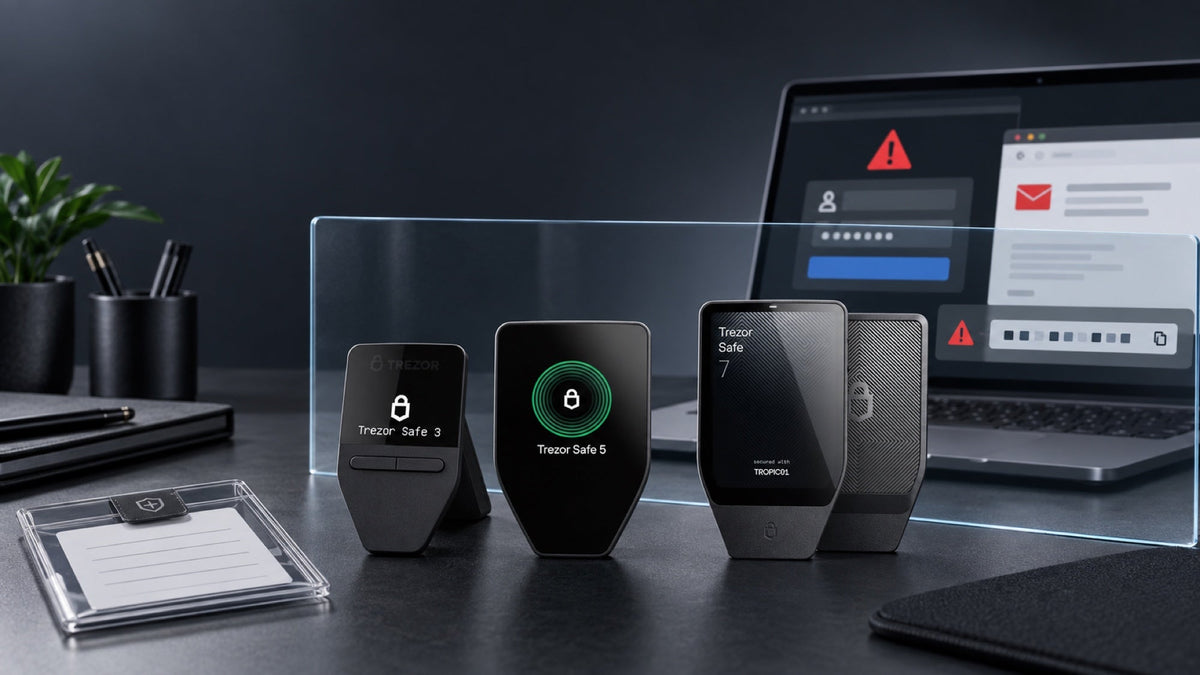
Can a Trezor be hacked? The useful answer is more nuanced than a simple yes or no. A stolen device, an exposed recovery seed, clipboard malware and a fraudulent signing request are different failures. Trezor is built to keep private keys off an internet-connected computer, but it cannot protect a wallet after its owner reveals the backup or approves the wrong transaction.
Key takeaways
- Trezor greatly reduces malware exposure: private keys remain on the device while transactions are signed.
- No hardware is invulnerable: physical attacks are possible in principle, while newer Safe models add Secure Element protection.
- An exposed recovery seed is the most urgent risk: anyone with it can restore the wallet elsewhere.
- Phishing does not need to break the device: attackers often trick the owner into sharing the seed or approving a malicious transaction.
- The trusted screen matters: verify the destination, amount and contract details on the Trezor itself.
What “a hacked Trezor” can actually mean
The phrase is often used for unrelated incidents. One case may involve laboratory access to a stolen device; another may be a fake support page asking for a recovery seed. There are also compromised computers that replace a copied address and malicious smart contracts that request broader permissions than the user intended. Identifying the failure matters because each one calls for a different response.
Physical compromise
An attacker has the device and attempts to bypass the PIN or extract secrets from its circuitry. This requires possession, specialist tools and time. It is not the same as a remote attack sent to thousands of people.
Recovery seed or passphrase exposure
If the backup was photographed, stored in cloud notes, typed into a website or seen by another person, the attacker can restore the wallet without the original Trezor.
Malware or deceptive signing
A compromised computer can alter a pasted address or imitate Trezor Suite. A malicious app can also present a contract approval that moves tokens or grants spending authority. The hardware signs only after confirmation, which is why the device screen must be treated as the source of truth.
How Trezor protects private keys
A transaction is prepared by the companion app and sent to the hardware wallet for signing. The private key does not need to leave the device. The signed transaction can then be broadcast without exposing the key to the phone or computer.
The on-device display provides an independent place to verify what is being signed. A PIN helps prevent immediate use of a stolen device. Secure Elements in Trezor Safe models add resistance against PIN guessing and physical extraction, while signed firmware and authenticity checks help identify unauthorized software or counterfeit hardware.
Stop if a new device behaves unexpectedly. If it arrives preconfigured, contains a recovery seed, or fails firmware or authenticity checks, do not continue. Contact SIAMBC without sharing your seed, PIN or passphrase.
If an attacker steals the device
A thief does not automatically gain access to the bitcoin or tokens. A strong PIN and the protections built into the model buy time. Owners of higher-value wallets may add a passphrase, which creates a separate wallet that cannot be opened with the recovery seed alone.
A passphrase also creates a new failure mode: there is no reset service, and a single different character opens a different wallet. Use it only with a tested offline backup and a recovery plan that another trusted person can follow if necessary.
A leaked recovery seed is not a device hack
The recovery seed recreates the wallet's keys. Once another person has the words in the correct order, changing the device PIN is not enough. Treat the seed as compromised if it has ever been photographed, typed on an internet-connected device, uploaded to cloud storage, entered on a website or disclosed to someone claiming to offer support.
When exposure is suspected, create an entirely new wallet on trusted hardware, record a new seed offline, verify it, and transfer assets to new addresses. Do not keep using the old seed.
How phishing, malware and malicious signing steal funds
Most attacks target the person rather than the chip. Fake download ads, urgent account warnings and impersonated support agents are designed to obtain the recovery seed. Clipboard malware swaps the recipient address, while malicious decentralized applications ask the user to approve a transaction whose consequences are difficult to read.
- Install Trezor Suite only from the official source.
- Never enter a recovery seed into a website, browser extension, chat or phone.
- Compare the full address on the Trezor screen, not only its first and last characters.
- Reject any transaction or contract approval you do not understand.
- Send a small test amount before a large transfer.
If a server or customer database is breached, are the coins at risk?
A leak of names, email addresses or shipping details does not reveal keys held by a correctly initialized Trezor. It can, however, make phishing far more convincing. Assume that any message referring to a purchase or device model may still be fraudulent. Neither Trezor nor SIAMBC will ask for your recovery seed.
Risk comparison
| Scenario | What Trezor helps with | What the owner must do |
|---|---|---|
| Computer malware | Keeps private keys off the computer | Verify every address and amount on-device |
| Stolen device | PIN and hardware protections slow access | Use a strong PIN and move funds if theft is confirmed |
| Leaked recovery seed | Cannot block restoration on another wallet | Create a new seed and move assets immediately |
| Fake website or support agent | Cannot prevent voluntary disclosure | Never type or share the seed |
| Malicious contract approval | Shows what the device is asked to sign | Reject unclear or unexpected requests |
How to use Trezor more safely
- Initialize the device yourself and record the seed offline.
- Use a PIN that is not reused elsewhere.
- Keep the device and seed in separate controlled locations.
- Use the official app and keep firmware current after verifying the source.
- Read the device screen for every transaction.
- Consider a passphrase only after understanding backup and inheritance risks.
- Test recovery before storing a large balance.
What to do when something looks wrong
You received a suspicious message but did not interact
Do not open links or attachments. Navigate to the official site independently and delete the message.
You installed suspicious software but did not enter the seed
Disconnect the computer, remove the software and scan or reinstall the system. Check recent on-chain activity from a separate trusted device.
You entered the recovery seed online
Assume the wallet is compromised. Build a new wallet with a new seed on trusted hardware and transfer assets without delay.
The address on Trezor is not the intended recipient
Reject the transaction. Do not try repeatedly until the cause is understood; another app or the computer may be compromised.
The device is missing
If the seed remains secure, restore on a trusted replacement and move funds. If a passphrase was used, restore the exact same passphrase.
Choosing a Trezor Safe model
Safe 3, Safe 5 and Safe 7 follow the same core self-custody model. The practical differences are the interface, connectivity and hardware-security layers. Choose the device whose screen and workflow you will consistently use to verify transactions.

Trezor
- Secure Element protection for PIN checks and device authentication
- On-device screen and buttons for reviewing transactions
- A practical entry point for desktop and Android users

Trezor
- Secure Element plus a color touchscreen with haptic feedback
- More room to review addresses and prompts on the device
- Suited to regular desktop or Android use

Trezor
- Layered hardware security with two Secure Elements
- Large touchscreen and Bluetooth support
- Designed for iPhone, Android and computer workflows
Frequently asked questions
Can someone hack a Trezor remotely?
A correctly used device is designed so private keys are not exposed to the connected computer. Remote attackers usually rely on phishing, malware or deceptive signing rather than extracting the key from the hardware.
If my Trezor is stolen, are the funds gone?
Not immediately. The PIN and device protections matter, but restore the wallet on trusted hardware and move funds once theft is confirmed.
Can anyone with my recovery seed take the funds?
Yes. The seed can recreate the wallet elsewhere. A passphrase-protected wallet additionally requires the exact passphrase.
Will Trezor or SIAMBC ever ask for my seed?
No. A request for the recovery seed is a strong sign of fraud.
Does open-source software mean there can be no vulnerabilities?
No. It makes implementation available for review, but security still depends on design, updates and correct use.
Conclusion
Trezor removes private keys from the everyday computer or phone, which meaningfully reduces exposure. It does not remove the need for judgment. Protect the recovery seed, verify every transaction on the device and respond quickly when something is inconsistent. In many real-world thefts, the hardware was never broken; the owner was persuaded to bypass its protection.



Share:
How to Prepare a Hardware Wallet for 5–10 Years of Bitcoin Storage
iPhone Duo vs Bitcoin: What Would THB 79,900 Invested Years Ago Be Worth Today?