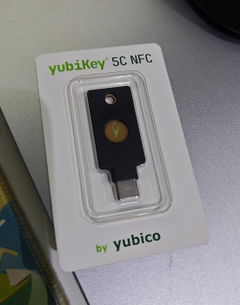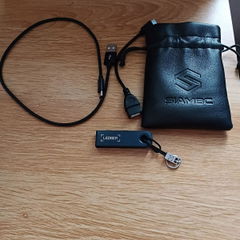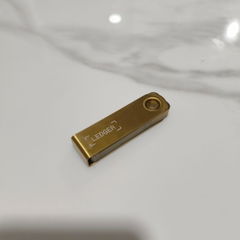



FEITIAN BioPass FIDO2 Pro K49 (USB-C)
Price depends on the model, the options and import duty. Message us and we will send a quotation and a delivery date.
100% genuine, new and sealed
Arrives faulty, we replace it straight away
Pairs well with
FEITIAN BioPass FIDO2 Pro K49 is a USB-C security key with a built-in fingerprint sensor. Touch it with an enrolled finger to verify your identity, without typing a PIN every time. Compared with the Plus model, the Pro adds OTP codes and Windows Biometric Framework (WBF) support. Fingerprints are stored and matched only inside the key and are never sent to the computer or website.
Who it is for
- Organizations that want staff to sign in with a fingerprint instead of typing passwords
- Offices where several people share computers, each with their own key and fingerprint
- Anyone who wants the security of a security key with the convenience of a fingerprint scan
Connectivity
- USB-C plugs into computers and laptops with a USB-C port
- This model has no NFC
What it supports
- FIDO2 / WebAuthn (passkeys) with fingerprint verification
- FIDO U2F
- Smart Card (PIV)
- OTP codes
- Windows Biometric Framework (WBF)
Smart Card (PIV) stores digital certificates for computer sign-in, document signing, and other organizational PKI work, while OTP codes work with older systems that still sign in with one-time passwords.
Fingerprint
- Fingerprints are stored and matched inside the key's chip and are never sent to the computer or website
- The stored data cannot be used to reconstruct an image of the actual fingerprint
- The fingerprint sensor doubles as the touch button
Compatibility
Supports Windows, macOS, Linux, and ChromeOS. Works with services that accept FIDO security keys, such as Google, Microsoft, Microsoft Entra ID, Okta, Duo, Salesforce, Facebook, and Dropbox, including passwordless Windows sign-in in organizations that use Microsoft Entra ID.
Certification
- FIDO2 and FIDO U2F certified at Level 2 by the FIDO Alliance, listed in its database as BioPass FIDO2 Pro
- FIDO2 certificate numbers: FIDO20020240926004 and FIDO20020240926002 (enterprise profile)
- Verify it on the FIDO Alliance list of certified products
The key
- 52 x 19 x 6.4 mm, 7.8 g
- The fingerprint sensor doubles as the touch button
- Stores up to 128 passkeys on the key
- Keyring hole
FAQ
Does it work with iPhone or Android phones?
The systems supported in this model's specifications are Windows, macOS, Linux, and ChromeOS. iPhone and Android are not on that list yet. This model is designed mainly for computers. If you also want to tap a key against an Android phone, the ePass FIDO-NFC K40 has NFC but no fingerprint sensor.
How do I enroll a fingerprint?
Set a PIN on the key first, then add fingerprints. On Windows, go to Settings > Accounts > Sign-in options > Security Key. On macOS and Linux, use Chrome's security key settings (Manage security keys). When scanning, use the same finger and place it in the same position each time, so the key recognizes it more accurately.
What is the difference between K49 and K50?
They work the same way; only the connector differs. K49 is USB-C, and the BioPass FIDO2 Pro K50 is USB-A. If you do not need OTP codes and WBF, the BioPass FIDO2 Plus K26+ (USB-C) offers FIDO2, FIDO U2F, and Smart Card (PIV).
If I lose the key, can whoever finds it use it?
Not with the key alone. They would still need to pass your fingerprint, PIN, or password. Remove the lost key from your account's security settings right away, and register a second key as a backup from the start, so you can still sign in if one is lost.
Will SIAMBC or FEITIAN ever ask for my key's PIN?
Neither of us will, under any circumstances. SIAMBC and FEITIAN will never ask for your key's PIN, never ask for remote access to your computer, and never message you asking you to send them your key. Anyone who asks for these things, whether they claim to be SIAMBC staff, use FEITIAN's name, or say it is for a warranty claim, is a scammer. No exceptions.
Buying from SIAMBC
SIAMBC has sold digital security devices for over 10 years and has a showroom in Bangkok. This product carries a 1-year warranty, claimed directly through SIAMBC. For questions before or after you buy, message our team on LINE @siambc, in Thai and English. Use the Request a price button on this page for a quote, or email order@siambc.com.
Register your warranty online Register ›
Shipping information
Processing:
- Orders are processed and dispatched the same day.
Delivery:
- Free shipping nationwide. Estimated delivery 1-2 business days, faster in Bangkok.
- Same-day delivery in Bangkok by Grab or LINEMAN. Call or message us on LINE to arrange it and pay by bank transfer.
- Or collect from our Bangkok store, Monday to Saturday, 9:00 AM to 5:00 PM.
Tracking:
- Once your order ships you will receive a confirmation email with a tracking number.
Return and Exchange Policy
Faulty on arrival: if a device arrives defective — a broken screen, a connectivity fault — we replace it with a new one straight away. No forms, no waiting on the manufacturer.
Warranty: Security keys carry a 1-year warranty, and claims are handled by us rather than an overseas support queue.
Change of mind or wrong model: we do not accept returns or give refunds, whether or not the box has been opened. We accept returns for defective products only, which we exchange within 30 days of delivery. This is a security limitation of these devices: once a device has left us, we cannot assure the next customer that it has not been interfered with.
How to arrange an exchange for a faulty item
- Message us on LINE at @siambc or email order@siambc.com before sending anything back.
- Include your order number, what is wrong, and a photo or short video.
- Send the item back to us at your own shipping cost. Once we have checked it, we exchange it.
Refunds: faulty items are exchanged rather than refunded.
If you have any questions, you are always welcome to contact us. We'll get back to you as soon as possible, within 24 hours on weekdays.
-
Shipping Information
Free shipping nationwide. Orders normally arrive within 1 to 2 business days, faster if you are in Bangkok.
Need it today? We can send by Grab or LINEMAN for same-day delivery in Bangkok. Call or message us on LINE to arrange it and pay by bank transfer.
You can also collect from our Bangkok store.
-
Customer Support
We answer in Thai and English, usually within a few hours on weekdays.
You set it up yourself: register the key with your accounts from the security settings of each website or app you use. SIAMBC will never ask for your key's PIN or your account recovery codes.
Stuck on a step? Ask us on LINE or at the shop.
-
Common questions
Which model should I choose? Go by the ports on your devices: USB-A or USB-C. For tapping on a phone, choose a model with NFC. Some models also support PIV smart card login or one-time codes, and fingerprint models confirm with your finger. Each product page lists what that key supports. See every security key.
Are your products genuine? Yes — new, sealed and genuine, from a physical shop in Bangkok you can walk into.
Will SIAMBC or the key's maker ever ask for my key's PIN? Never, neither of us. SIAMBC and the key's maker will never ask for your key's PIN, ask for remote access to your computer, or contact you asking you to send them the key. Anyone who does is a scammer.
-
Contact Us
LINE is the fastest way to reach us — and how most of our customers ask questions before buying.
Phone: +66 82 554 6950
Email: order@siambc.com110/2 Thawi Watthana-Kanchanaphisek 3 Rd, Bangkok 10170
Monday to Saturday, 9:00 AM to 5:00 PM
Fast & Free shipping ส่งฟรี ส่งเร็ว
Before you buy
Are your products genuine?
Yes. Every product we sell is new, sealed and genuine. SIAMBC has sold security devices in Thailand for more than 10 years and has a physical store in Bangkok you can walk into.
How long does delivery take?
Orders normally arrive within 1 to 2 business days, depending on where you are — faster if you are in Bangkok.
Need it today? We can send it by Grab or LINEMAN for same-day delivery. Call us or message us on LINE to arrange it, pay by bank transfer, and it goes out immediately.
You are also welcome to collect from our Bangkok store.
Can I collect from your store instead?
Yes. We are in Thawi Watthana, Bangkok, open Monday to Saturday, 9:00 AM to 5:00 PM. You are welcome to come in, see the devices in person and ask questions before you buy. We answer in Thai and English. Find us here.
What warranty do I get?
Security keys carry a 1-year warranty, claimed directly through SIAMBC, with no waiting in an overseas support queue.
If a key is faulty out of the package, we replace it with a new one straight away. No forms, no waiting on the manufacturer.
How can I pay?
Credit card, bank transfer, or cash on delivery. You can also pay in person at our Bangkok store.
Can I set it up myself?
Yes, and you should. It takes a few minutes: open the security settings of the account you want to protect, choose to add a security key or passkey, then insert or tap the key as the screen asks. Register a second key as a backup too.
FIDO2 has no default PIN; you set one the first time a website or app asks. If you get stuck, our team can answer on LINE or by phone, without ever asking for your key's PIN or your account recovery codes.
Which model should I choose?
Go by the ports on your devices: USB-A or USB-C. For tapping on a phone, choose a model with NFC.
Some models also support PIV smart card login or one-time codes, and fingerprint models confirm with your finger. Each product page lists what that key supports. See every security key, or ask us. We will tell you honestly which one fits.
What happens if I lose my key?
If you registered a backup key with every account, you can still sign in with the backup, then remove the lost key from each account's security settings. That is why we recommend at least two keys.
Without a backup key, you need the account recovery codes each website or app gave you during setup. Keep those codes somewhere safe and never share them.
Will SIAMBC or the key's maker ever ask for my key's PIN?
Never, neither of us, for any reason. SIAMBC and the key's maker will never ask for your key's PIN, ask for remote access to your computer, or contact you asking you to send them the key. Anyone who does, whether they claim to be SIAMBC staff, use the brand's name or say it is for a warranty claim, is a scammer.