
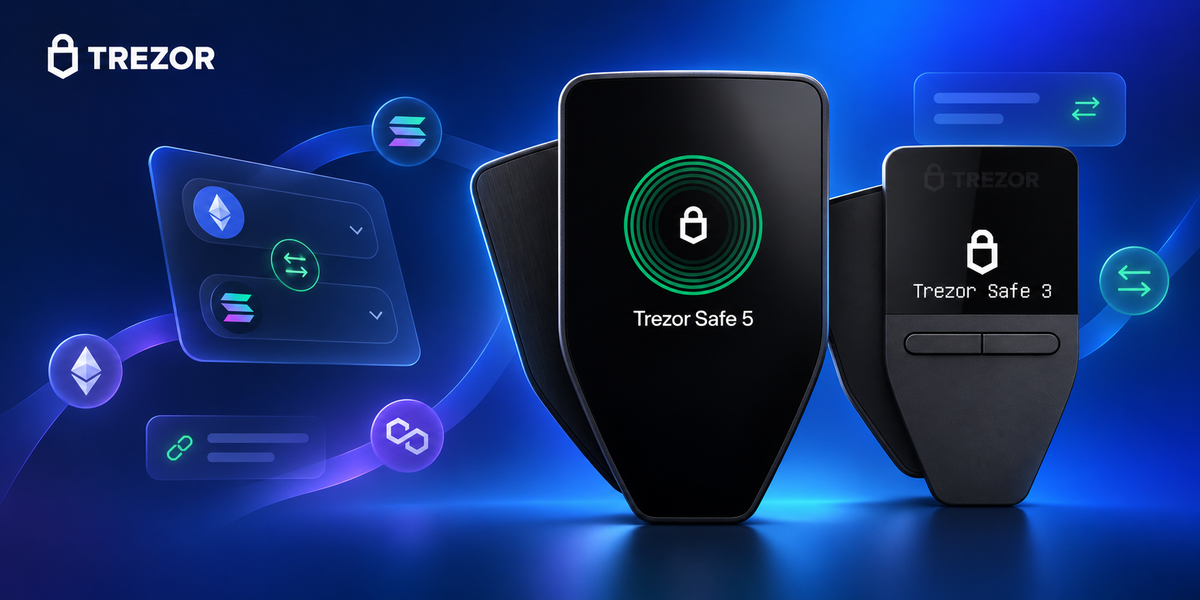
Trezor has rebuilt Trade in Trezor Suite around a shorter, more legible swap flow. Users can compare DEX routes and swap providers without moving to a separate wallet app, while supported Ethereum and EVM transactions gain clear signing and transaction simulation before approval on a compatible device.
Key takeaways
- The redesign adds a clearer asset picker, account selection and post-trade summary.
- DEX routes and hosted swap providers appear side by side, but they have different custody, pricing and compliance models.
- Supported networks include Bitcoin, Ethereum and EVM chains, Solana, Zcash, XRP, Tron, Litecoin and Dogecoin.
- Clear signing and Blockaid-powered simulation can expose unexpected outcomes before approval, but they do not remove protocol or provider risk.
- Your keys remain on the Trezor; assets committed to a swap, bridge, staking pool or DeFi protocol are still subject to that service’s rules and technical risks.
What changed in Trade
Swapping from cold storage has traditionally meant sending funds to an exchange, connecting a third-party wallet or assembling a route across a DEX and bridge. Each extra handoff introduces another address, network choice and approval screen. The rebuilt Trade view keeps discovery, route selection and signing within Trezor Suite.
The new flow brings the token picker, source account and expected result together, then returns the acquired asset to an address controlled by the user. Trezor Suite is the interface, however; pricing, liquidity and execution still come from the selected DEX, bridge or swap provider.

DEX routes versus swap providers
| Route | How it works | What to inspect |
|---|---|---|
| DEX or aggregator | Builds an on-chain transaction through smart contracts and liquidity venues | Contract, bridge, slippage, gas, token and receiving address |
| Swap provider | A third-party service executes the exchange under its own commercial terms | Quote, fees, limits, KYC rules, regional availability and refund terms |
Showing both choices in the same application makes comparison easier; it does not make every provider part of Trezor or turn every swap into a permissionless transaction.
Clear signing and transaction simulation
Smart-contract calldata is difficult for most people to interpret. Clear signing translates supported requests into meaningful information on the trusted device display. Transaction simulation, powered by Blockaid for supported Ethereum and EVM activity, estimates what the transaction is likely to change before it is approved.


A warning system is not a guarantee. Coverage varies by device, network and transaction. Simulations can be incomplete, and a protocol can change after review. Cancel any request that does not match the intended trade.
Networks and partners
Trezor lists Bitcoin, Ethereum and EVM chains, Solana, Zcash, XRP, Tron, Litecoin and Dogecoin across the available DEX and provider routes. Actual quotes depend on the asset pair, location, liquidity and service availability.
- SwapKit builds non-custodial cross-network DEX routes.
- LI.FI aggregates DEXs and bridges, with Bitcoin support added to its wider EVM coverage.
- 1inch aggregates liquidity on Ethereum and EVM chains.
- Changelly and ChangeNOW provide hosted swap routes across multiple networks.
- Blockaid supplies transaction simulation for supported activity.
Trezor Suite also surfaces stablecoin yield through Morpho and staking for ETH, SOL, ADA and TRX. These services bring counterparty, smart-contract, liquidity and withdrawal risks that hardware-based signing cannot remove.
Choosing a Trezor for active use
Availability of clear signing depends on the device, firmware, network and transaction type. A larger trusted display can be valuable for people who approve on-chain transactions regularly, while simpler models remain suitable for long-term storage and routine transfers.


A higher-priced model is not automatically safer for every transaction. Screen size and input design improve the review experience, but both devices still rely on the owner checking the destination and signing request.
What the device cannot protect against
A hardware wallet isolates signing keys and provides a trusted confirmation screen. It cannot reverse a valid transaction, guarantee a swap quote, secure an external protocol or rescue a recovery phrase entered into a phishing site.
- Start unfamiliar cross-chain routes with a small amount.
- Verify the network, token contract, destination, slippage and minimum received.
- Read the Trezor display, not only the computer screen.
- Stop if the device shows blind or unclear data that you did not expect.
- Never type a wallet backup into a website, swap service or support chat.
FAQ
Must funds be sent to an exchange first?
No, not when a supported DEX or swap route is available in Suite. The result can be returned directly to a user-controlled address.
Do private keys leave the Trezor?
The keys remain on the device. The signed transaction is broadcast and may interact with third-party contracts or services.
Is every Trade route free of KYC?
No. On-chain DEX routes may not require an account, but hosted swap providers apply their own limits, policies and regional checks.
Does clear signing make a swap risk-free?
No. It improves visibility into supported requests. Market, bridge, protocol and provider risks remain.
References
Information checked on November 8, 2026. Features, networks and providers may vary by region and Trezor Suite version. This article is not investment advice.

Share:
OneKey reaches $150M valuation after Series B led by YZi Labs
OneKey Neo launches as a lighter big-screen hardware wallet