

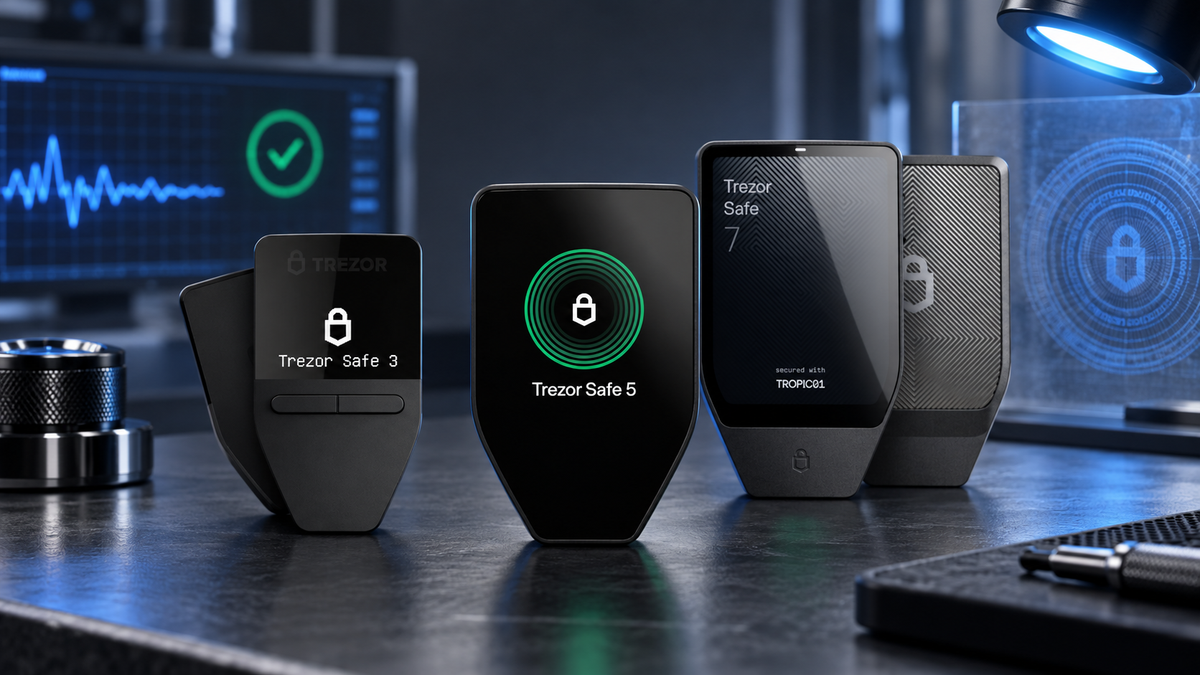
Quick take
- Buy through a source you can verify. Packaging alone cannot establish that a device is safe.
- Inspect the box, accessories and tamper-evident seal before connecting the device.
- A new Trezor ships without firmware. Official firmware should be installed during onboarding in Trezor Suite.
- Safe-series devices support hardware authentication, while Suite also checks firmware signatures, revisions and hashes.
- Create your own PIN and wallet backup. Never use recovery words supplied by a seller.
A genuine-looking case is not enough to establish trust in a hardware wallet. Before a Trezor protects meaningful funds, you want a clean chain of custody, intact tamper evidence, successful hardware authentication and official firmware installed through Trezor Suite.
The good news is that these checks are designed for ordinary users. You do not need to open the enclosure or audit source code. You do need to recognise the expected onboarding flow and stop when Suite or the device presents a security warning.
What you are actually checking
There are three separate questions: Did the device come through a traceable sales channel? Does its hardware and firmware pass Trezor's technical checks? Were the wallet secrets generated by you, on the device, after those checks passed?
A legitimate device can still be unsafe if somebody initialized it and supplied a wallet backup. Conversely, an intact-looking box cannot replace cryptographic device and firmware verification.
Start with the seller
Use Trezor's own shop or an authorised reseller with clear purchase records, warranty terms and customer support. A large discount from an anonymous marketplace seller is not meaningful if the product history cannot be established.
Do not rely on a barcode or packaging number as an authenticity lookup. Trezor devices do not expose a consumer serial-number check; identifiers on the package are used for logistics and production batches.
Inspect the seal and hardware before connecting it
Photograph the box before opening it. Look for torn edges, fresh adhesive, relabelled surfaces and accessories that appear repacked. Safe 3, Safe 5 and Safe 7 use tamper-evident seals over the USB-C port. Older models may place seals differently.
The seal should be firmly attached and undamaged. Some seals intentionally leave a VOID pattern when removed. That is expected after you peel it yourself; damage or residue already present on arrival is the concern.
Packaging is only the first layer. An intact seal does not replace the checks performed by Trezor Suite.
Use the official Trezor Suite
Navigate to Trezor's website yourself and obtain Suite from the official download page. Avoid search ads, private-message links, unknown QR codes and installation files supplied by a seller.
Authenticity verification never requires you to type your wallet backup into a website, chat or ordinary computer form. Anyone asking for recovery words to “verify” or “activate” a device is attempting to obtain control of the wallet.
A new device should not arrive with firmware installed
Trezor devices leave the factory without firmware. During first-time onboarding, Suite should inspect the device and install signed official firmware before it offers to create a wallet.
If a supposedly new device already has a PIN, accounts, firmware or a prepared backup, stop. Do not treat it as a helpful pre-configuration service. A personal device that you previously wiped may legitimately retain firmware, but that is different from a newly delivered product with an unknown history.
Authentication and firmware checks
Safe 3 and Safe 5 store a device certificate in their Secure Element. Suite uses a challenge-response process to verify that certificate. Safe 7 extends authentication across multiple hardware security layers. Keep Device Check enabled; disabling it merely to silence a warning defeats its purpose.
Firmware Revision Check compares version and revision information with Trezor's official records. Firmware Hash Check tests whether the running firmware has been altered. The bootloader also verifies the firmware signature when the device starts.
| Check | What it establishes | Your action |
|---|---|---|
| Seal and enclosure | Visible evidence of prior access | Inspect and photograph before opening |
| Device Authentication | Valid Safe-series hardware certificate | Keep Device Check enabled |
| Revision Check | Known firmware version and revision | Use the current official Suite |
| Hash Check | Firmware content has not been altered | Stop if Suite reports a mismatch |
| Signature Check | Firmware was signed by Trezor | Never install unknown firmware |
Most customers should not install custom firmware or unlock a Safe-series bootloader. Bootloader unlocking is irreversible and permanently changes the device's authentication status.
Create a clean wallet yourself
Once every check passes, create a new wallet, choose your own PIN and record the wallet backup generated during setup. Included backup cards must be blank. Words printed or handwritten in advance are an immediate reason to stop.
Keep the backup offline. Do not photograph it, sync it to cloud storage or share it with SIAMBC. Support can guide you without seeing your backup, passphrase, PIN or private keys.
Pre-deposit checklist
- Confirm the seller and warranty.
- Inspect and photograph the package, seal, port and device.
- Install Trezor Suite from Trezor's official website.
- Confirm a new device enters the firmware-installation flow.
- Allow device and firmware checks to complete without warnings.
- Create a new PIN and wallet backup yourself.
- Verify the receiving address on the Trezor display.
- Send a small test transaction before moving the main balance.
Stop immediately if you see any of these
- A damaged or missing seal on arrival
- A new device that already contains firmware, accounts or a PIN
- Recovery words supplied in the package
- An authentication, revision or hash-check failure
- An unofficial-firmware or non-authentic-device warning
- A request for your backup words
- Instructions to disable Device Check
Do not make a test deposit into a wallet that has already failed a security check. Preserve the packaging and screenshots, then contact SIAMBC without disclosing wallet secrets.
Choose a Trezor

Trezor
- Accessible USB-C model
- EAL6+ Secure Element
- Strong value with open-source architecture
This button selects Cosmic Black. Other colours and the Bitcoin-only edition are available on the product page.

Trezor
- Colour touchscreen with haptic feedback
- Convenient on-device PIN and passphrase entry
- Designed for a smoother daily experience
This button selects Black Graphite. Other colours and the Bitcoin-only edition are available on the product page.

Trezor
- Large touchscreen and Bluetooth support
- Layered hardware with dual Secure Elements
- Flagship choice for frequent mobile use
This button selects Charcoal Black. Other colours are available on the product page.
Frequently asked questions
Can I verify a Trezor by serial number?
No. Trezor does not provide a consumer device-serial lookup. Use Suite's hardware and firmware checks instead.
Is a VOID mark under the seal suspicious?
Not by itself. Some seals are designed to leave that pattern after removal. Damage already present before you open the product is what matters.
Should Trezor Suite ask for my recovery words during authenticity checks?
No. Hardware and firmware verification does not require your wallet backup.
Can I transfer my full balance after the checks pass?
Verify the receiving address on the device and begin with a small transaction. Authenticity checks verify the device; careful transaction review remains your responsibility.
Conclusion
There is no single sticker or visual trick that proves a Trezor is safe. Confidence comes from a complete process: a traceable seller, intact tamper evidence, official Suite, fresh firmware installation, successful authentication and a wallet backup created by you.
Never work around a security warning simply to finish setup. The purpose of a hardware wallet is to reduce trust, and that begins before the first coin reaches the device.
Sources
- Trezor Safe device authentication check
- Trezor firmware revision check
- Firmware hash check
- Is my device safe to use?
Information checked on September 21, 2026. Packaging and software may change. Written by Bank for security education; this is not investment advice.


Share:
Trezor and Ledger Customer Data Breaches: Are Your Hardware Wallets Still Safe?
Bitcoin Closes Above Its 50-Week Moving Average: What Does It Mean?